PRELIMINARY
Document type: Title: Revision date: Revision:
User's Manual (MUT) N1471 4 Channel Programmable HV Power Supply 24/03/2010 1
NPO: Filename: Number of pages: Page:
00112/07:N1471.MUTx/01 N1471_REV1.DOC 38 27
3.4. Remote Control
Module control can take place remotely, via USB or RS485; the latter allows to build a
N1471s’ daisy chain network. The CAEN NIM8301 7U 12 Slot Smart Fan Unit 300/600 W
Crate allows also to communicate with the module via Ethernet.
3.4.1. Serial Links
3.4.1.1. USB communication
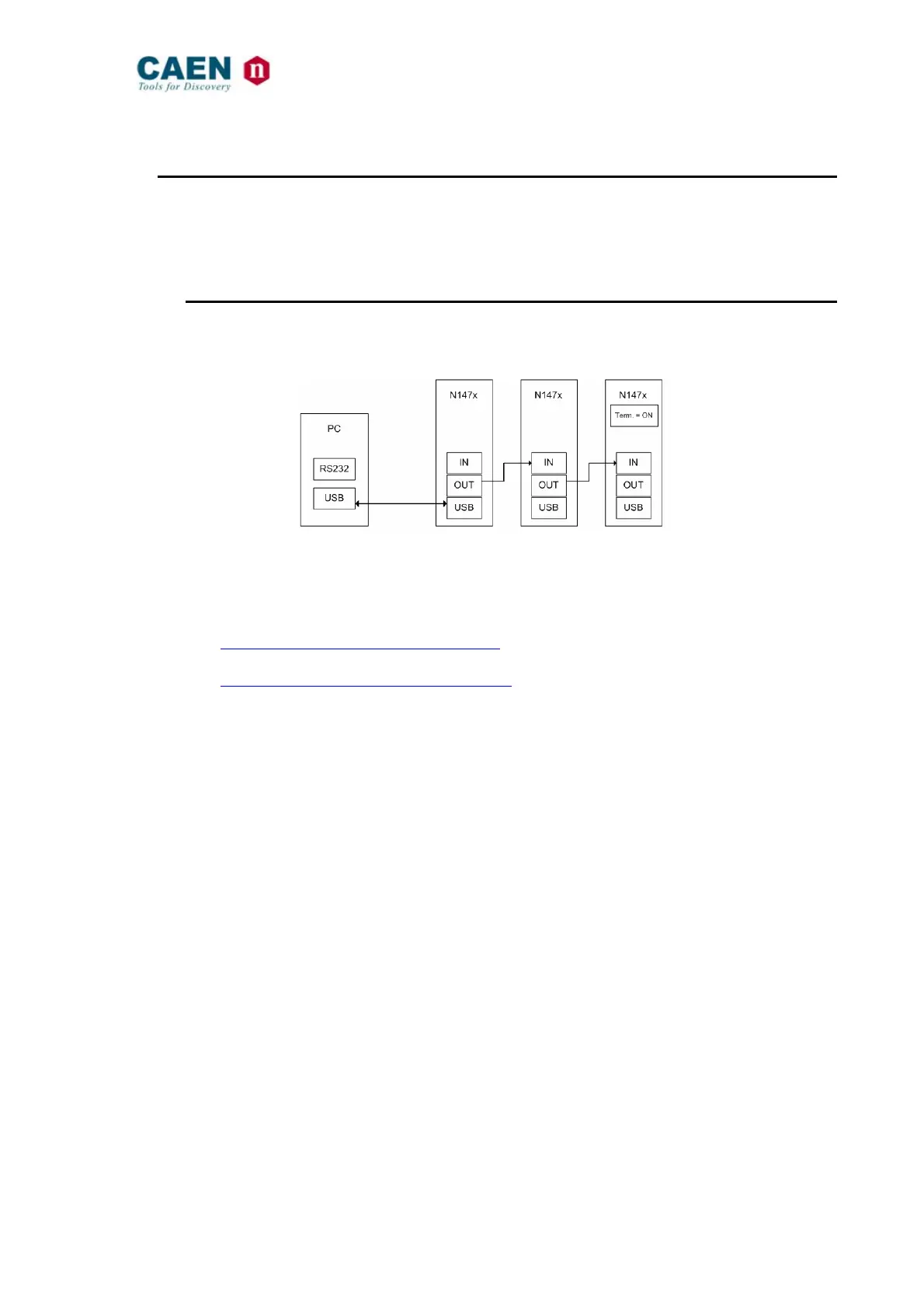
Fig. 3.28: USB communication diagram
The module is provided with a USB2.0 compliant interface (see § 2.4.4). The N1471 can
be programmed via PC by connecting the PC USB port with the N1471 USB B-type port;
the featured controller, the FT232BM chip requires drivers freely available at:
http://www.ftdichip.com/Drivers/VCP.htm
the site also provides installation instructions for all OS’s:
http://www.ftdichip.com/FTDocuments.htm
The connection can be performed via terminal emulator, such as HyperTerminal,
configured as follows:
- baud rate 9600 (the same set on the N1471! See § 3.2.2)
- Data bits: 8
- Parity: none
- stop bit: 1
- Flow control: Xon Xoff
It is also possible to build a daisy chain of up to 32 N1471’s, with the first module
connected to the PC USB port and the subsequent ones daisy chained through the
COMM IN/OUT, as explained in § 3.4.1.3; in this case communication with the chained
modules is achieved through the USB - RS485 Communication Protocol, see § 3.5. All
modules must be assigned a LOCAL BUS ADDRESS (see § 3.1.1) different from one
another and the last one must be terminated (see § 4.2.1).



 To Next Page