46
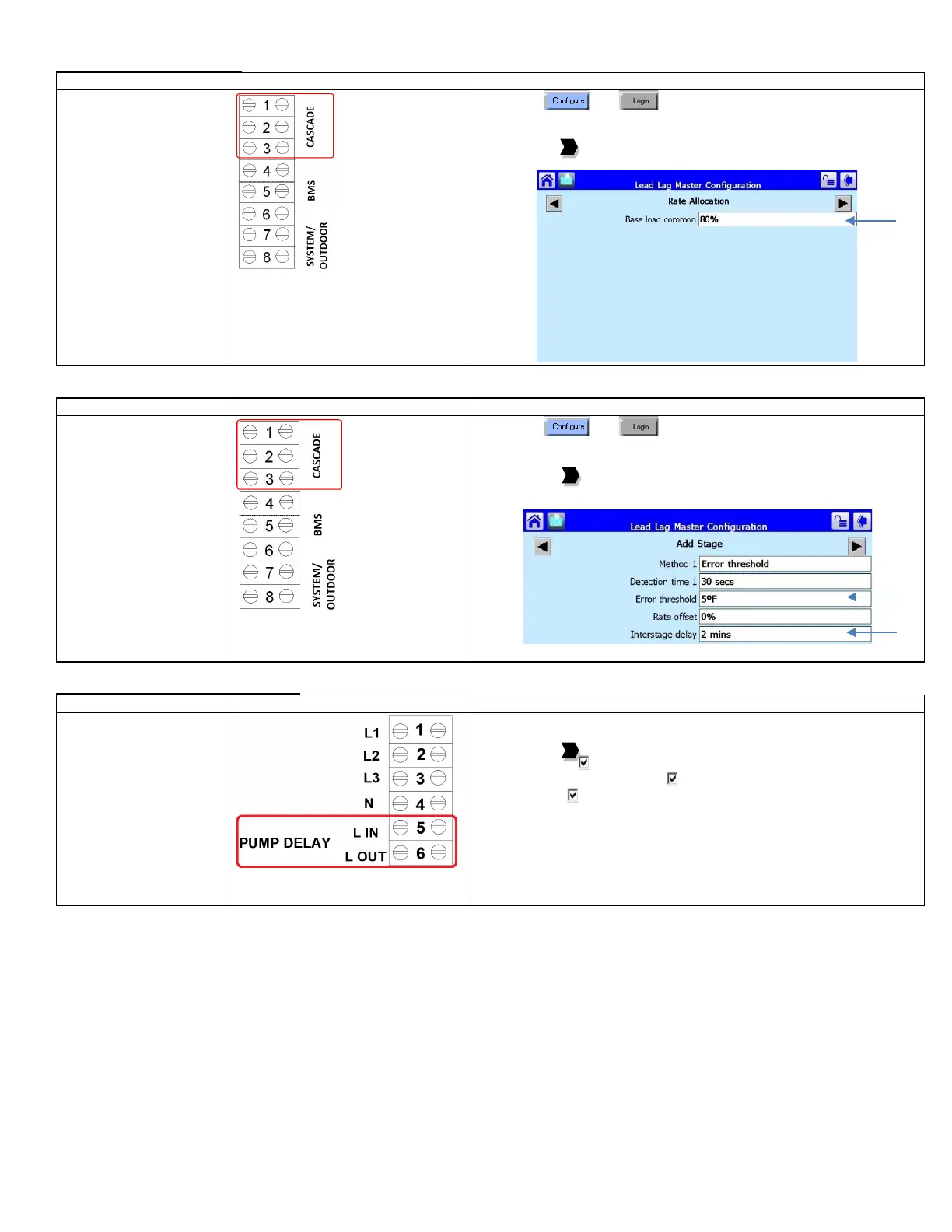
Base Load Rate Adjustment
• Upon a call for heat the
lead boiler will fire up to
the specified base load
rate (80%). If the
temperature is not
within Error threshold
(5
o
F) of setpoint after
Interstage delay (2
minutes) a lag boiler
will be brought online
and will also fire up to
the base load rate
specified.
• Modulation of boilers
will only occur after all
boilers in the Lead Lag
system are firing up to
the specified base load
1) Press and
2) Press [Lead Lag Master Configuration]
3) Press [Advanced Settings >]
4) Press the to arrive at Rate Allocation
5) Select Base load common: (user defined)
Adjust Staging of Boilers
• Upon a call for heat the
lead boiler will fire up to
the specified base load
rate (80%). If the
temperature is not
within Error threshold
(5
o
F) of setpoint after
Interstage delay (2
minutes) a lag boiler
will be brought online
and will also fire up to
the base load rate
specified.
• This method will then
be repeated for the
next lag boiler, if
1) Press and
2) Press [Lead Lag Master Configuration]
3) Press [Advanced Settings >]
4) Press the to arrive at Add Stage
5) Select Error threshold
6) Select Interstage delay
Boiler Pump Operation (ALL Boilers)
pump on a call for heat.
This function also
includes a post pump
feature.
1) Select Pump Configuration
2) Press [Advanced Options >>]
3) Press the to arrive at Central Heat Pump or DHW Pump
4) On Options: Local burner demand
5) On Options: Local Lead Lag Service Active
6) Force On: Outlet high limit



 To Next Page