101
Playing and Erasing Recorded Images
5
Viewing Recorded Images
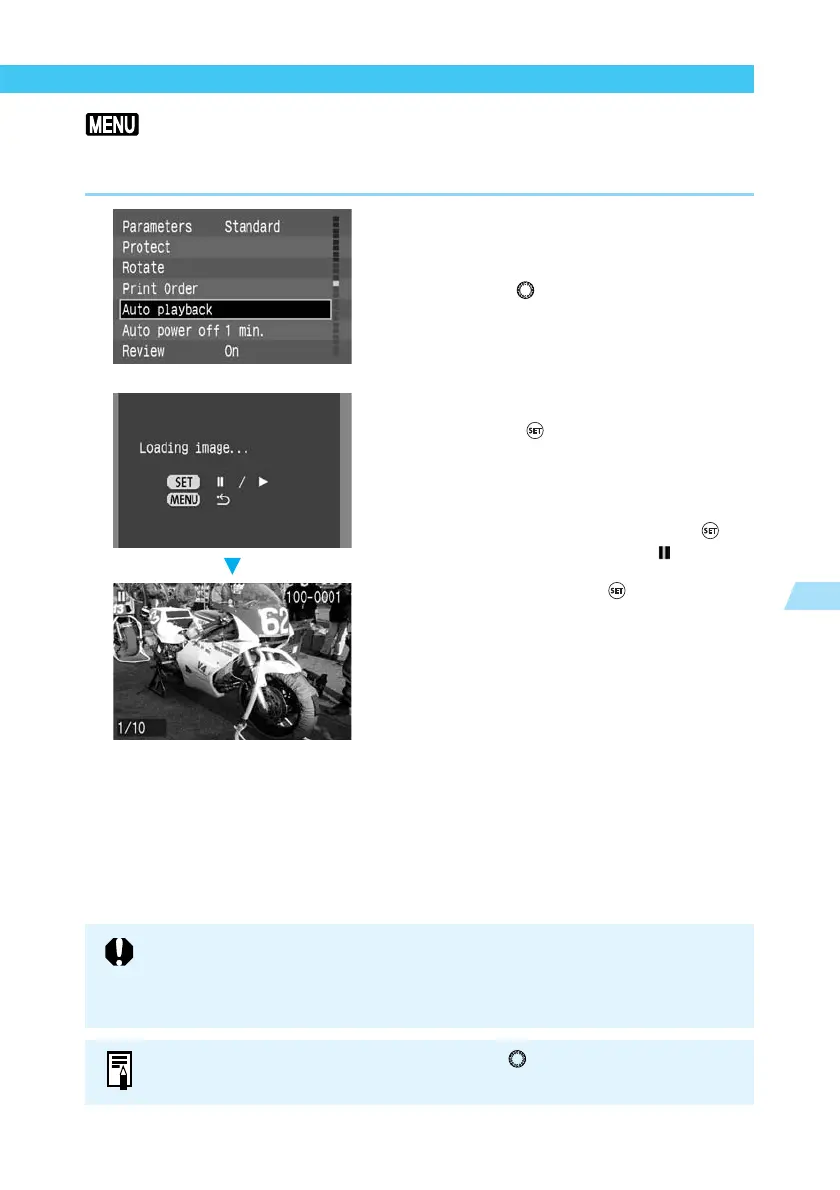
Automated Playback of Recorded Images (Auto playback)
This function automatically and continuously displays all images recorded on the CF card.
Each image is displayed for approximately 3 seconds.
1
From the menu, select [Auto
playback].
● Press the <
MENU
> button.
● Turn the < > dial to select [Auto play-
back].
2
Start auto playback.
● Press the < > button.
➡ The camera loads the images, and after the
“Loading image…” screen has been
displayed for approximately 2 seconds, the
auto playback starts.
● To pause auto playback, press the < >
button. During the pause, the [ ] indicator
appears in the upper left part of the image.
To resume, press the < > button again.
● To quit auto playback, press the <
MENU
>
button.
While auto playback is paused, you can turn the < > dial to change the picture
in the same way as for single-image display (→98).
● During auto playback, the Auto power off function (→29, 120) does not operate.
After you have finished viewing, be sure to press the <
MENU
> button to stop the
auto playback.
● Display time may vary depending on the image.















 To Next Page