42
Check the Image Immediately
Time for Image Review
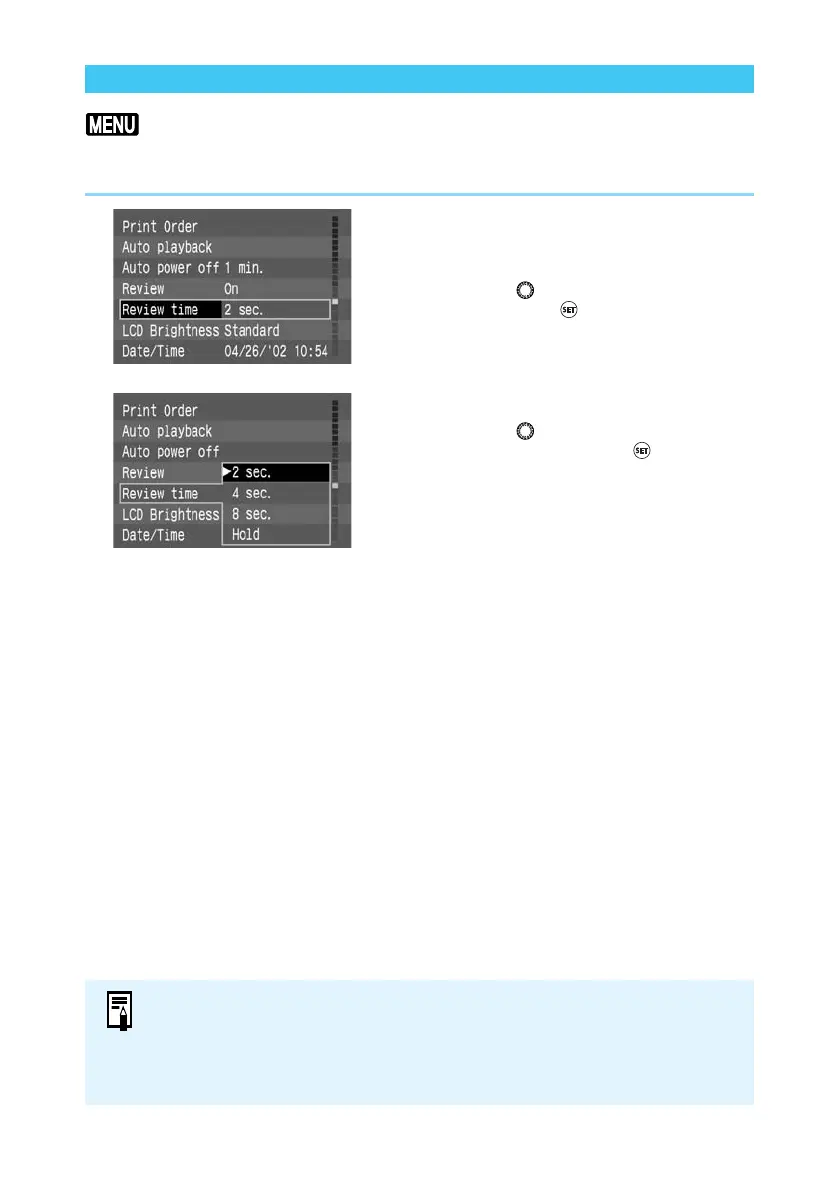
You can control how long images are displayed by setting the review time to [2 sec.], [4 sec.],
[8 sec.], or [Hold] which keeps the image on the monitor screen. The default setting is [2 sec.].
1
From the Menu, select [Review
time].
● Press the <
MENU
> button.
● Turn the < > dial to select [Review time],
then press the < > button.
2
Set the review time.
● Turn the < > dial to select the review time
you want, then press the < > button.
➡ The setting is entered, and the display
returns to the menu.
● Press the <
MENU
> button to clear the
screen and exit the menu.
● When this function is set to [Hold], the image is displayed until you press the
shutter button down halfway. Note however that the camera power will turn off
automatically when the Auto power off time setting is reached (→29, 120).
● The [Review time] setting is valid when the [Review] feature is set to [On] or [On
(Info)].















 To Next Page