34
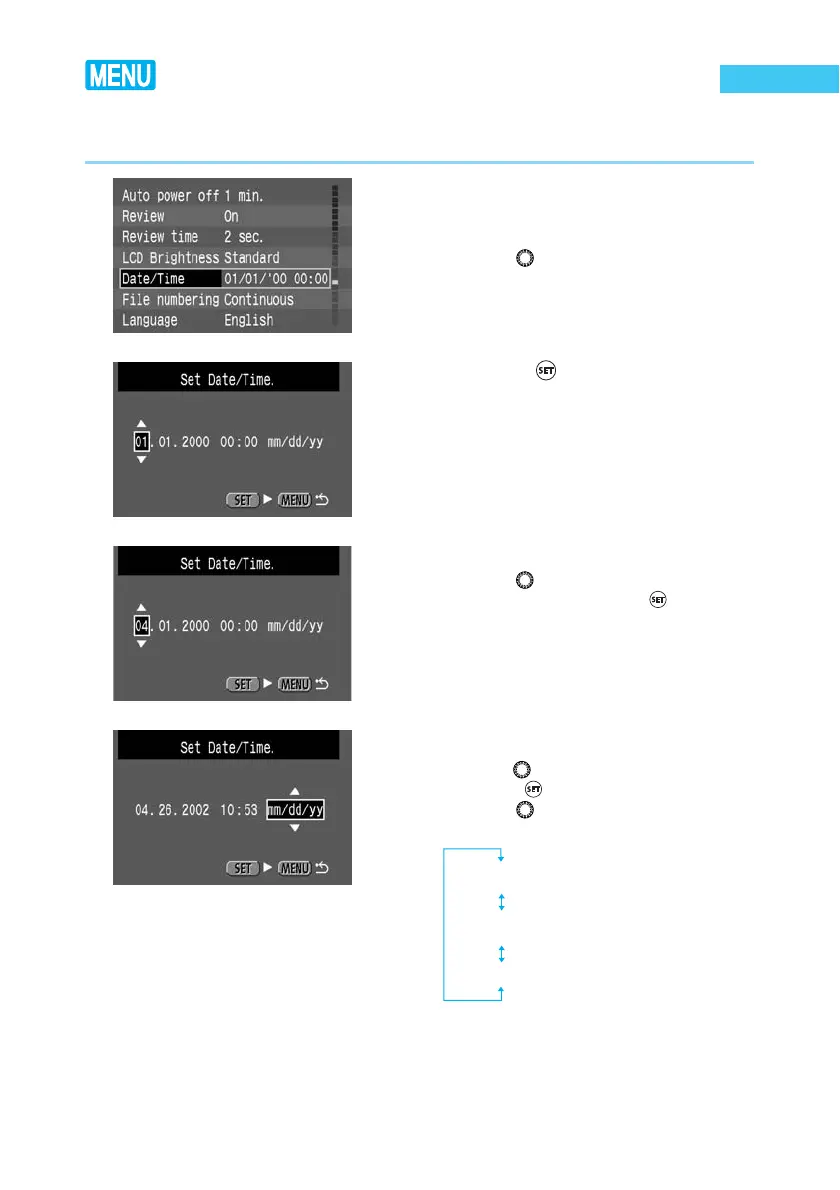
Setting the Date and Time
Set the date and time as shown below. The date and time are recorded with the image data for
each photographed image.
1
From the Menu, select [Date/
Time].
● Press the <
MENU
> button.
● Turn the < > dial to select [Date/Time].
2
Press the < > button.
➡ The Date/Time setting screen appears.
3
Set the date and time.
● Turn the < > dial to adjust the date or
time values, then press the < > button.
● After entering the setting, go to the next
item.
4
Select the order for the display.
● Use the < > dial to select the order, then
press the < > button.
● Turn the < > dial to cycle through the
selections in the order shown.
yy/mm/dd
mm/dd/yy
dd/mm/yy















 To Next Page