91
Flash Photography
4
Using the Built-in Flash
Flash Exposure Compensation
The EOS D60 camera can adjust the level of the built-in flash or any EX-series Speedlite. The
compensation amount can be up to +/–2 stops in 1/2-stop increments. You cannot use flash
exposure compensation in the Basic Zone.
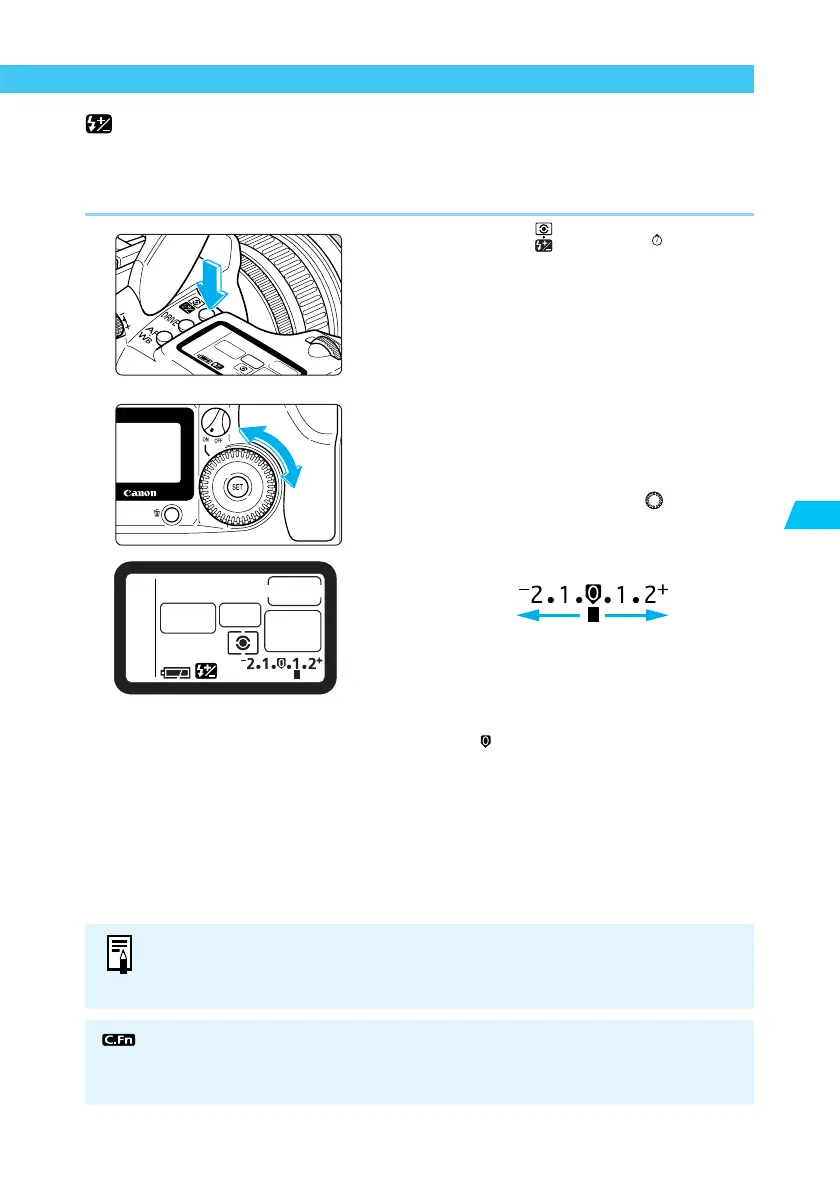
1
Press the < > button. (
6
)
2
Set the exposure compensation
amount.
● Set the Quick Control Dial Switch to <ON>.
● While looking at the LCD panel or
viewfinder display, turn the < > dial.
● The [+] side indicates increased compensa-
tion, and the [–] side indicates decreased
compensation.
Decreased Increased
exposure
exposure
● Once set, the exposure compensation
amount remains in memory after the Main
Switch is set to <OFF>.
● To cancel, set the compensation amount to
the < > position.
● You can set the camera to adjust exposure compensation in 1/3-stop incre-
ments. (C.Fn-4-1→122)
● You can also disable the Auto reduction of fill flash function. (C.Fn-10-1→124)
Flash exposure compensation can also be set with EX-series Speedlites. If flash
exposure compensation is set with both the camera and EX-series Speedlite, the
Speedlite's setting will override the camera’s.















 To Next Page