18
Nomenclature
11
11
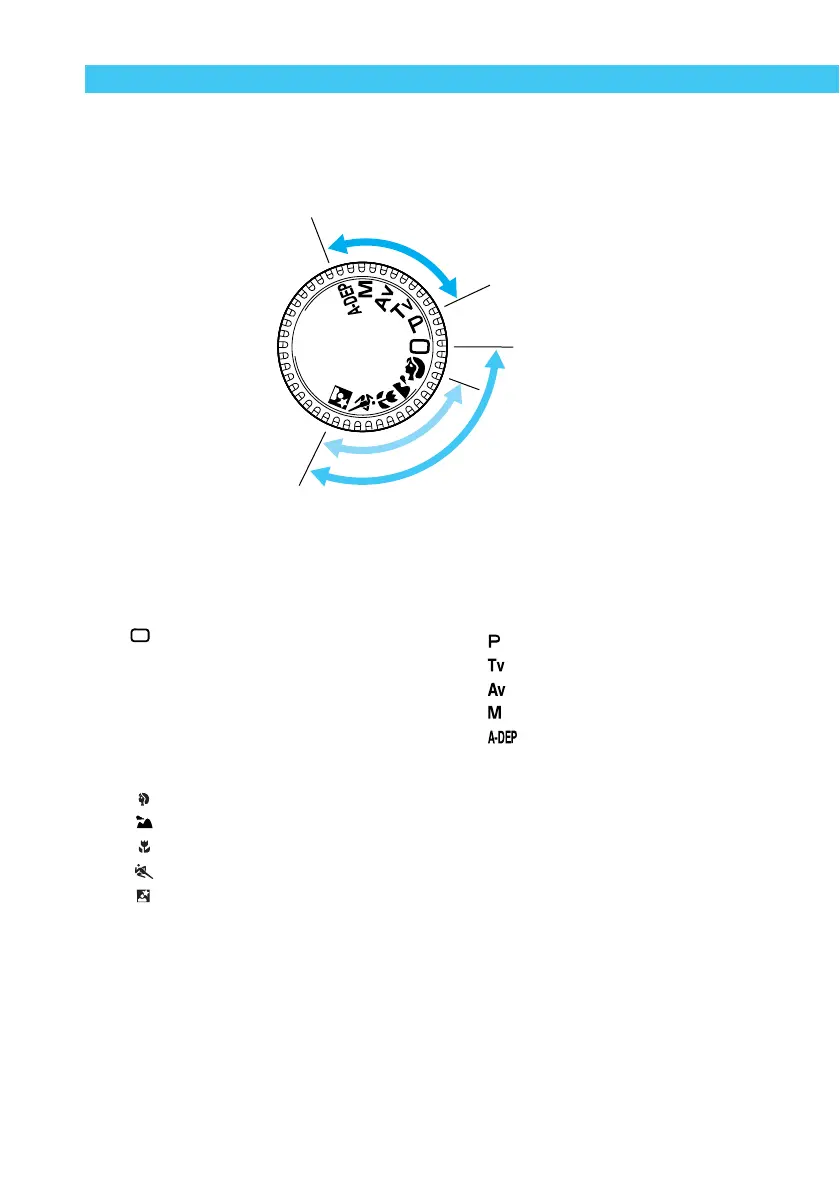
1 Basic zone
● All you do is press the shutter button.
: Full Auto (→38)
Lets you take fully automatic
pictures—the camera makes all the
settings.
Image zone
Lets you take fully automatic pictures
in specific situations.
: Portrait (→44)
: Landscape (→45)
: Close-up (→46)
: Sports (→47)
: Night Portrait (→48)
Reference page numbers are indicated by (→✽✽) .
Mode Dial
The Mode Dial is divided into two functional zones.
22
22
2 Creative zone
Lets you make a variety of settings.
: Program AE (→68)
: Shutter-priority AE
(→70)
: Aperture-priority AE (→72)
: Manual exposure (→74)
: Automatic Depth-of-field AE
(→76)
I
m
a
g
e
z
o
n
e
B
a
s
i
c
z
o
n
e
C
r
e
a
t
i
v
e
z
o
n
e
Full Auto















 To Next Page