24
Inserting and Removing the Battery Pack
If the level of charge remaining runs out when you are using the menu screen or
playing back an image, a no battery warning appears on the LCD monitor. When
this occurs, remove the battery and charge it.
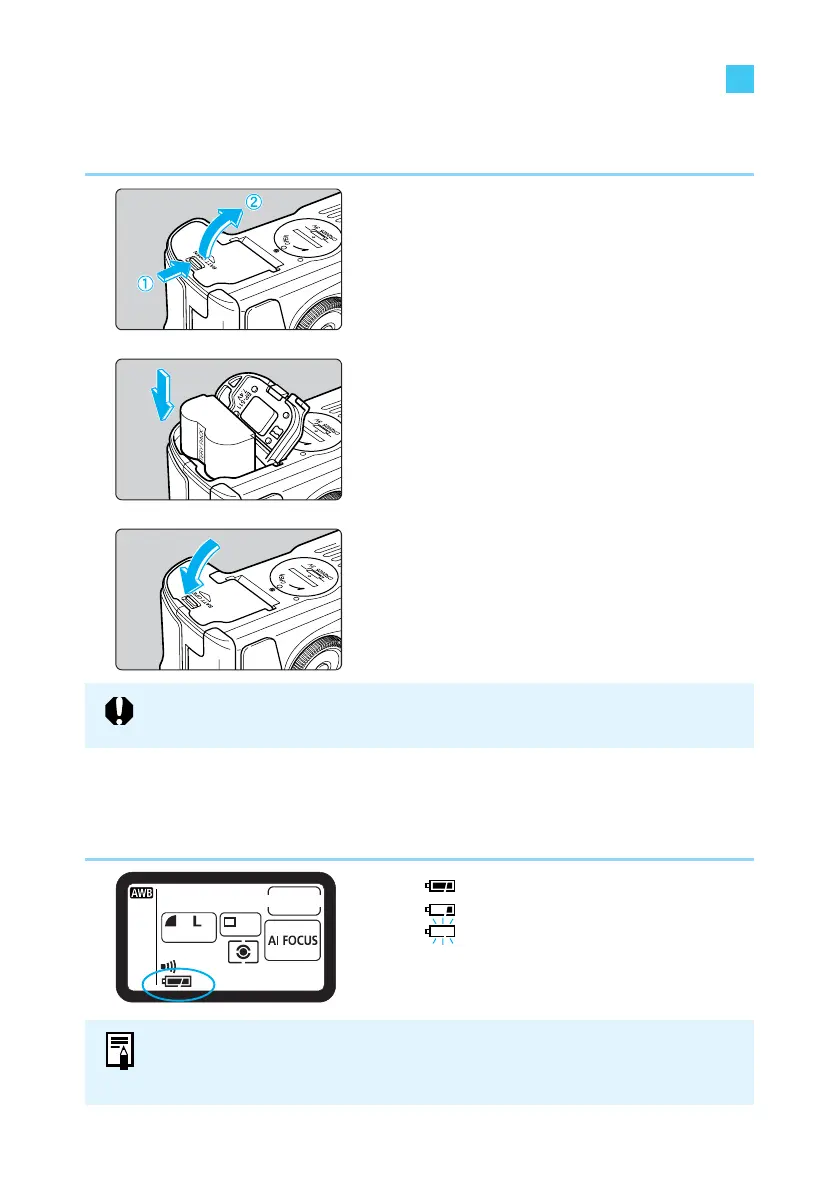
Inserting the Battery Pack
Load a fully charged BP-511 battery pack into the camera.
1
Open the battery chamber cover.
● Slide the lever in the direction shown by the
arrow in the diagram, and open the cover
as shown.
2
Insert the battery into the camera.
● Make sure the battery pack is facing the
right way, and insert it into the battery
chamber.
● Insert the battery pack until it locks into
place.
3
Close the cover.
● Press the cover closed until it clicks shut.
Battery Level Icons
The level of charge remaining is shown in three stages when the Main Switch is set to <ON>.
(→29)
: Charge is sufficient.
: Charge is low.
: Battery pack must be charged.
Battery Pack BP-512 cannot be used with this camera.















 To Next Page