81
Advanced Operations
3
Self-timer Operation
The self-timer is convenient for group photographs. You can use it in any Basic mode or
Creative mode. We recommend using a tripod when you use the self-timer.
1
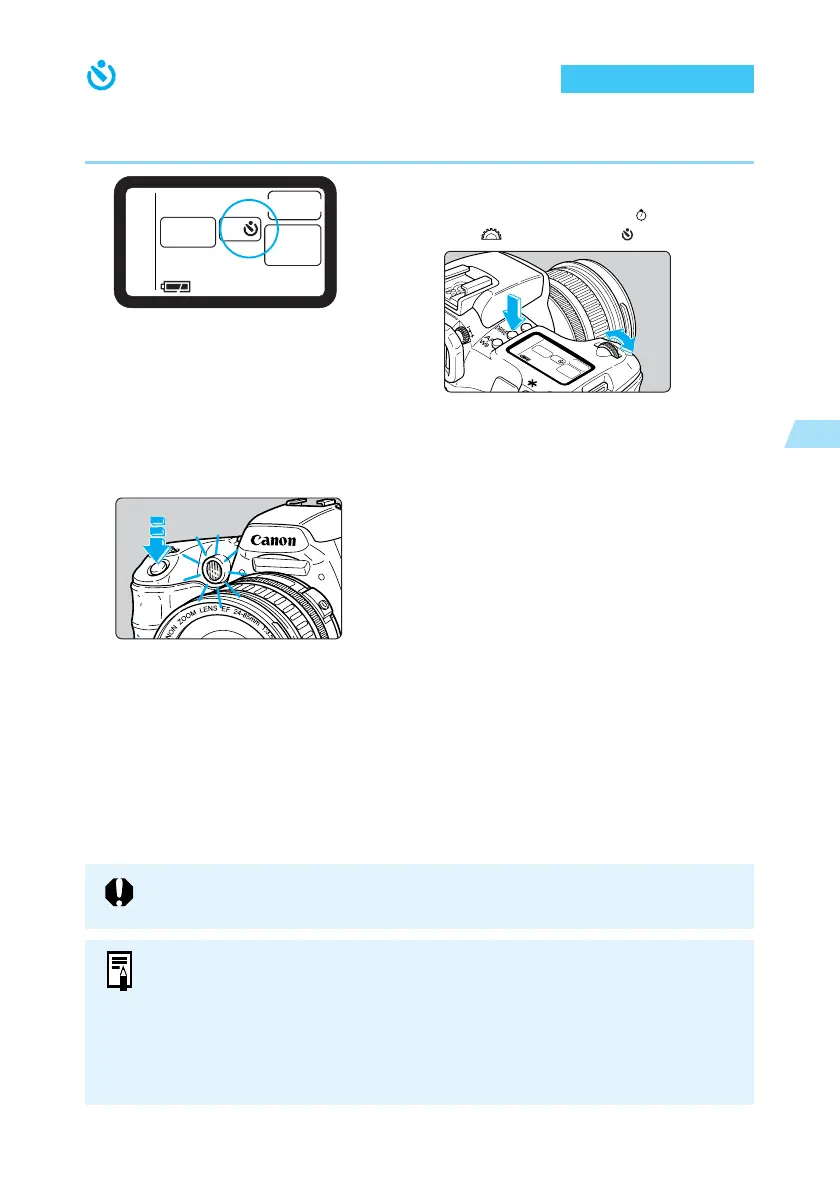
Select the self-timer.
● Press the <
DRIVE
> button (
6
), and turn
the < > dial to select < >.
2
Focus on the subject.
● Make sure the focus confirmation light <● >
and the exposure setting are displayed.
3
Take the picture.
● Press the shutter button down fully.
➡ The beeper sounds as the red-eye
reduction lamp operates, and the picture is
taken after 10 seconds.
First 8 seconds:
Slow beeps and the lamp blinks slowly.
Last 2 seconds:
Faster beeps and the lamp stays on.
➡ While the self-timer is operating, the LCD
panel shows count down.
● To cancel the self-timer, press the <
DRIVE
>
button.
Do not stand in front of the camera when you press the shutter button to start the
self-timer. Doing so prevents the camera from focusing on the subject.
● You can set the beep that indicates the subject is in focus and the beep that
indicates the self-timer is operating to [On] or [Off]. (→118)
● When using the self-timer to shoot only yourself, lock the focus (→58) on an
object at about the same distance as where you will be.
● You can use the Remote Switch RS-80N3 (optional) or Timer Remote Controller
TC-80N3 (optional) to take a picture when you are away from the camera.















 To Next Page