Operating
Modes
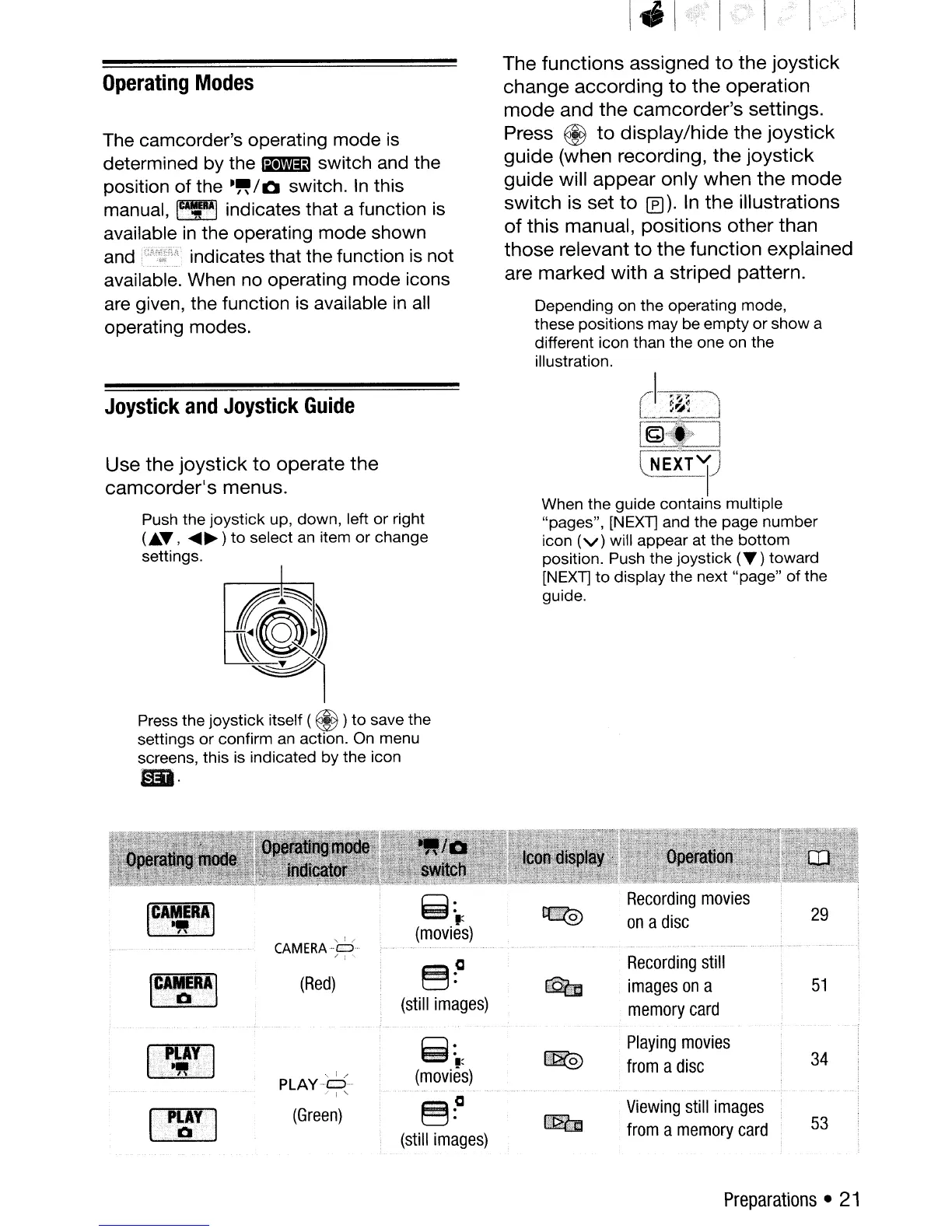
The camcorder's operating mode is
determined by the
lil1Wl:13
switch and the
position
of
the
-"/0
switch.
In
this
manual,
~
indicates that a function
is
available
in
the operating mode shown
and indicates that the function is not
available. When no operating mode icons
are given, the function is available
in
all
operating modes.
Joystick
and
Joystick
Guide
Use
the
joystick
to
operate
the
camcorder's
menus.
Push the joystick up, down, left or right
(
..
"',
....
~)
to
select an item or change
settings.
Press the joystick itself (
@ )to save the
settings or confirm
an
action.
On
menu
screens, this is indicated by the icon
••
The
functions
assigned
to
the
joystick
change
according
to
the
operation
mode
and
the
camcorder's
settings.
Press
@
to
display/hide
the
joystick
guide
(when recording,
the
joystick
guide
will
appear
only
when
the
mode
switch
is set
to
(f)). In
the
illustrations
of
this
manual,
positions
other
than
those
relevant
to
the
function
explained
are
marked
with
a
striped
pattern.
Depending on the operating mode,
these positions may be empty
or
show a
different icon than the one on the
illustration.
cJ.-~~1-:J
]
'--.
NEXT
1)
When the guide contains multiple
"pages", [NEXT] and the page number
icon
(v)
will appear at the bottom
position. Push the joystick
("')
toward
[NEXT] to display the next "page"
of
the
guide.
Ic
....
··~.
E
..
RA
..
'.1
.········0··
.•
CAMERA·S
/ ;
.....
(Red)
PLAYS
" ! "
(Green)
~~
(still
images)
8:,:
(movies)
§~
(still
images)
~
IT"
""'0."
.....
Recording
movies
on
a
disc
Recording
still
images
on
a
memory
card
Playing
movies
from
a
disc
Viewing
still
images
from
a
memory
card
29
51
34
53
Preparations
•
21



 To Next Page