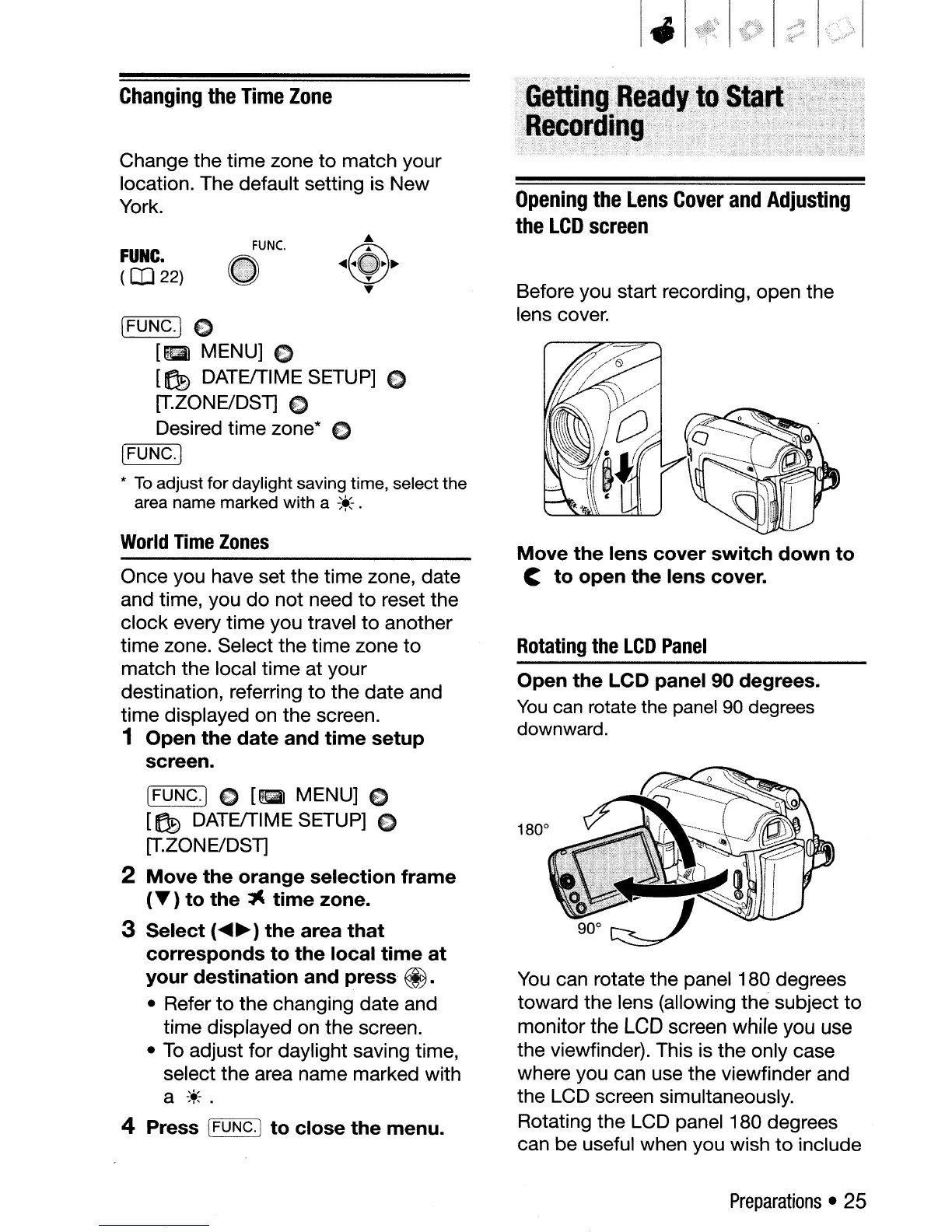
You
can rotate the panel 180 degrees
toward the lens (allowing the subject
to
monitor the
LCD
screen while you use
the viewfinder). This is the only case
where you can use the viewfinder and
the LCD screen simultaneously.
Rotating the LCD panel
180 degrees
can be useful when you wish
to
include
Open the LCD panel 90 degrees.
You
can
rotate the panel
90
degrees
downward.
Move the lens cover switch down to
C to open the lens cover.
Rotating
the
LCD
Panel
Before you start recording, open the
lens cover.
Opening
the
Lens
Cover
and
Adjusting
the
LCD
screen
Once you have set the time zone, date
and time, you
do
not need
to
reset the
clock every time you travel
to
another
time zone. Select the time zone
to
match the local time at your
destination, referring
to
the date and
time displayed on the screen.
1 Open the date and time setup
screen.
[FUNC.]
E)
[&
MENU]
E)
[169
DATEffIME SETUP] E)
[T.ZONE/DST]
2 Move the orange selection frame
(T)
to the
~
time zone.
3 Select
(~~)
the area that
corresponds to the local time at
your destination and press
@.
• Refer
to
the changing date and
time displayed on the screen.
•
To
adjust for daylight saving time,
select the area name marked with
a
*.
4 Press [FUNC.] to close the menu.
World
Time
Zones
[FUNC.)
~
[.
MENU]
€)
[169
DATEffIME SETUP] 0
[T.ZONE/DST]
€)
Desired time zone*
€)
[r=F:-:-:U
N:-:-:C=->.j
*
To
adjust for daylight saving time, select the
area name marked with a
~+;.
FUNC.
(
IJJ
22)
Change the time zone
to
match your
location. The default setting is New
York.
Changing
the
Time
Zone
Preparations
• 25



 To Next Page