I
" !
To
record
outdoor
sports
scenes
on
sunny
days.
To
record
from
within
a
moving
car
or
train
or
to
shoot
fast-moving
sUbjects
such
as
roller
coasters.
* (CAMlRA!(J)
mode
only.
**
(C_IIA!1!fl
mode
only.
1
If
the
joystick
guide
appears
on
the
screen,
press
@
to
hide
it.
2
Adjust
(
••
)
the
shutter
speed
to
the
desired
value.
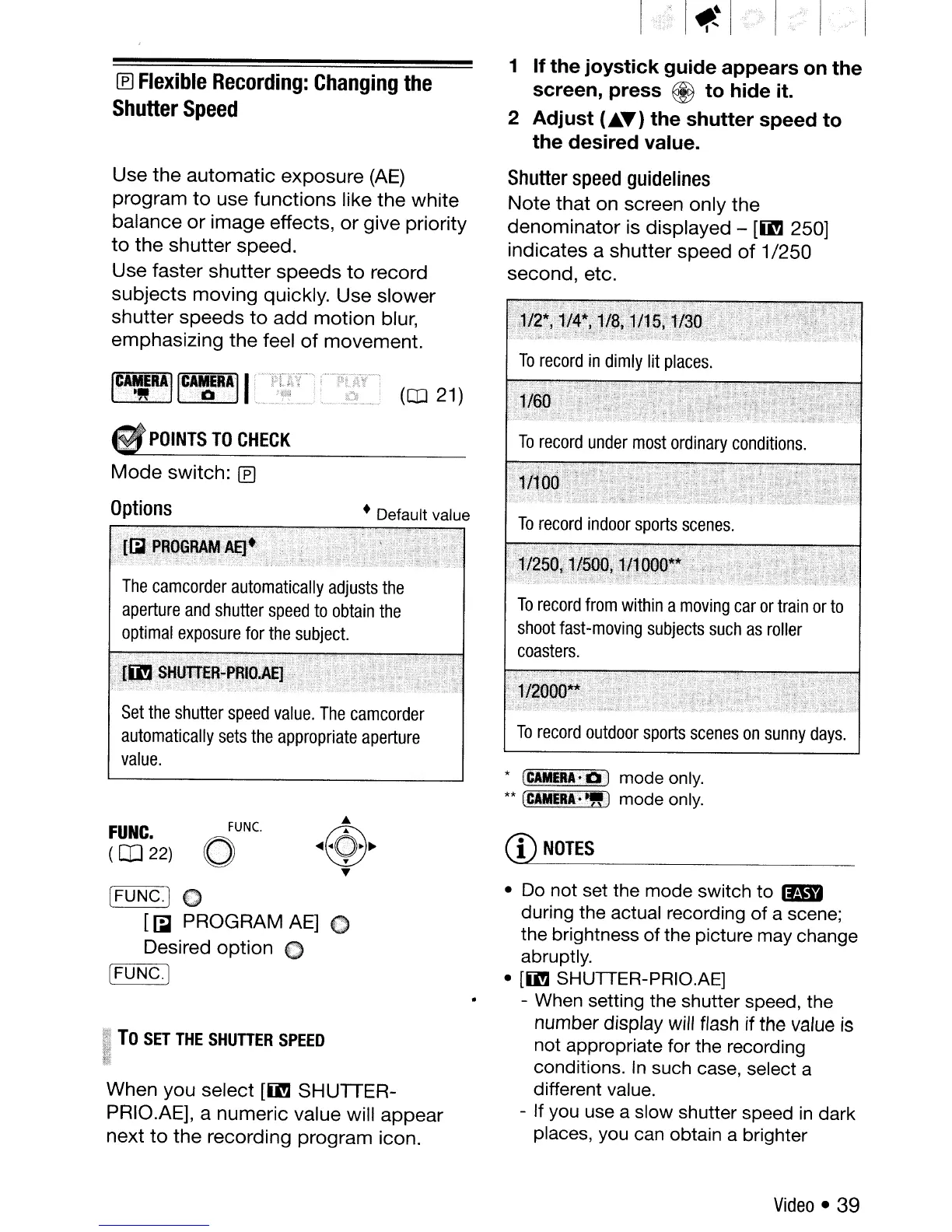
Shutter
speed
guidelines
Note that on screen only the
denominator is displayed -
[ii!J
250]
indicates a shutter speed
of
1/250
second, etc.
(CO
21)
• Default value
POINTS
TO
CHECK
Mode
switch:
IEJ
Options
The
camcorder
automatically
adjusts
the
aperture
and
shutter
speed
to
obtain
the
optimal
exposure
for
the
subject.
Set
the
shutter
speed
value.
The
camcorder
automatically
sets
the
appropriate
aperture
value.
Use the automatic exposure
(AE)
program
to
use functions like the white
balance
or
image effects,
or
give priority
to
the shutter speed.
Use faster shutter speeds
to
record
subjects moving quickly. Use slower
shutter speeds
to
add motion blur,
emphasizing the feel
of
movement.
IEJ
Flexible
Recording:
Changing
the
Shutter
Speed
~~
To
SET
THE
SHUTIER
SPEED
!_~
When you select
[ii!J
SHUTIER-
PRIO.AE], a numeric value will appear
next
to
the recording program icon.
[FUNC.) 0
[~
PROGRAM
AE]
0
Desired
option
0
['=F;-;:U
NC-:-::
C
""'.
]
•
Do
not set the mode switch to
lIB
during the actual recording of a scene;
the brightness of the picture may change
abruptly.
•
[ii!J
SHUTTER-PRIO.AE]
- When setting the shutter speed, the
number display will flash if the value
is
not appropriate for the recording
conditions.
In
such case, select a
different value.
- If you use a slow shutter speed
in
dark
places, you can obtain a brighter
CD
NOTES
FUNC.
o
FUNC.
(OJ
22)
Video
• 39



 To Next Page