INFO.
Checking Camera Settings
Shooting
Functions
AE
lock-~-,
.--~
Picture Style
!!
Aperture
--'1
I!
1""'"
ISO speed
Shutter speed
-I
! I I
r-"'-"
Highlight tone priority
!
Exposure
level/-
..
AEB range
Shooting mode
AF point .
Image-recording
quality
1/160
F8.0
*
lmJ800
0+
-2
•• 1
..
t:)
••
1.:2
~
-213
P
.1
•
.,
~
~
[$J
lm+.
L
ONE
SHOT
QlH
;iH~,
~
~~
14
(28]
Flash exposure
~
compensation
Metering mode
- Drive mode
- Shots remaining
Quick Control icon
!
..........
1
Battery
check.
White balance correction _
..
_~
.
.J
.
I
L~.
White balance
I
I AF mode
L_
......
"
..
Maximum burst
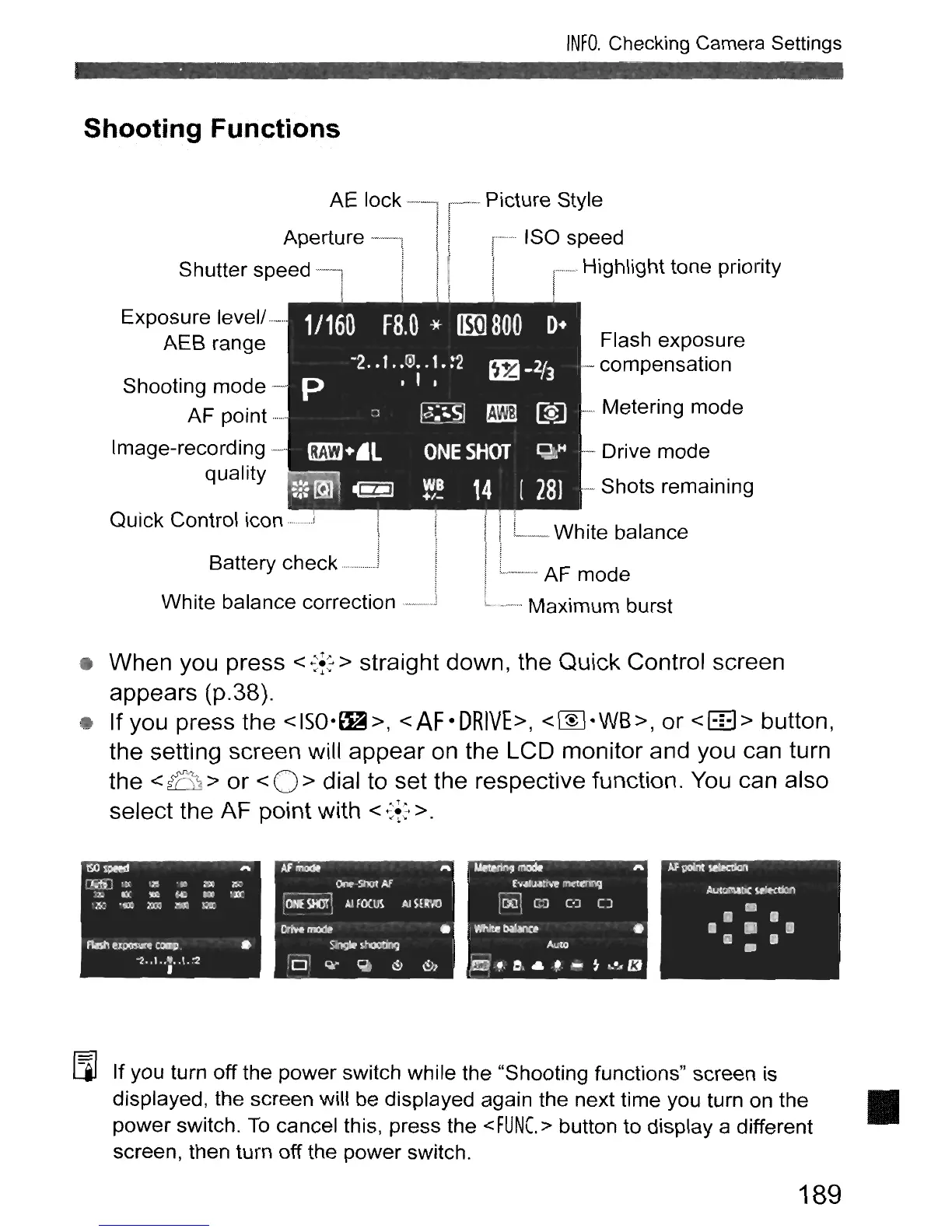
• When you press <
~f:
> straight down, the Quick Control screen
appears (p.38).
• If you press the
<ISO·~>,
<AF·DRIVE>,
<W·WS>,
or
<ttl>
button,
the setting screen will appear on the LCD monitor and you can turn
the
<
~
>
or
< 0 > dial to set the respective function. You can also
select the AF point with
<
...
:f2
>.
I:=il
If you turn
off
the power switch while the "Shooting functions" screen is
displayed, the screen will be displayed again the next time you turn on the •
power switch.
To
cancel this, press the
<FUNC.>
button to display a different
screen, then turn off the power switch.
189



 To Next Page