About the Lens Image Stabilizer
The procedure explained here is based on the EF-S17-85mm f/4-5.6
IS
USM lens as an example.
*
IS
stands for Image Stabilizer.
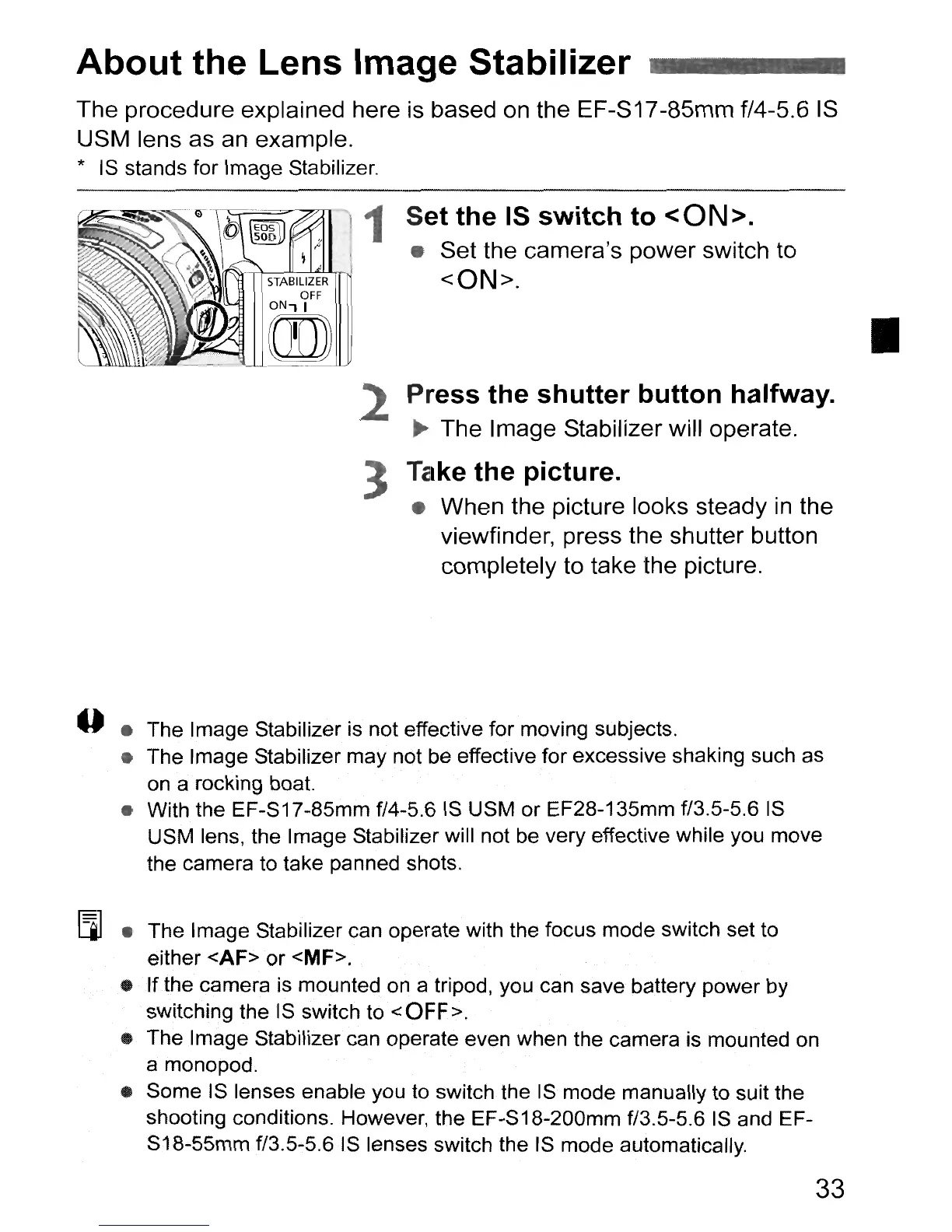
1 Set the IS switch to <ON>.
• Set the camera's power switch to
<ON>.
2
3
Press the shutter button halfway.
..
The Image Stabilizer will operate.
Take the pictu
reo
• When the picture looks steady
in
the
viewfinder, press the shutter button
completely to take the picture.
•
--
• The Image Stabilizer is not effective for moving subjects.
• The Image Stabilizer may not be effective for excessive shaking such as
on
a rocking boat.
• With the EF-S17-85mm f/4-5.6
IS
USM or EF28-135mm f/3.5-5.6
IS
USM lens, the Image Stabilizer will not be very effective while you move
the camera to take panned shots.
[l] • The Image Stabilizer can operate with the focus mode switch set to
either <AF> or <MF>.
• If the camera is mounted
on
a tripod, you can save battery power by
SWitching
the
IS
switch to <OFF>.
• The Image Stabilizercan operate even when the camera is mounted
on
a monopod.
..
Some IS lenses enable you
to
switch the
IS
mode manually to suit the
shooting conditions. However, the EF-S18-200mm f/3.5-5.6
IS
and EF-
S18-55mm f/3.5-5.6 IS lenses switch the IS mode automatically.
33



 To Next Page