Using the Quick Control Screen
The shooting settings are displayed on the LCD monitor where you can
quickly select and set the functions. This
is
called the Quick Control
screen.
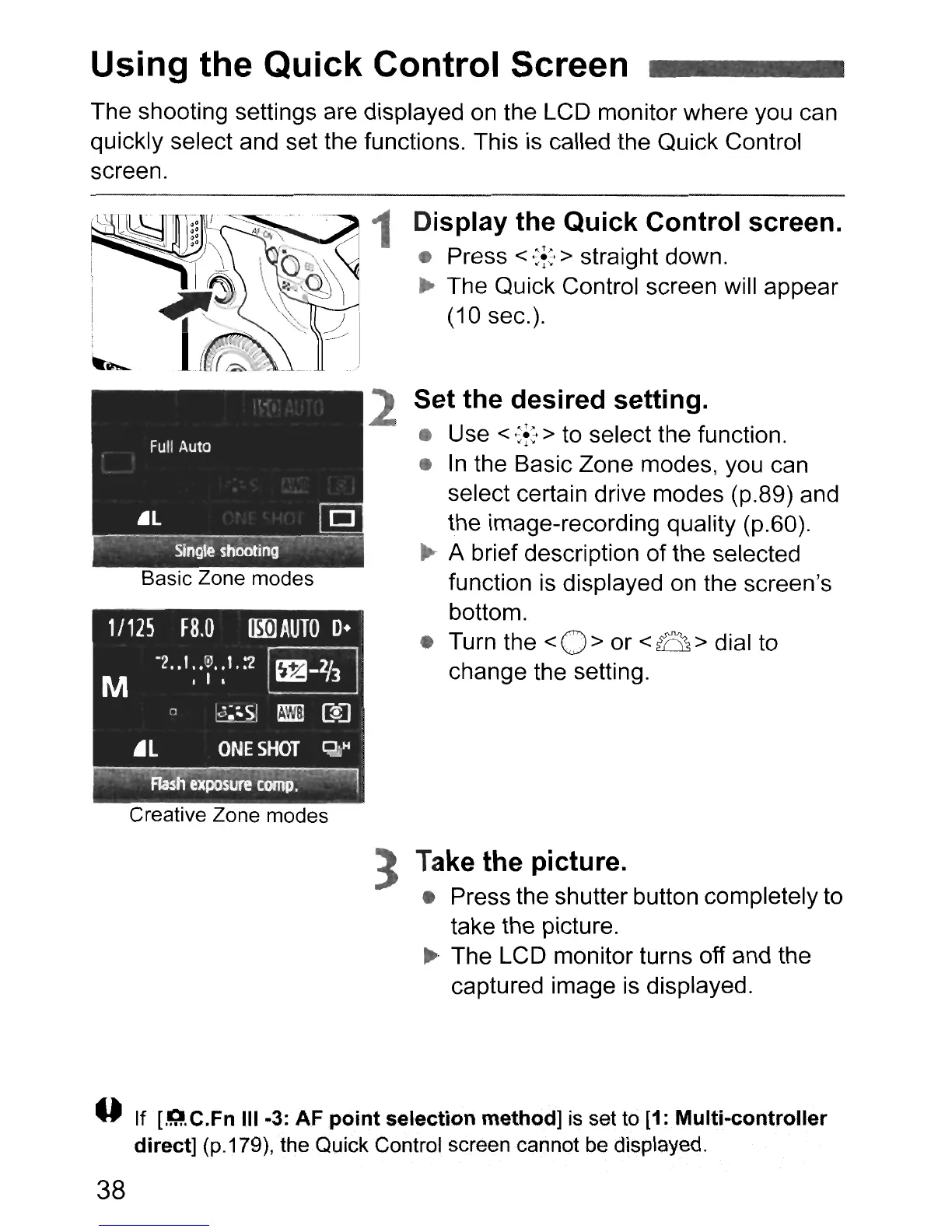
Basic Zone modes
Creative Zone modes
1 Display the Quick Control screen.
• Press <
~f:
> straight down.
~
The Quick Control screen will appear
(10 sec.).
2 Set the desired setting.
• Use <
':f:
> to select the function.
•
In
the Basic Zone modes, you can
select certain drive modes (p.89) and
the image-recording quality (p.60).
...
A brief description
of
the selected
function is displayed on the screen's
bottom.
• Turn the
<0>
or
<0>
dial to
change the setting.
:3
Take the picture.
• Press the shutter button completely to
take the picture.
... The LCD monitor turns off and the
captured image
is
displayed.
--
If [.Q.C.Fn III
..
3: AF point selection method] is set to
[1:
Multi
..
controller
direct]
(p.179),
the
Quick Control screen cannot be displayed.
38



 To Next Page