WB
:
Setting
the
White
Balance
*:
White balance (WB) is for making the white areas look white. Nornlally,
the
<
m!lm
> (Auto) setting will obtain the correct white balance. If natural-
looking colors cannot be obtained with
<
m!lm
>, you can select the white
balance for each light source or set it manually by shooting a white
object.
In
the Basic Zone modes,
<m!lm>
will
be
set automatically.
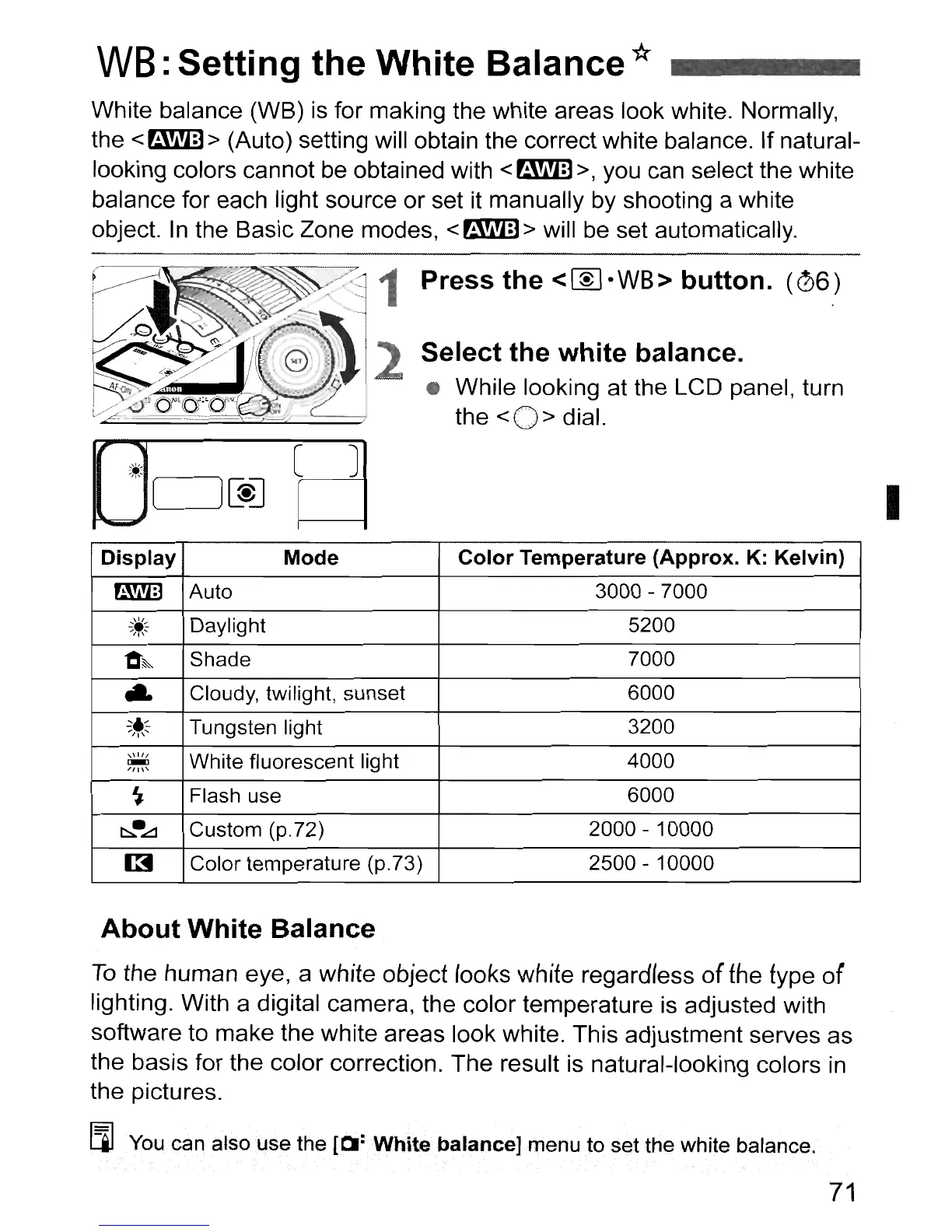
Press
the
<~·WB>
button.
(06)
Select
the
white
balance.
• While looking at the LCD panel, turn
the
<0>
dial.
I
Display
Mode
Color
Temperature
(Approx.
K: Kelvin)
a!i!m
Auto
3000 - 7000
~.:::.
Daylight 5200
"'1'
....
"O:~
Shade 7000
..
Cloudy, twilight, sunset 6000
~,~
Tungsten light
3200
""'I"
"
11/
White fluorescent light
4000
~
/11
\'
~
Flash use
6000
b..•
..:::::!
Custom (p.72)
2000 - 10000
[3
Color temperature (p.73)
2500 - 10000
About
White
Balance
To
the human eye, a white object
rooks
white regardless
of
the
type of
lighting. With a digital camera, the color terrlperature is adjusted with
software to make the white areas look white. This adjustment serves as
the basis for the color correction. The result is natural-looking colors
in
the pictures.
[lJ
You can also
use
the
[~:White
balance] menu
to
set the white balance.
71



 To Next Page