Preparing to Print
You
do the direct printing procedure entirely with your camera
while you look at the LCD monitor.'
Connecting the Camera to a Printer
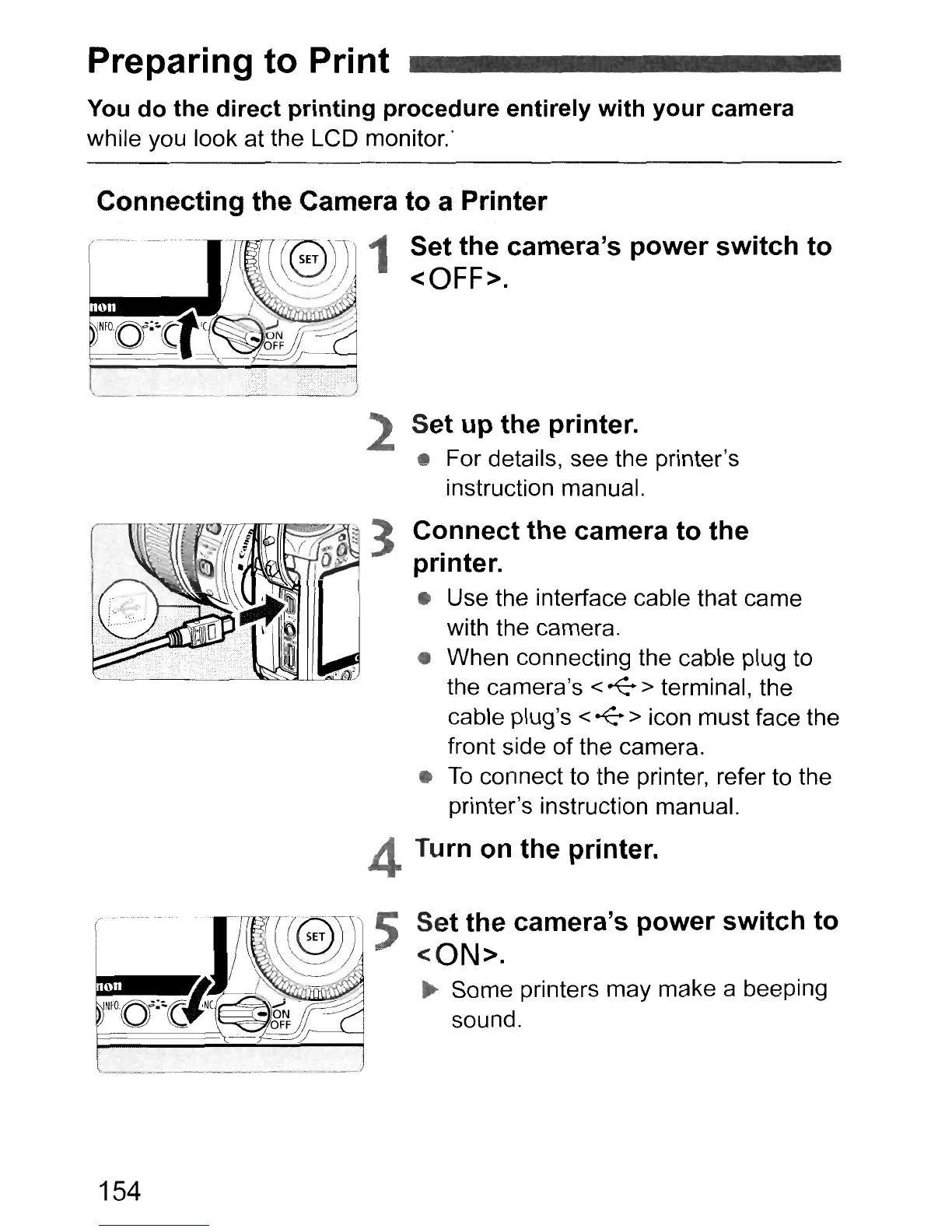
Set the camera's power switch to
<OFF>.
2 Set up the printer.
• For details, see the printer's
instruction manual.
Connect the camera to the
printer.
• Use the interface cable that came
with the camera.
• When connecting the cable plug to
the camera's
<
~
> terminal, the
cable plug's
<
~
> icon rnust face the
front side of the camera.
•
To
connect to the printer, refer to the
printer's instruction manual.
Turn
on
the printer.
Set the camera's power switch to
<ON>.
~
Some printers may make a beeping
sound.
154



 To Next Page