~
Selecting the Drive Mode *
Single and continuous drive modes are provided.
In
the Basic Zone
modes, the optimum drive mode is set automatically.
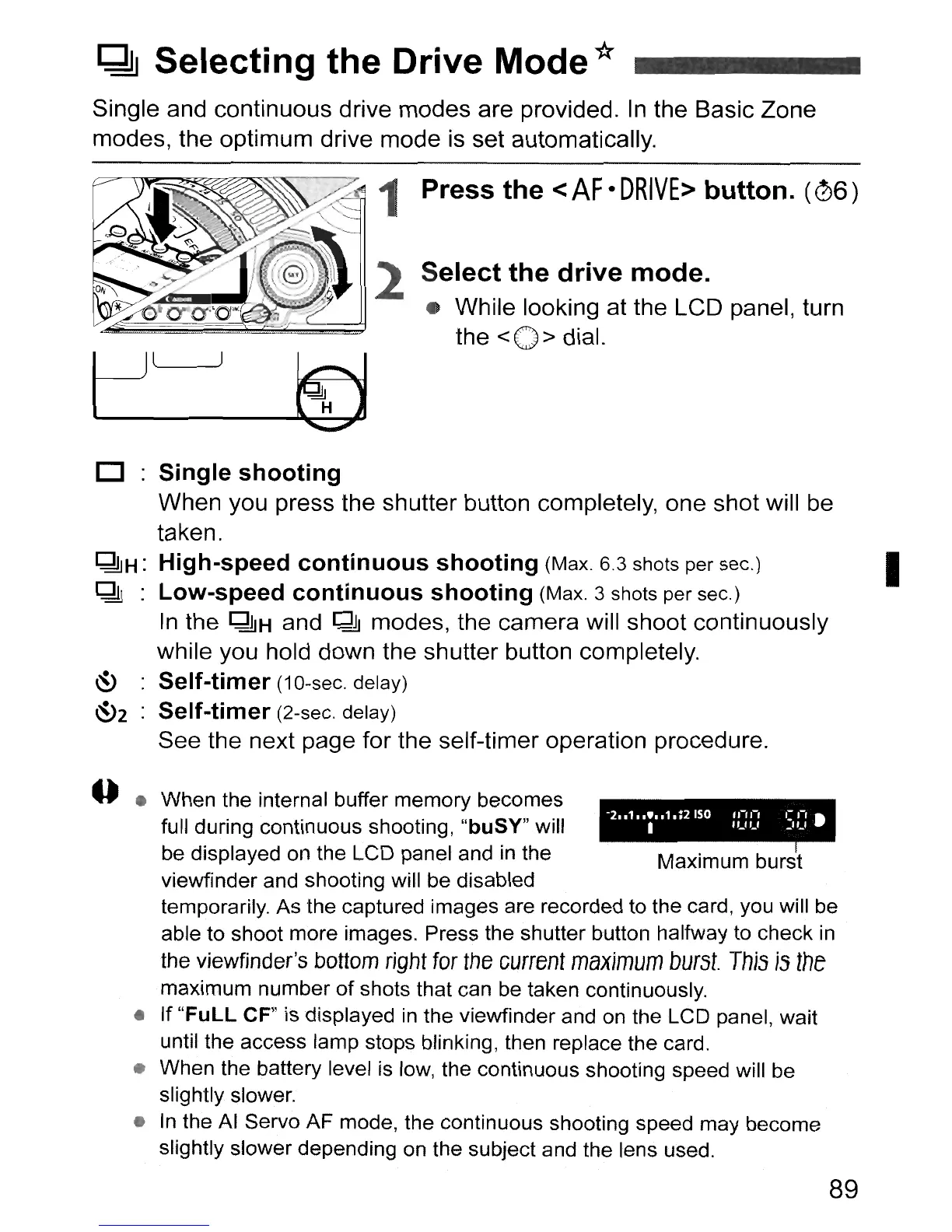
Press
the
<
AF
•
DRIVE>
button.
(06)
Select
the
drive
mode
.
• While looking at the LCD panel, turn
the
< 0 > dial.
-2
..
1
...
,
.1.;2
ISO
11-11-'
'=
.-,
•
I
'UU
_"_,
o
Single
shooting
When you press the shutter button completely, one shot will
be
taken.
~H:
High-speed
continuous
shooting
(Max. 6.3 shots per sec.) I
~
:
Low-speed
continuous
shooting
(Max. 3 shots per sec.)
In
the
~H
and
~
modes, the camera will shoot continuously
while you hold down the shutter button completely.
~
Self-timer
(1
O-sec. delay)
~2
Self-timer
(2-sec. delay)
See the next page for the self-timer operation procedure.
• When the internal buffer memory becomes
full during continuous shooting, "buSY" will
be displayed on the LCD panel and
in
the Maximum burst
viewfinder and shooting will be disabled
temporarily. As the captured images are recorded to the card, you will be
able to shoot more images. Press the shutter button halfway to check
in
the
viewfinder's
bottom
right
for
the
current
maximum
burst.
This
is
the
maximum number
of
shots that can be taken continuously.
• If
"FuLL
CF" is displayed
in
the viewfinder and on the LCD panel, wait
until the access lamp stops blinking, then replace the card.
• When the battery level
is
low, the continuous shooting speed will be
slightly slower.
•
In
the
AI
Servo AF mode, the continuous shooting speed may become
slightly slower depending on the subject and the lens used.
89



 To Next Page