rNi!ID
[
J
~[$J
AI
FOCUS
@jJ
I))
R
0
Turning
on
the
Power
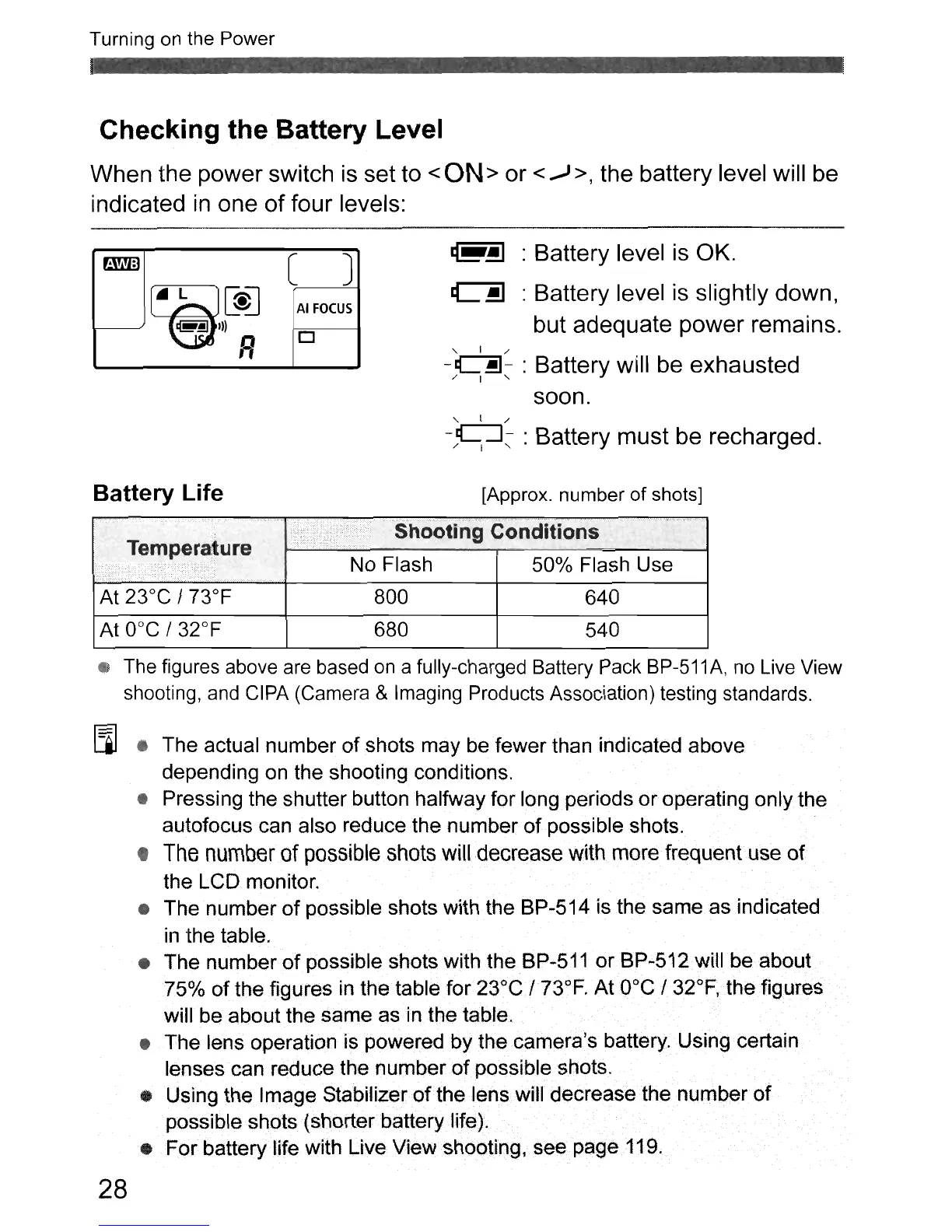
Checking the Battery Level
When the power switch is set to <
ON
> or <..,J >, the battery level will be
indicated
in
one
of
four levels:
@r~
: Battery level is OK.
~
: Battery level
is
slightly down,
but adequate power remains.
" I /
-~-
: Battery will be exhausted
/ I "
soon.
" I /
-/Y::-
:Battery must be recharged.
Battery Life
..
,.
Tempera~ure
[Approx. number of shots]
No Flash 50% Flash Use
800
680
640
540
The
figures above
are
based
on
a fully-charged Battery
Pack
BP-511
A,
no
Live
View
shooting,
and
CIPA
(Camera & Imaging Products Association) testing standards.
[Ql
• The actual number
of
shots may be fewer than indicated above
depending on the shooting conditions.
• Pressing the shutter button halfway for long periods or operating only the
autofocus can also reduce the number
of
possible shots.
•
The
number
of
possible
shots
will
decrease
with
more frequent use
of
the LCD monitor.
• The number
of
possible shots with the BP-514 is the same as indicated
in
the table.
• The number
of
possible shots with the BP-511
or
BP
..
512 will be about
75%
of
the figures
in
the table
for23°C/
73°F. At
O°C
132°F, the figures
will be about the same as in the table.
• The lens operation is powered by the camera's battery. Using certain
lenses can reduce the number
of
possible shots.
• Using the Image Stabilizer
of
the lens will decrease the number
of
possible shots (shorterbattery life).
• For battery life with Live View shooting, see page 119.
28



 To Next Page