@) Creative Auto Shooting
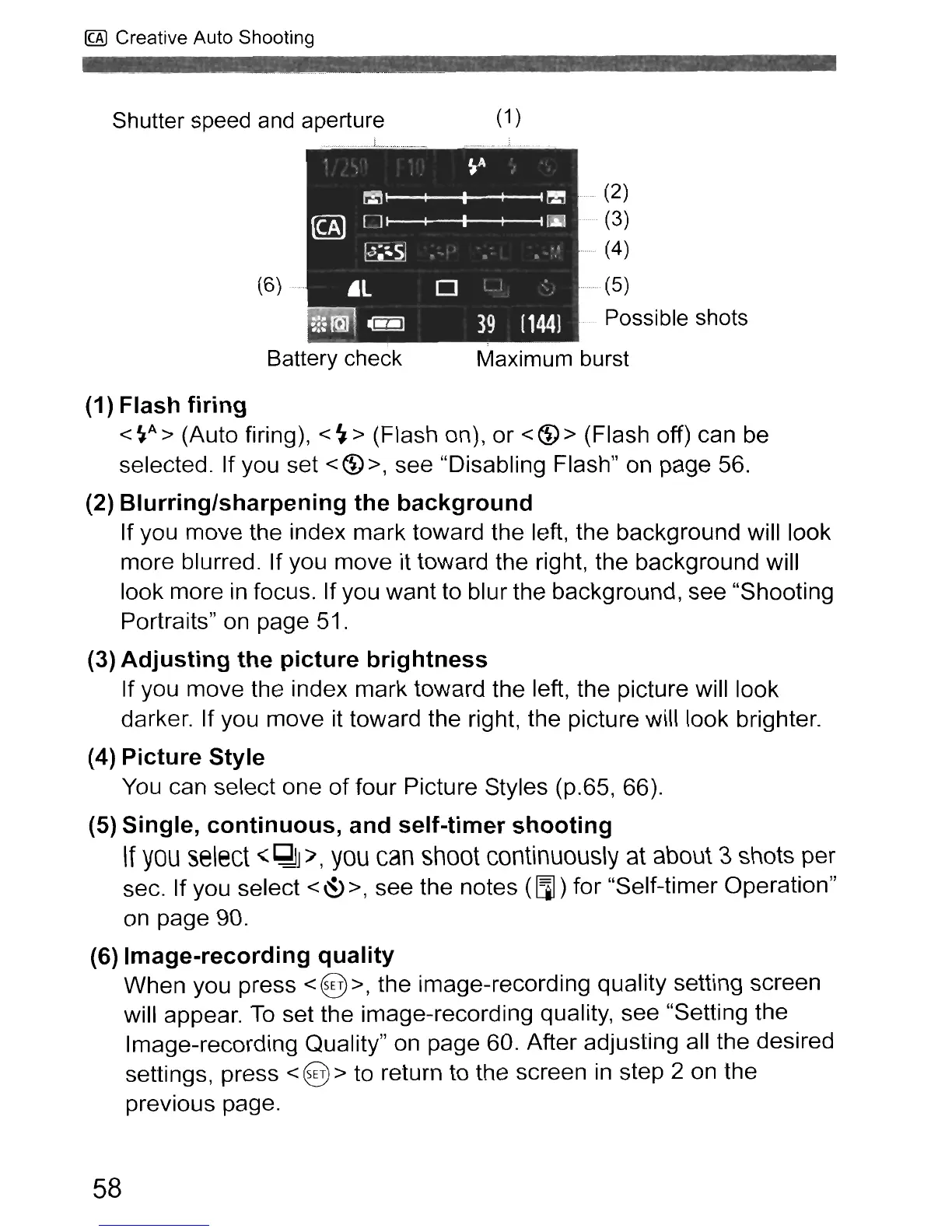
Shutter speed
and
aperture
_ L _
_.
(6)
Battery check
(1
)
. (2)
, (3)
......
(4)
...........
(5)
Possible shots
Maximum burst
(1) Flash
firing
<
~A
> (Auto firing), <
~
> (Flash on), or <
~
> (Flash off) can be
selected. If you set
<~>,
see "Disabling Flash" on page 56.
(2)
Blurring/sharpening
the
background
If you move the index mark toward the left, the background will look
more blurred. If you move it toward the right, the background will
look more
in
focus. If you want to blur the background, see "Shooting
Portraits"
on
page 51.
(3)
Adjusting
the
picture
brightness
If you move the index mark toward the left, the picture will look
darker. If you move it toward the right, the picture will look brighter.
(4)
Picture
Style
You
can select one of four Picture Styles (p.65, 66).
(5) Single,
continuous,
and
self-timer
shooting
If
you
select
"'
~J
'/,
you
can
shoot
continuously
at about 3 shots per
sec. If you select
<
~
>, see the notes (aJ) for "Self-timer Operation"
on
page 90.
(6)
Image-recording
quality
When you press <@>, the image-recording quality setting screen
will appear.
To
set the image-recording quality, see "Setting the
Image-recording Quality"
on
page 60. After adjusting all the desired
settings, press
< @ > to return to the screen
in
step 2 on the
previous page.
58



 To Next Page