rmmJ
Creating and Selecting a Folder
Selecting a Folder
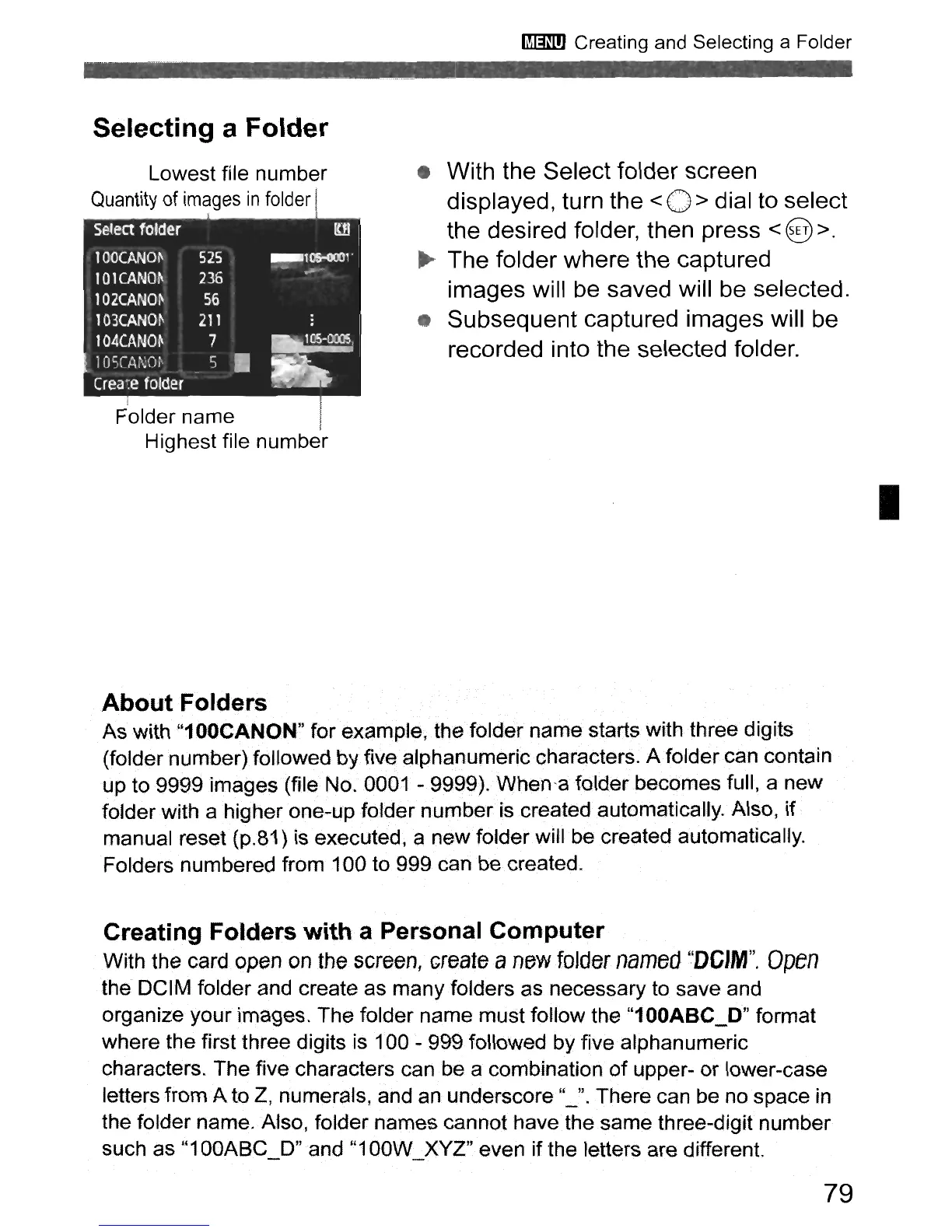
Lowest file number
Quantity
of
images
in
folder
Select folder
rw
100CANm.
525
_T~l·
IOlCANOj\
236
....
102CANO~
56
103CANOj\
211
104CANm
7
~
10SCAi\;Oi'
5
•
Crea~e
folder
F'older name I
Highest file number
• With the Select folder screen
displayed, turn the
< 0 > dial to select
the desired folder, then press
< @ >.
~
The folder where the captured
images will be saved will be selected.
Subsequent captured images will be
recorded into the selected folder.
I
About
Folders
As with "100CANQ.N" for example; the fOlder name starts with three digits
(folder number)followed by five alphanumeric characters. A folder can contain
up to 9999 images (file No.
0001-
9999).When·a
folder becomes full, a new
folder with a higher one-up folder number iscreatedautomaticaHy. Also, if
manual reset (p.81) is executed, a new folder will be created automatically.
Folders numbered from 100 to 999 can
be
created.
Creating Folders with a Personal Computer
With the card open on the
screen,
create
a
new
folder
named
HDGI-M
H
•
Open
the DCIM folder and create as many folders as necessary to save and
organize
your
images. The folder name must follow the "100ABC_D" format
where the first three digits is 100 - 999 followed by five alphanumeric
characters. The five characters can be a combination
of
upper-
or
lower-case
letters from A to Z, numerals, and
an
underscore "_". There can be no space
in
the folder name. Also, folder names cannot have the same three-digit number
such as
"1
OOABC_D"
and
"1
OOW_XYZ" even if the letters are different.
79



 To Next Page