4.
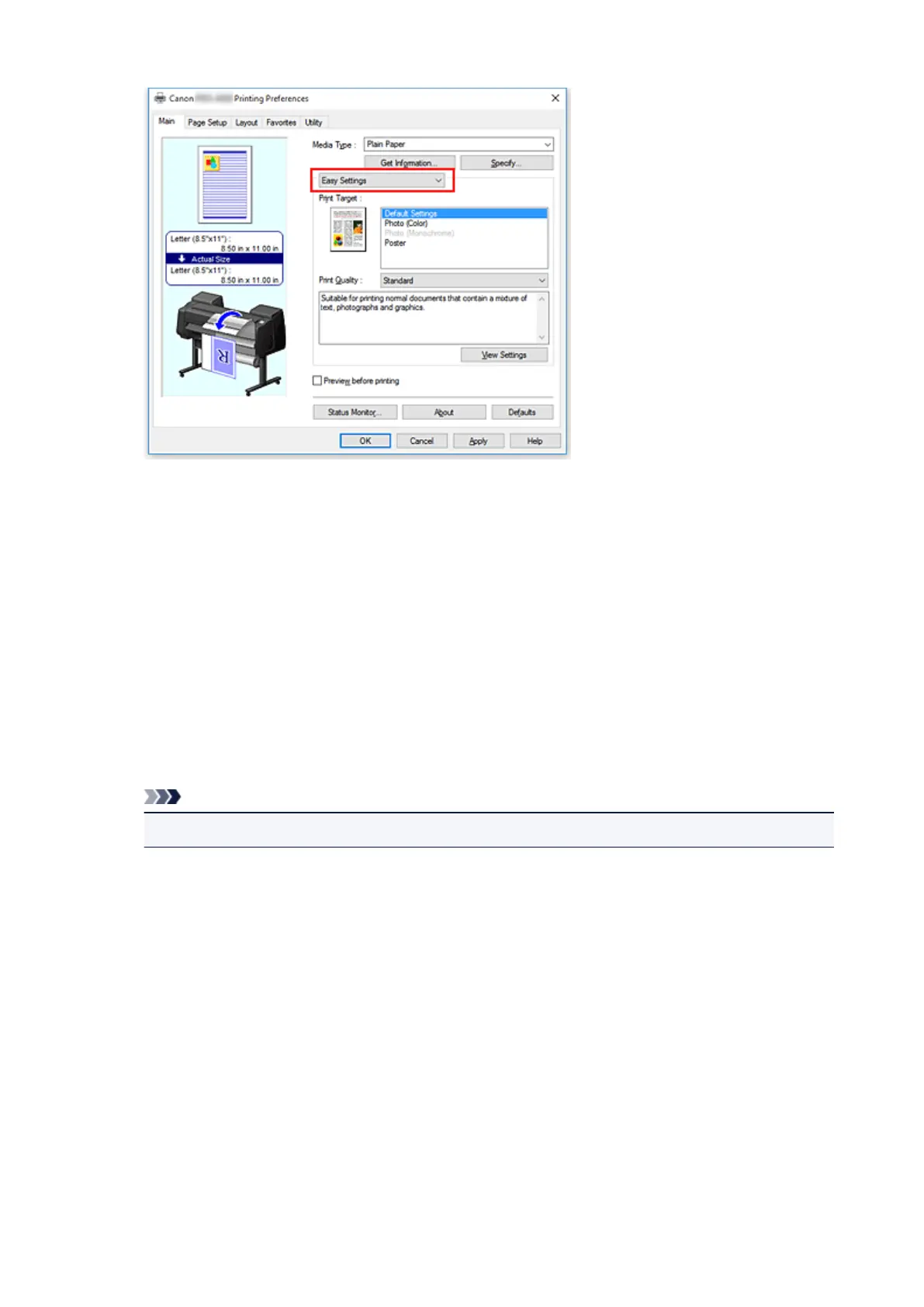
Select print purpose
For Print Target, select the setting that matches the document.
•
Default Settings
Select this setting to print a general document such as an business documents.
• Photo (Color)
Select this setting to print a color illustration or a photo.
• Photo (Monochrome)
Select this setting to print an illustration or a photo in monochrome.
• Poster
Select this setting to print a poster.
Note
• To check the settings of the items that are set by Print Target, click View Settings.
5.
Select the paper size
From the Page Size list on the Page Setup tab, select the same size as that of the document that was
created with the application software.
The current settings are displayed in the settings preview on the left side of the window.
485











 To Next Page