Note
• If the Home screen does not appear, tap the Home button.
2. Tap paper feed slot where roll paper for which you want to set cutting method is loaded.
3. Tap Paper settings.
4.
Tap Advanced.
5.
Tap Cutting mode.
6.
Tap User cut.
7.
When Do you want to set to detect the leading edge of the paper? is displayed, select
Do not detect.
Note
• If you set the detection of paper leading edge to Do not detect, a margin of about 10 cm is
created at the paper leading edge when printing starts.
• When the detection of paper leading edge is set to Do not detect, printing will start at the
position at which the roll was set for the first printing after replacing a roll. Thus, the margin of
the paper leading edge will enlarge.
(See "Loading the Upper Roll on the Printer.")
8.
Tap Back button twice to display roll paper screen.
9.
Tap Feed/cut.
10.
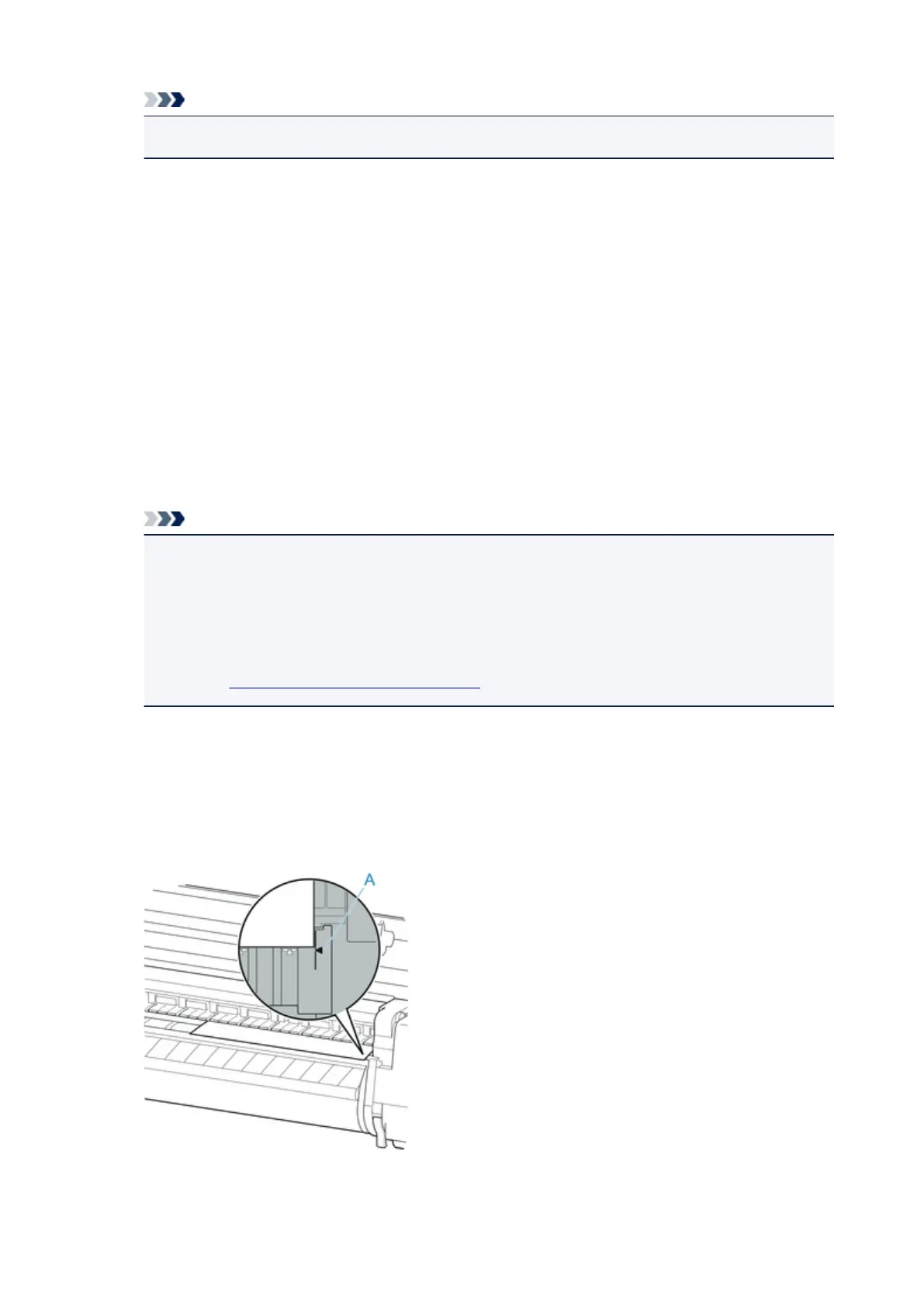
Tap or touch Advance or Rewindand align paper's leading edge with position (A).
86











 To Next Page