Chapter 3
3-4
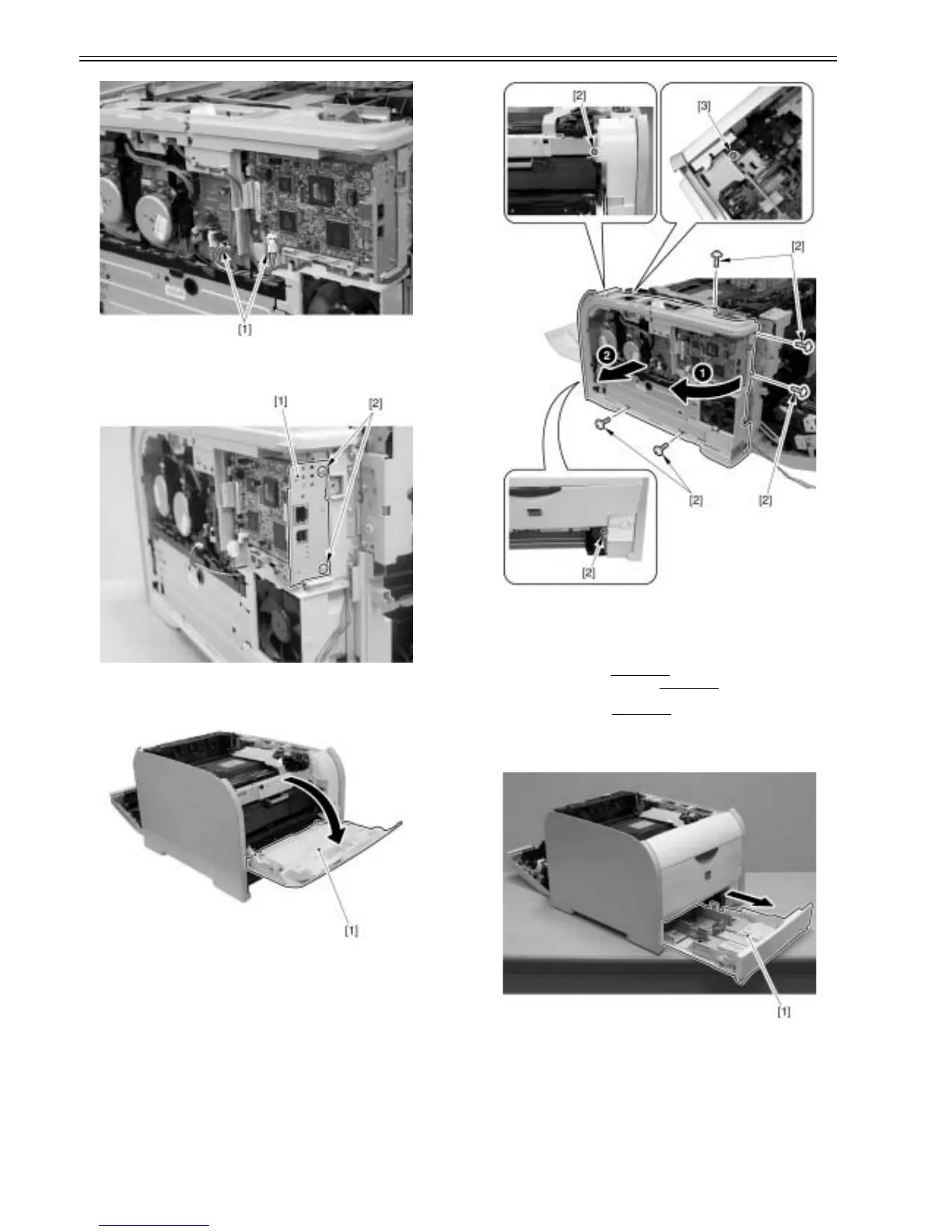
F-3-16
3) Remove the sheet metal [1].
- Remove 2 screws [2].
F-3-17
4) Pull out the cassette.
5) Open the front cover [1].
F-3-18
6) Remove the right frame cover [1] in the arrow direction.
- 7 screws [2] (Remove)
- 1 screw [3] (Loosen)
F-3-19
3.1.4 Left Cover
3.1.4.1 Pre-procedure for removing left cover
0021-3902
1) Remove the right cover. (page 3-3)Reference[Removing right cover]
2) Remove the upper rear cover (left).(page 3-1)
Reference[Removing up-
per rear cover (left)]
3) Remove the upper cover.(page 3-5)
Reference[Removing upper cover]
3.1.4.2 Removing left cover
0021-3905
1) Remove the cassette [1].
F-3-20
2) Remove 1 claw [2] on the lower rear cover and remove the left cover [3]
in the arrow (upward) direction.
- 1 screw [4]













 To Next Page