Chapter 3
3-15
F-3-62
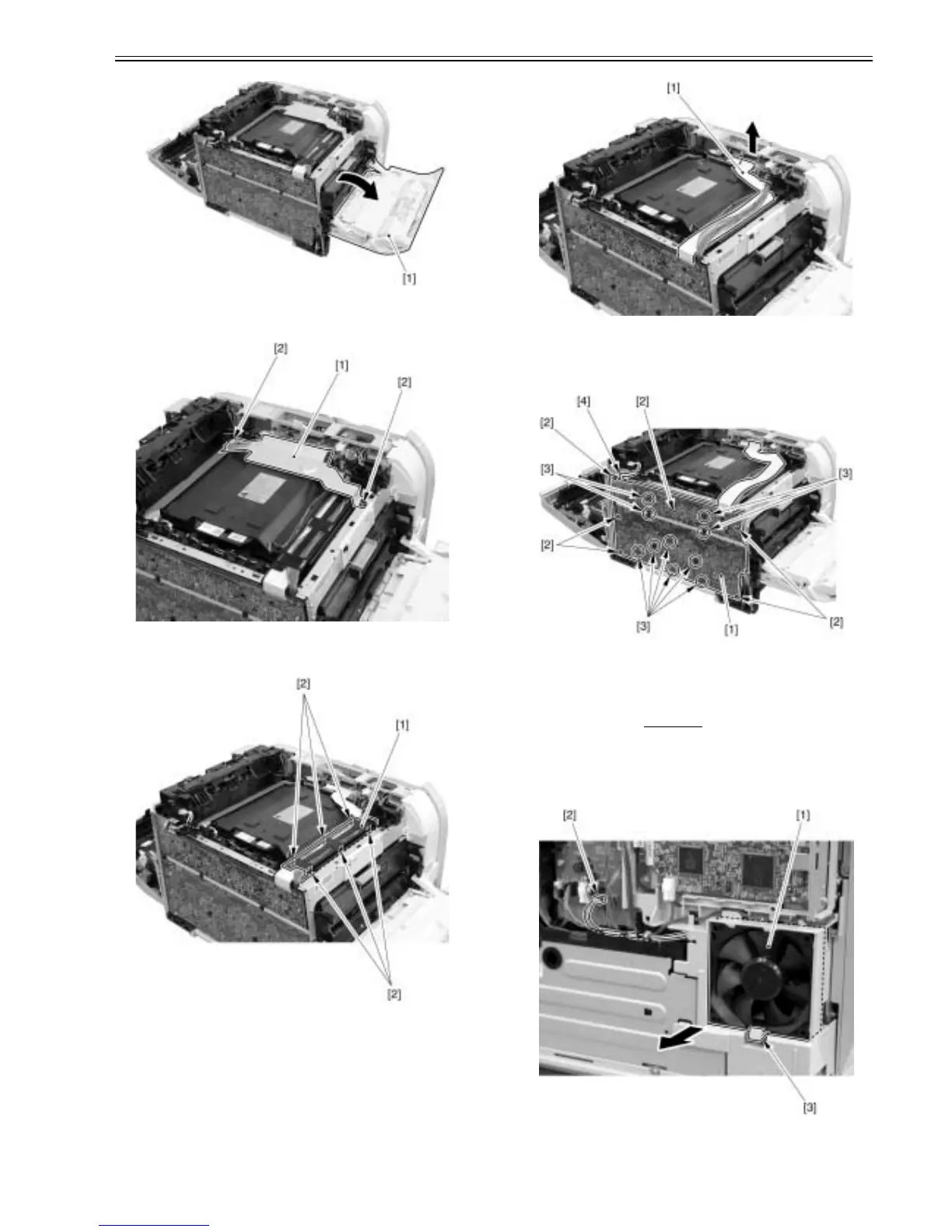
2) Remove the cable cover plate [1].
- 2 screws [2]
F-3-63
3) Remove the guide plate [1].
- 6 claws [2]
F-3-64
4) Remove the flat cable [1].
F-3-65
5) Remove the high voltage power supply PCB [1].
- 6 screws [2]
- 10 claws [3]
- 1 connector [4]
F-3-66
3.1.16 Fan
3.1.16.1 Pre-procedure for removing fan (1)
0021-6354
1) Remove the right cover.(page 3-3)Reference[Removing right cover]
3.1.16.2 Removing fan (1)
0021-6355
1) Remove the fan (1) [1].
- 1 connector [2]
- 1 claw [3]
F-3-67













 To Next Page