Chapter 3
3-27
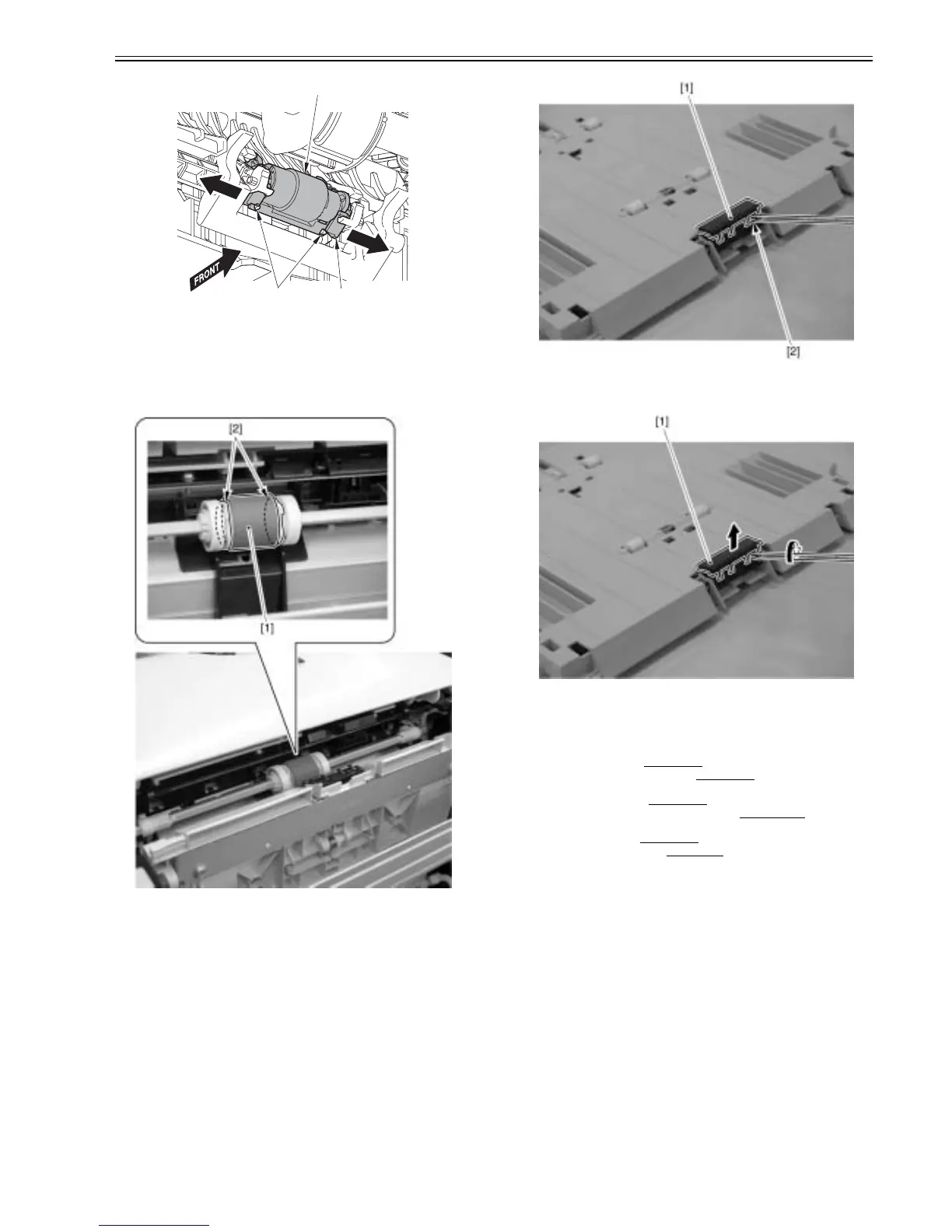
F-3-116
3.4.6 Manual Pickup Roller
3.4.6.1 Removing MP tray pick-up roller
0021-4263
1) Remove the MP tray pick-up roller [1].
- 2 claws [2]
F-3-117
3.4.7 Manual Separation Pad
3.4.7.1 Removing MP tray separation pad
0021-4264
1) Insert a precision screwdriver into the space [2] between the MP tray sep-
aration pad [1] and pad holder.
F-3-118
2) Turn the precision screwdriver and remove the MP tray separation pad [1]
in the arrow direction.
F-3-119
3.4.8 Duplexing Feeding Unit
3.4.8.1 Pre-procedure for removing duplex feeding unit
0021-4281
1) Remove the right cover.(page 3-3)Reference[Removing right cover]
2) Remove the upper rear cover (left).(page 3-1)
Reference[Removing up-
per rear cover (left)]
3) Remove the upper cover.(page 3-5)
Reference[Removing upper cover]
4) Remove the secondary transfer feeding unit.(page 3-28)
Reference[Re-
moving secondary transfer feeding unit]
5) Remove the rear cover.(page 3-1)
Reference[Removing rear cover]
5) Remove the lower rear cover.(page 3-1)
Reference[Removing lower rear
cover]
3.4.8.2 Removing duplex feeding unit
0021-4282
1) Open the duplex feeding unit [1] and then remove it.
- 2 bearings [2]
[2]
[3]
[1]













 To Next Page