Chapter 3
3-20
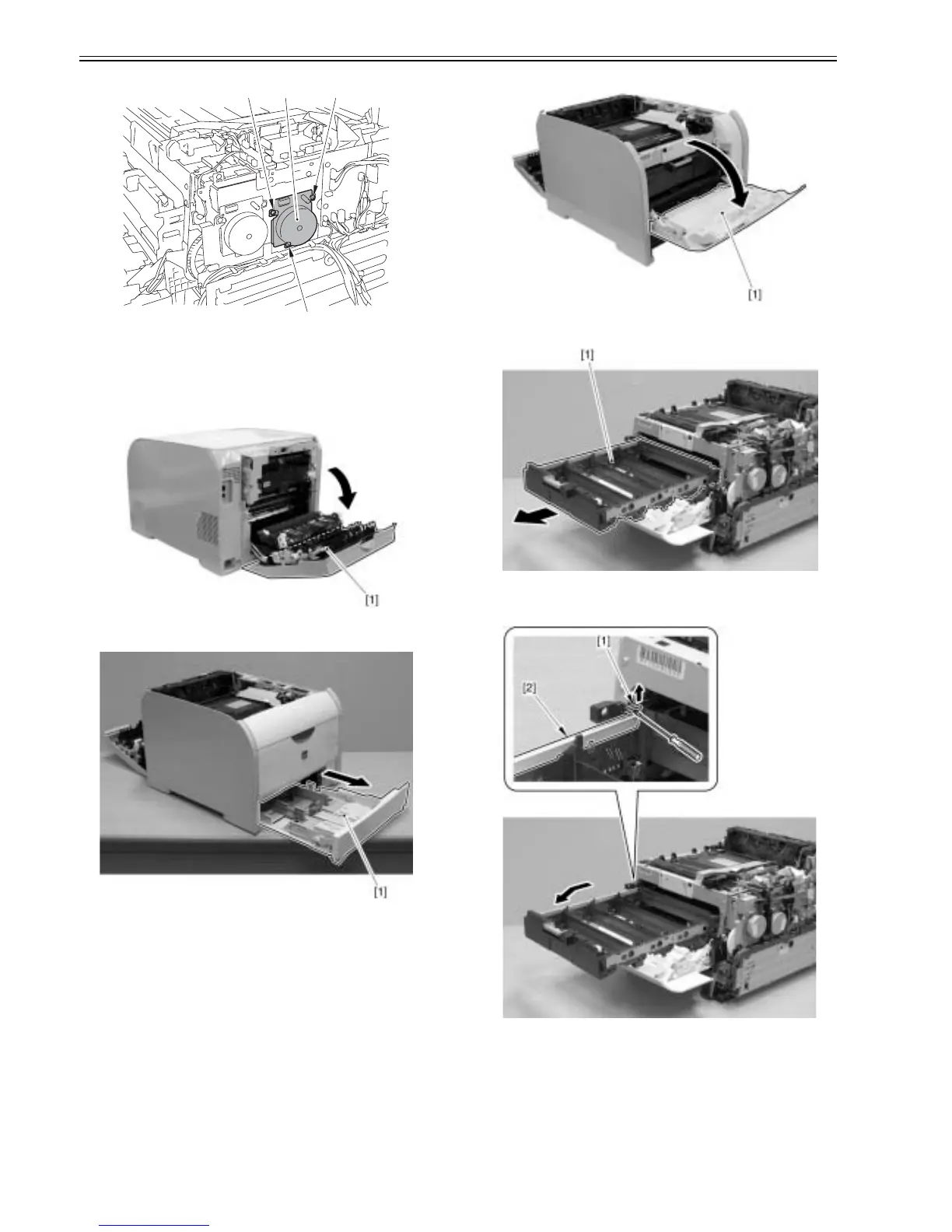
F-3-86
3.3.3 ITB Unit
3.3.3.1 Removing ITB unit
0021-4270
1) Open the rear cover [1].
F-3-87
2) Remove the cassette [1].
F-3-88
3) Open the front cover [1].
F-3-89
4) Pull out the cartridge tray [1] to the front until it stops.
F-3-90
5) Press the stopper [1] at the rear left in the arrow direction, and remove the
cartridge tray [2] as pulling its left side to the front.
F-3-91
6) Remove the RD sensor unit [1] to the front.
- 2 screws [2]
[1] [2]
[2]
[2]













 To Next Page