Chapter 3
3-24
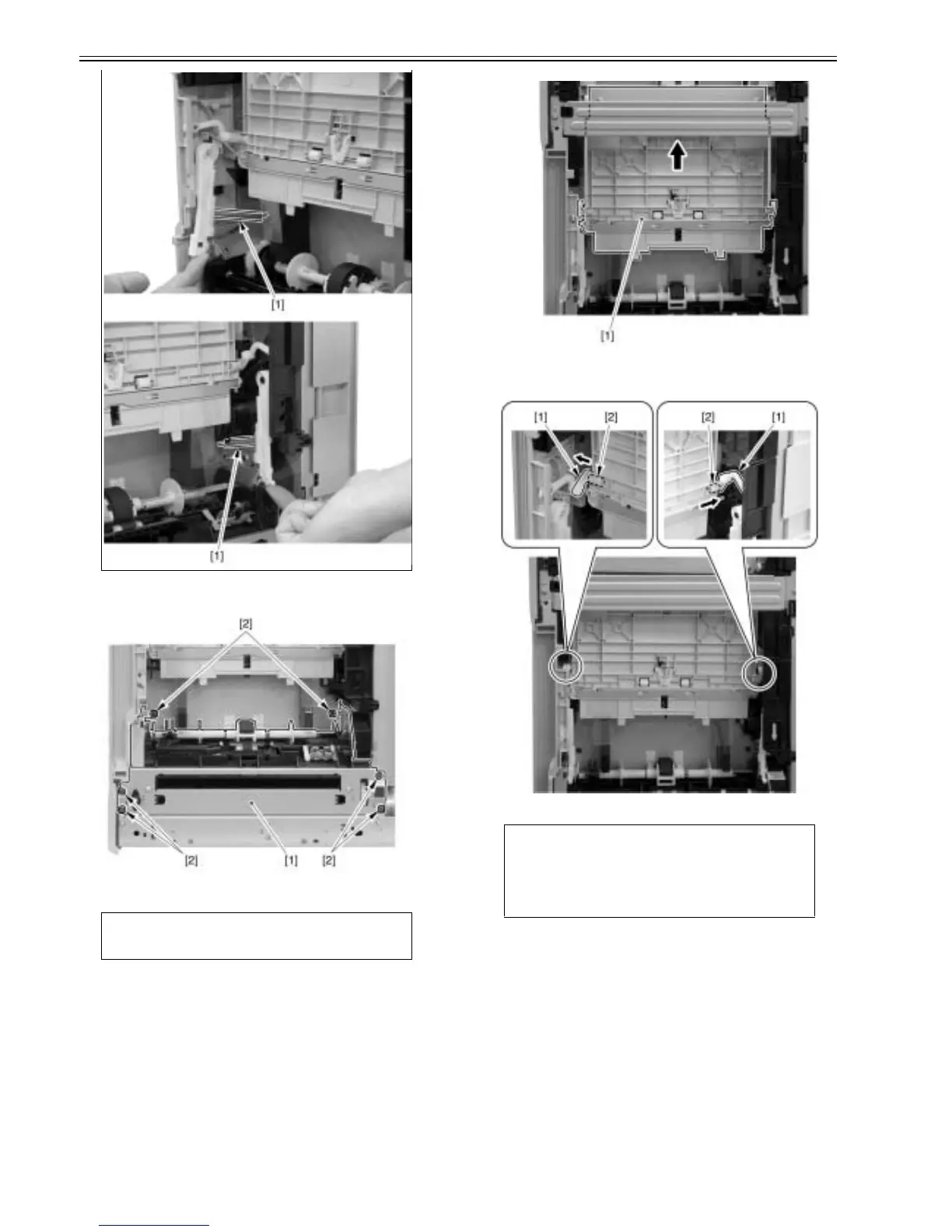
5) Remove the pick-up unit [1].
- 6 screws [2]
F-3-105
3.4.2.3 Removing MP tray pick-up unit
0021-4279
1) Stand the main unit upright so that you can access its bottom face.
2) Move the MP tray pick-up unit [1] in the arrow direction.
F-3-106
3) Remove 2 links [1] at the left and right sides from the bearing part [2] of
the MP tray pick-up unit.
F-3-107
4) Press a flat-blade screwdriver to the stopper [1], pull out the MP tray pick-
up unit [2] upward, and remove it.
Caution:
Do not damage the cables of the pick-up assembly with the frame, etc. when
you removing it.
CAUTION:
When you remove the MP tray pick-up unit, the link parts become
unengaged, and therefore you should be careful not to lose the links.













 To Next Page