Chapter 3
3-13
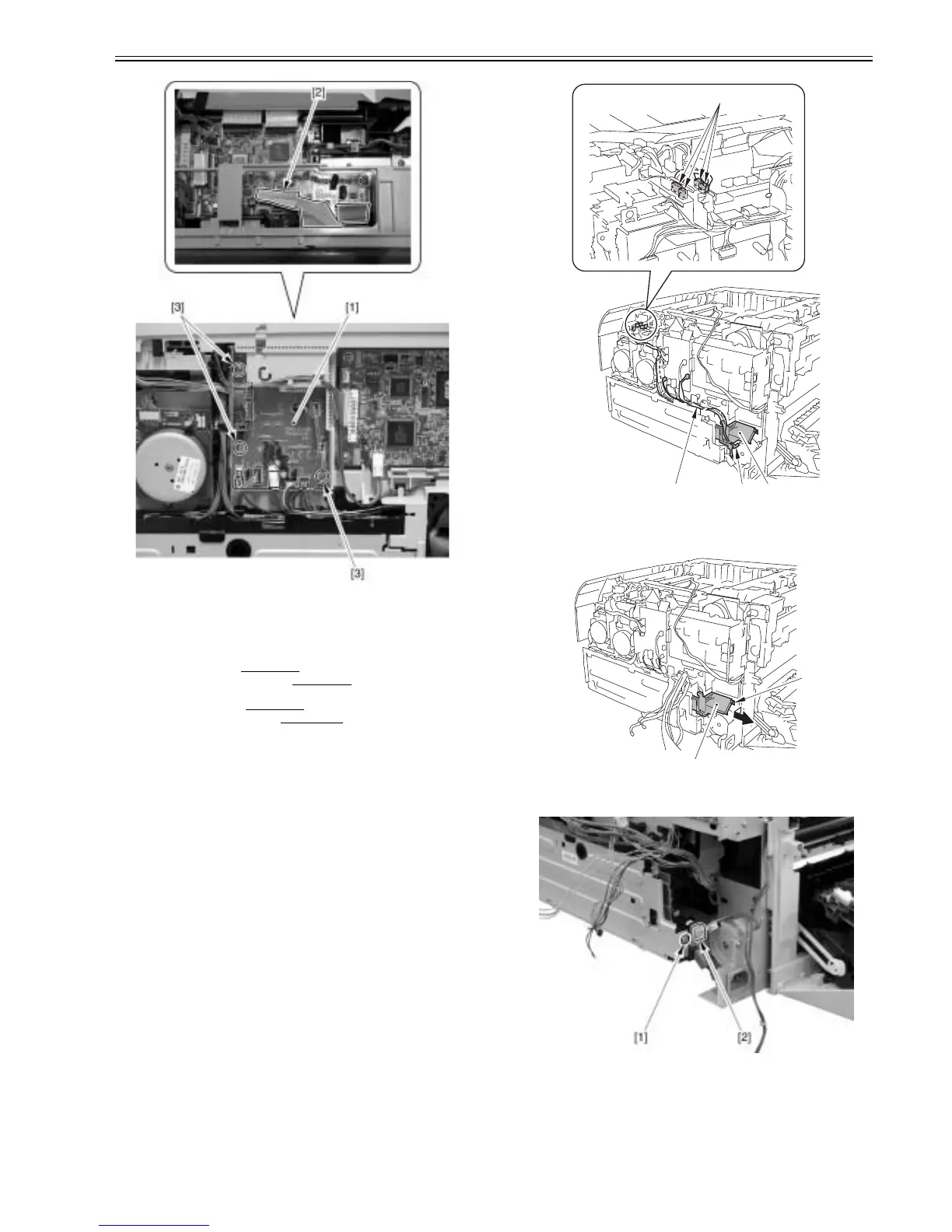
F-3-53
3.1.14 Power Supply Board
3.1.14.1 Pre-procedure for removing power supply unit
0021-4191
1) Remove the right cover.(page 3-3)Reference[Removing right cover]
2) Remove the upper rear cover (left).(page 3-1)
Reference[Removing up-
per rear cover (left)]
3) Remove the upper cover.(page 3-5)
Reference[Removing upper cover]
5) Remove the right frame cover.(page 3-3)
Reference[Removing right
frame cover]
3.1.14.2 Removing power supply unit
0021-4194
1) After removing 7 connectors [1], remove the cable [2] from the cable
guide [3].
F-3-54
2) Remove the cable guide [1] in the arrow direction.
- 1 boss [2]
F-3-55
3) Remove 1 screw [1] and 1 connector [2].
F-3-56
4) After removing 5 connectors [1], remove the cable [3] from the cable
guide [2].
[1]
[1][2] [3]
[1]
[2]













 To Next Page