[F-42] Correcting "Out-of-Register Colors"
If a phenomenon of "Out-of-Register Colors" occurs, correct it.
Correcting "Out-of-Register Colors" Immediately (Manual Correction of "Out-of-Register Colors")
Automatically Performing Calibration or Correction of "Out-of-Register Colors" Immediately after the
Printer Is Turned On
NOTE
Correction time
It takes approximately 50 seconds.
Correcting "Out-of-Register Colors" Immediately (Manual Correction of "Out-of-
Register Colors")
IMPORTANT
Precautions when correcting "Out-of-Register Colors"
If "Out-of-Register Colors" are corrected frequently, this may affect the life of the toner
cartridges.
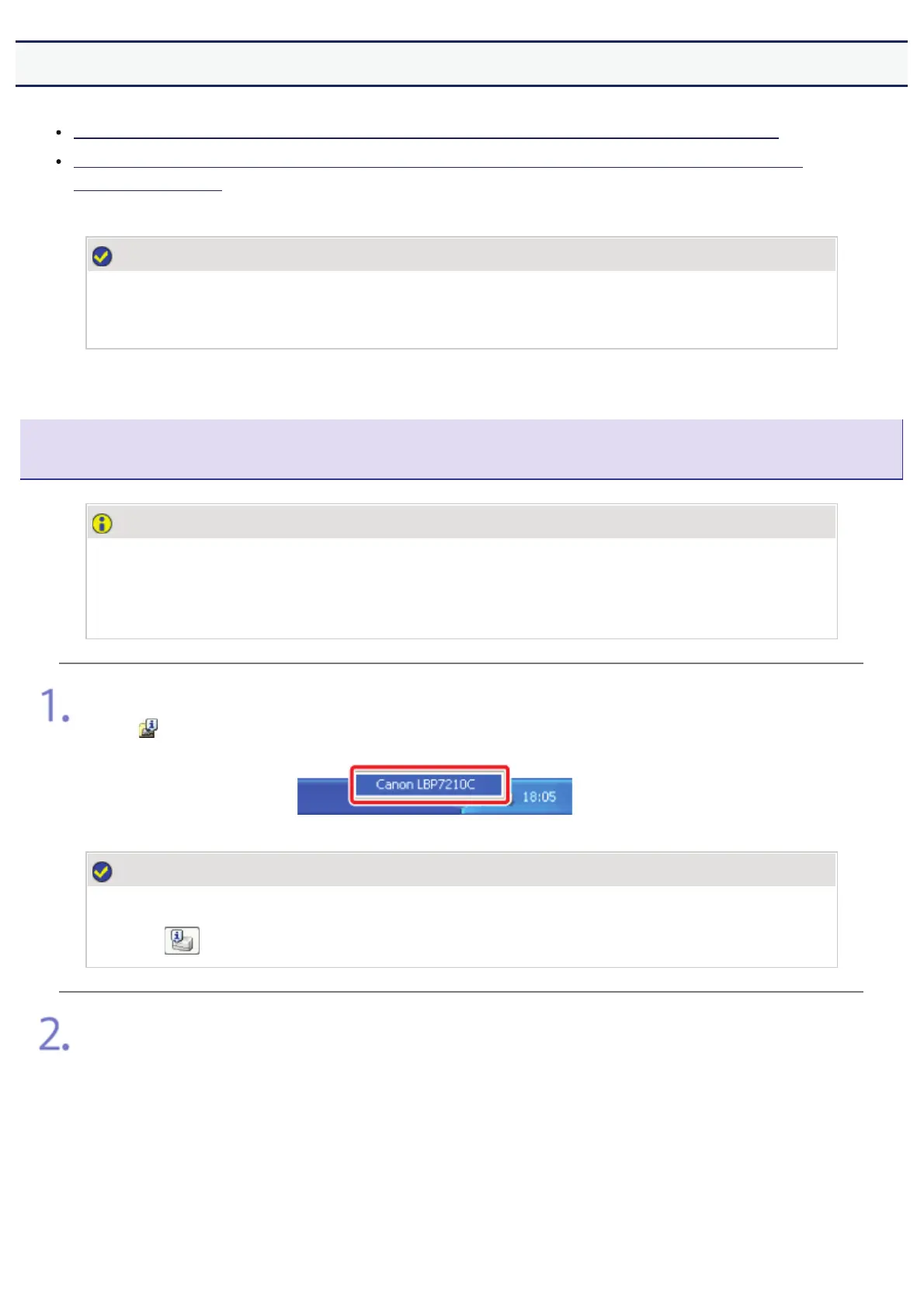
Display the Printer Status Window.
Click [
] in the Windows task tray, and then select the printer name.
NOTE
When displaying the Printer Status Window from the printer driver
Click [
] (Display Printer Status Window) in locations such as in the [Page Setup] sheet.
)URPWKH>2SWLRQV@PHQXVHOHFW>8WLOLW\@ĺ>2XWRI5HJLVWHU&RORUV&RUUHFWLRQ@
㻟㻠㻤㻌㻛㻌㻣㻜㻡













 To Next Page