[H-31] Paper Jams
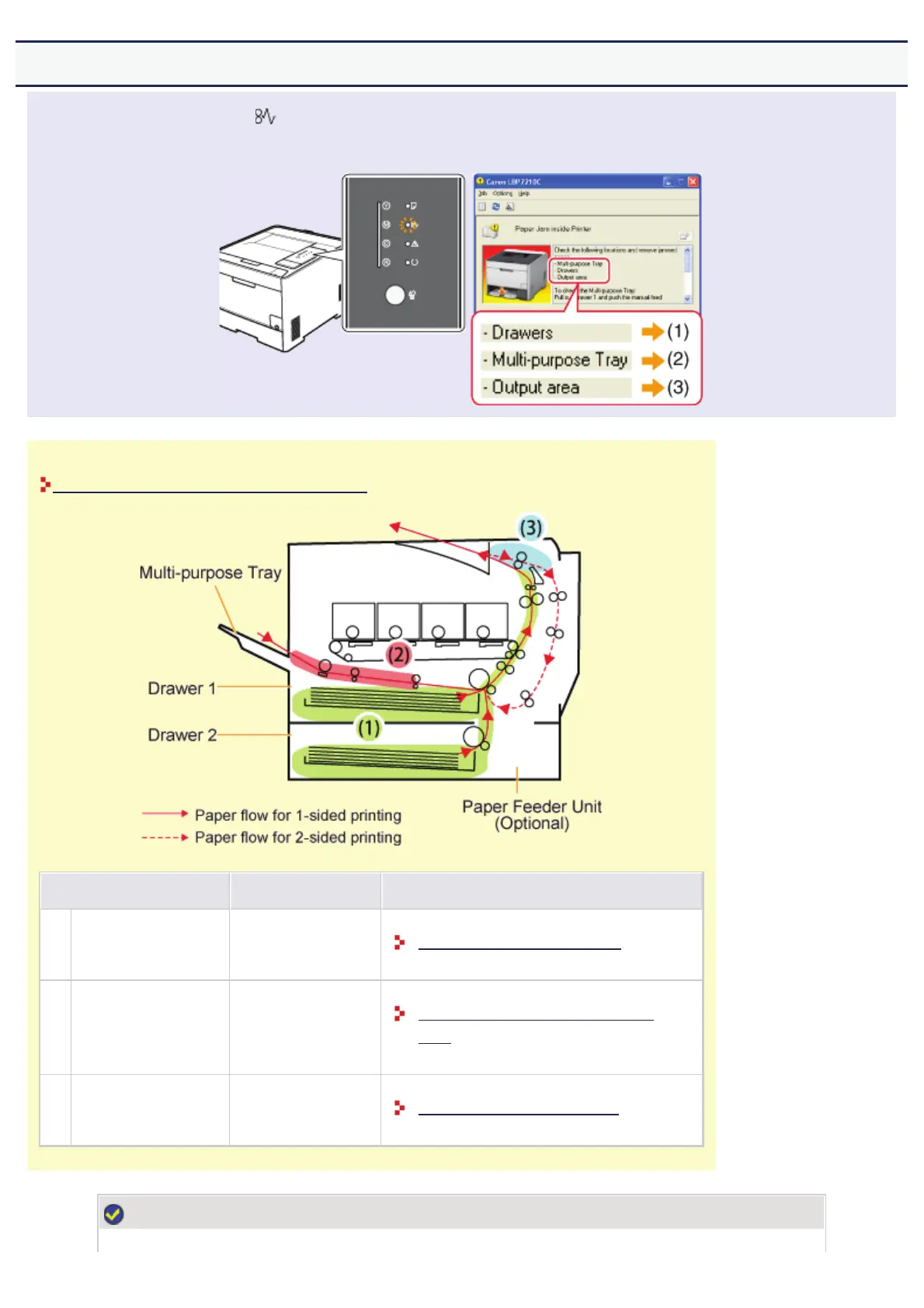
When a paper jam occurs, the (Paper Jam) indicator (orange) blinks, and a message appears in the Printer Status
Window.
Remove the jammed paper according to the displayed message.
Precautions When Removing Jammed Paper
Paper Jam Area Message Clearance Procedure
(1) Drawer area <Drawers>
Clearing Paper Jams (Drawer Area)
(2) Multi-purpose tray area <Multi-purpose Tray>
Clearing Paper Jams (Multi-purpose Tray
Area)
(3) Output area <Output area>
Clearing Paper Jams (Output Area)
NOTE
㻠㻤㻢㻌㻛㻌㻣㻜㻡













 To Next Page