[G-20] Cleaning the Inside of the Printer
Cleaning the Fixing Roller (Cleaning 1)
Cleaning the Transfer Belt (Cleaning 2)
Cleaning the Fixing Roller (Cleaning 1)
If the printed paper has smudge marks, clean the fixing roller using the following procedure.
IMPORTANT
Have A4 size plain paper ready.
The fixing roller cannot be cleaned with any plain paper other than A4.
Be sure to load A4 size plain paper when cleaning the fixing roller.
Load A4-size plain paper in the multi-purpose tray or paper drawer.
"Loading Standard Size Paper (Other Than Index Cards and Envelopes)"
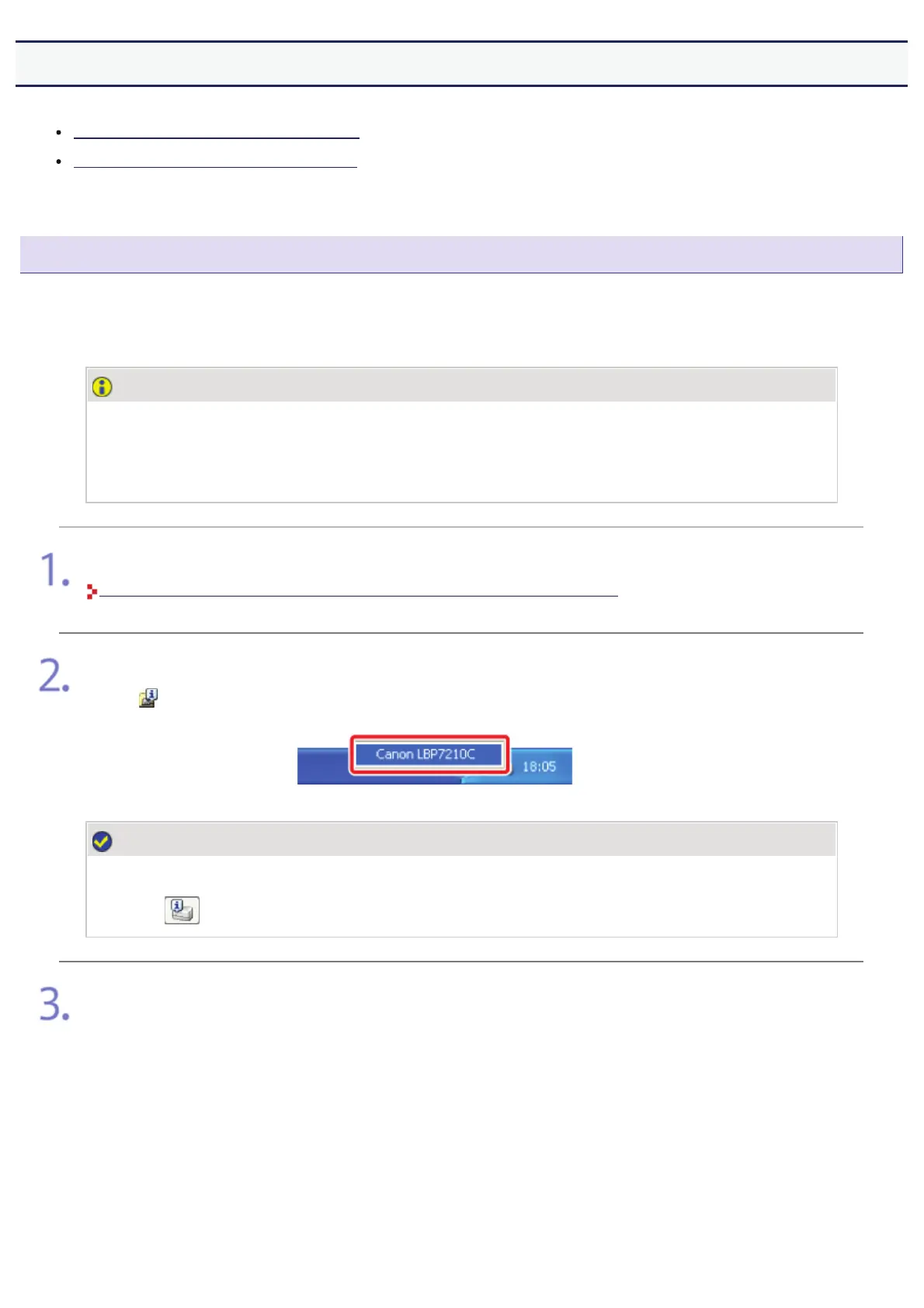
Display the Printer Status Window.
Click [
] in the Windows task tray, and then select the printer name.
NOTE
When displaying the Printer Status Window from the printer driver
Click [
] (Display Printer Status Window) in locations such as in the [Page Setup] sheet.
)URPWKH>2SWLRQV@PHQXVHOHFW>8WLOLW\@ĺ>&OHDQLQJ@
㻟㻥㻝㻌㻛㻌㻣㻜㻡












 To Next Page