[F-44] Saving Frequently Used Printing Preferences (Profiles)
If you save frequently used printing preferences as a "Profile", you can perform printing using the saved preferences by
simply selecting the "Profile".
Also, some are registered as the default "Profiles".
Selecting a "Profile"
Adding a "Profile"
Editing an Added "Profile"
Deleting an Added "Profile"
IMPORTANT
The settings that cannot be added as a "Profile"
The settings using the following options in the [Quality] sheet - [Custom Settings] dialog box
cannot be added as a "Profile".
[Color Halftones]
[B & W Halftones]
[Use Pure Black]
[Prioritize Printing of Colored Lines and Text]
Selecting a "Profile"
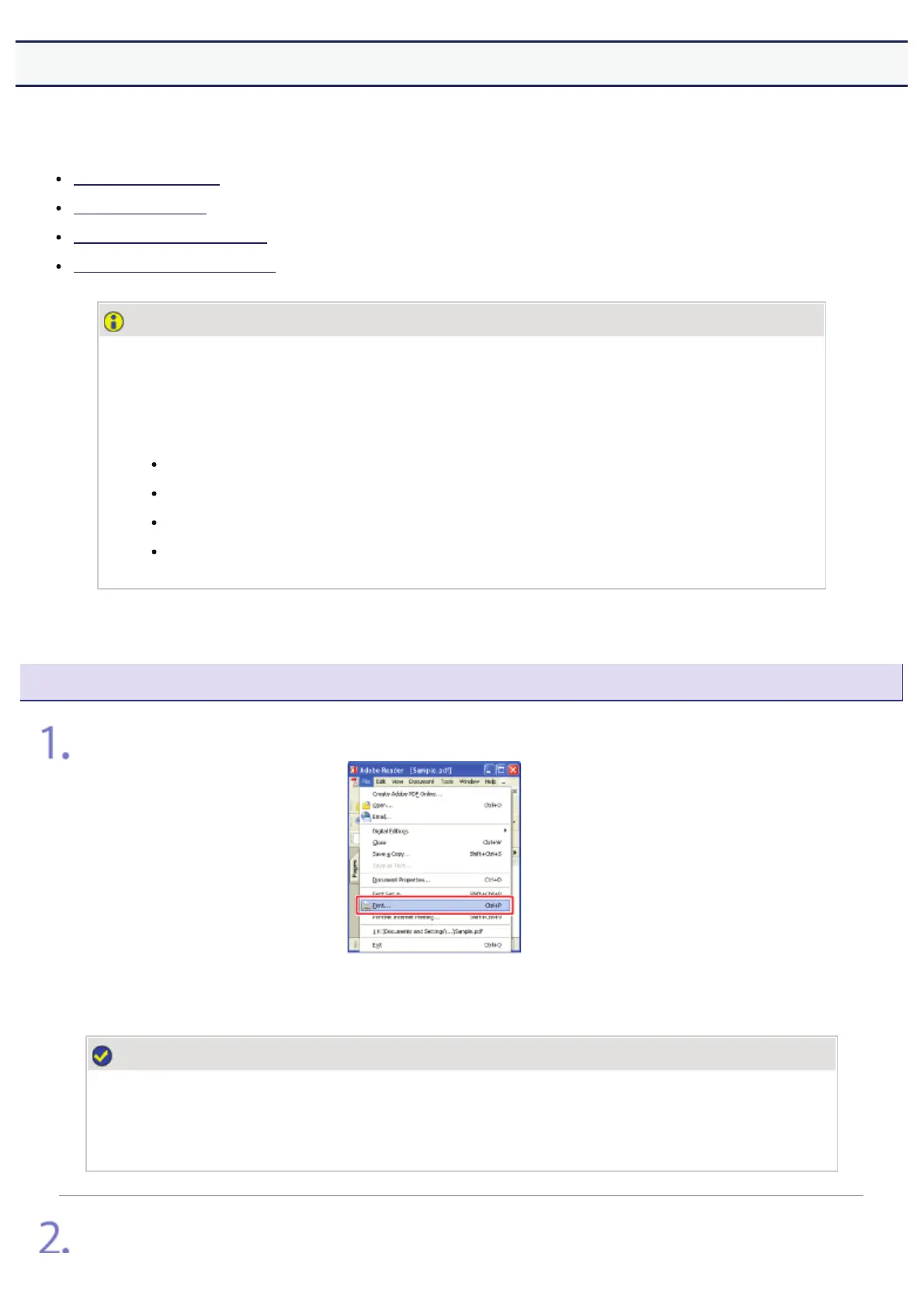
Select [Print] from the [File] menu in the application.
NOTE
About the printing procedure
The printing procedure may differ depending on the application you are using.
For details on the printing procedures, see the instruction manual supplied with the application.
Open the printing preferences dialog box.
㻟㻡㻡㻌㻛㻌㻣㻜㻡













 To Next Page