[H-17] Checking Standard TCP/IP Port
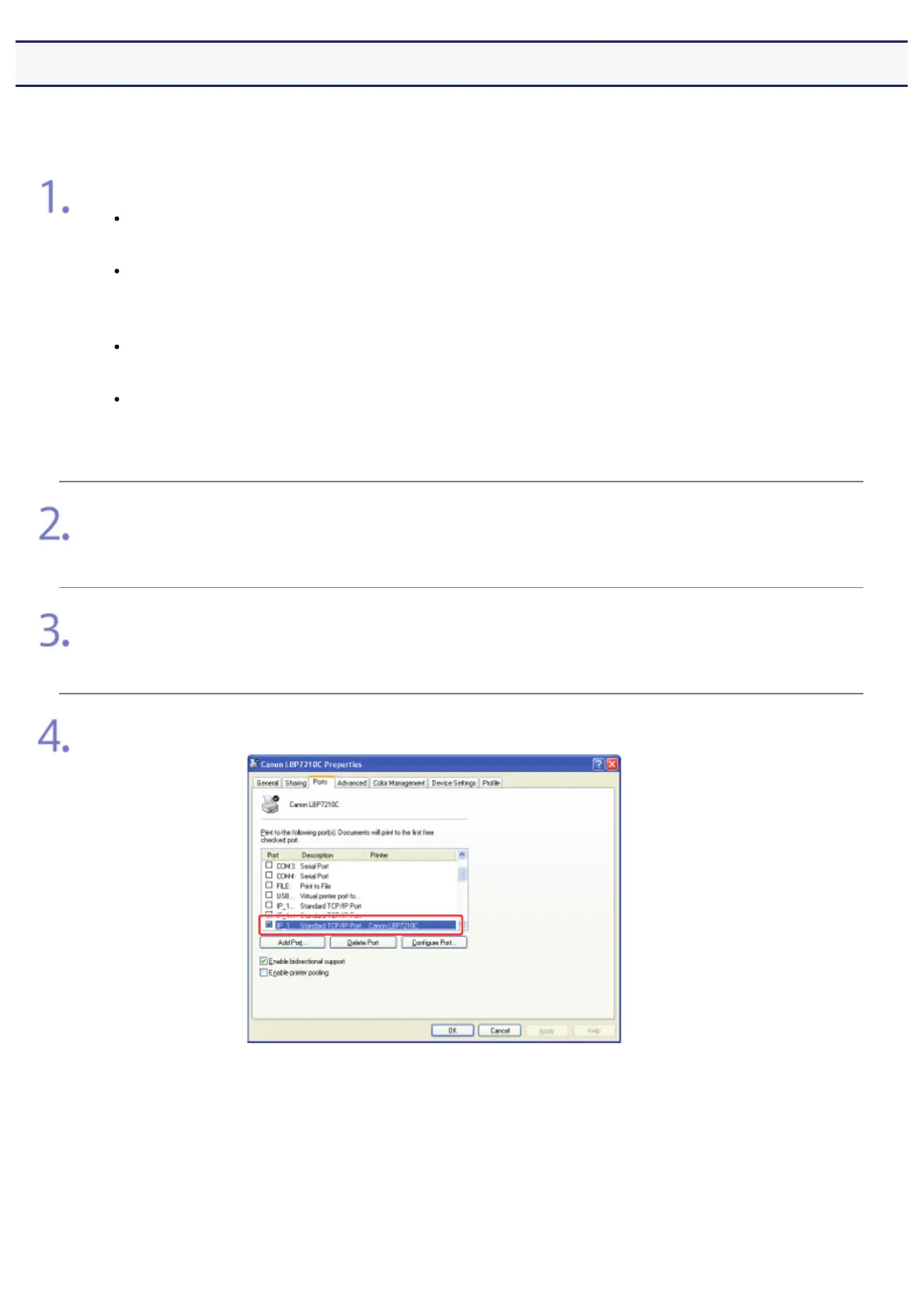
Check Standard TCP/IP Port using the following procedure.
Open the [Printers and Faxes] or [Printers] folder.
Windows XP Professional and Server 2003
From the [Start] menu, select [Printers and Faxes].
Windows XP Home Edition
From the [Start] menu, select [Control Panel], and then click [Printers and
2WKHU+DUGZDUH@ĺ>3ULQWHUVDQG)D[HV@
Windows Vista
From the [Start] menu, select [Control Panel], and then click [Printer].
Windows Server 2008
From the [Start] menu, select [Control Panel], and then double-click
[Printers].
Right-click the icon for this printer, and then select [Properties] from the pop-up menu.
Display the [Ports] sheet.
Check whether the port to be used is selected properly.
㻠㻟㻤㻌㻛㻌㻣㻜㻡













 To Next Page