[A-01] Installation
WARNING
Do not install the printer in a location near alcohol, paint thinner, or other
flammable substances. If flammable substances come into contact with electrical
parts inside the printer, this may result in a fire or electrical shock.
Do not place the following items on the printer.
Necklaces and other metal objects
Cups, vases, flowerpots, and other containers filled with water or
liquids
If these items come into contact with a high-voltage area inside the printer, this
may result in a fire or electrical shock.
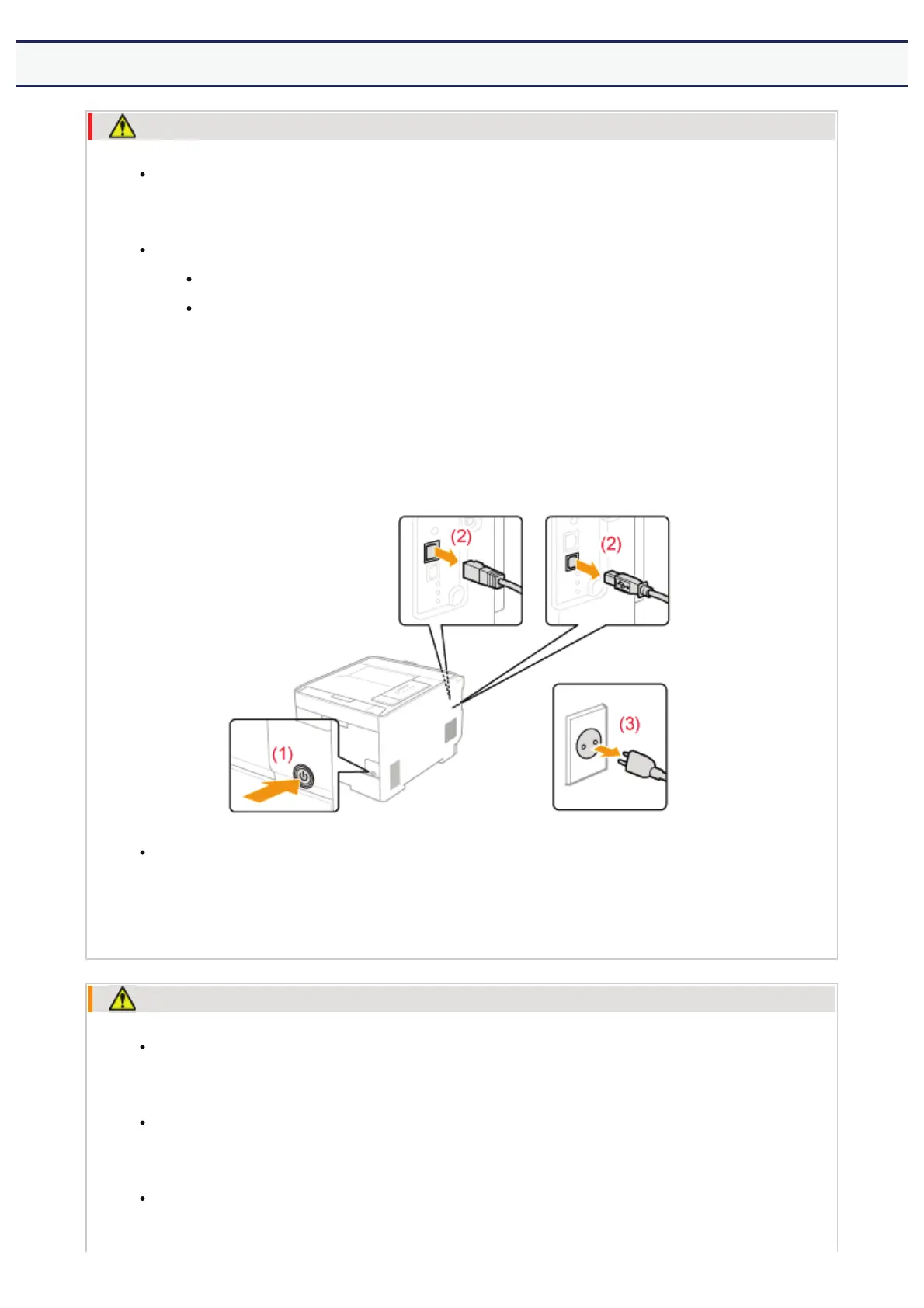
If these items are dropped or spilled inside the printer, immediately turn off the
power switch (1) and disconnect the interface cables if they are connected (2).
Then, unplug the power plug from the AC power outlet (3) and contact your local
authorized Canon dealer.
When installing or removing the optional accessories, be sure to turn the printer
off, unplug the power plug, and then disconnect all the interface cables and power
cord from the printer. Otherwise, the power cord or interface cables may be
damaged, resulting in a fire or electrical shock.
CAUTION
Do not install the printer in unstable locations, such as on unsteady platforms or
inclined floors, or in locations subject to excessive vibrations, as this may cause the
printer to fall or tip over, resulting in personal injury.
The ventilation slots are provided for proper ventilation of working parts inside the
printer. Never place the printer on a soft surface, such as a bed, sofa, or rug.
Blocking the slots can cause the printer to overheat, resulting in a fire.
Do not install the printer in the following locations, as this may result in a fire or
electrical shock.
㻣㻌㻛㻌㻣㻜㻡












 To Next Page