Managing Print Jobs
Displaying and Deleting Print Jobs
Displaying Print Logs
Displaying and Deleting Print Jobs
You can check the job currently being printed or delete jobs.
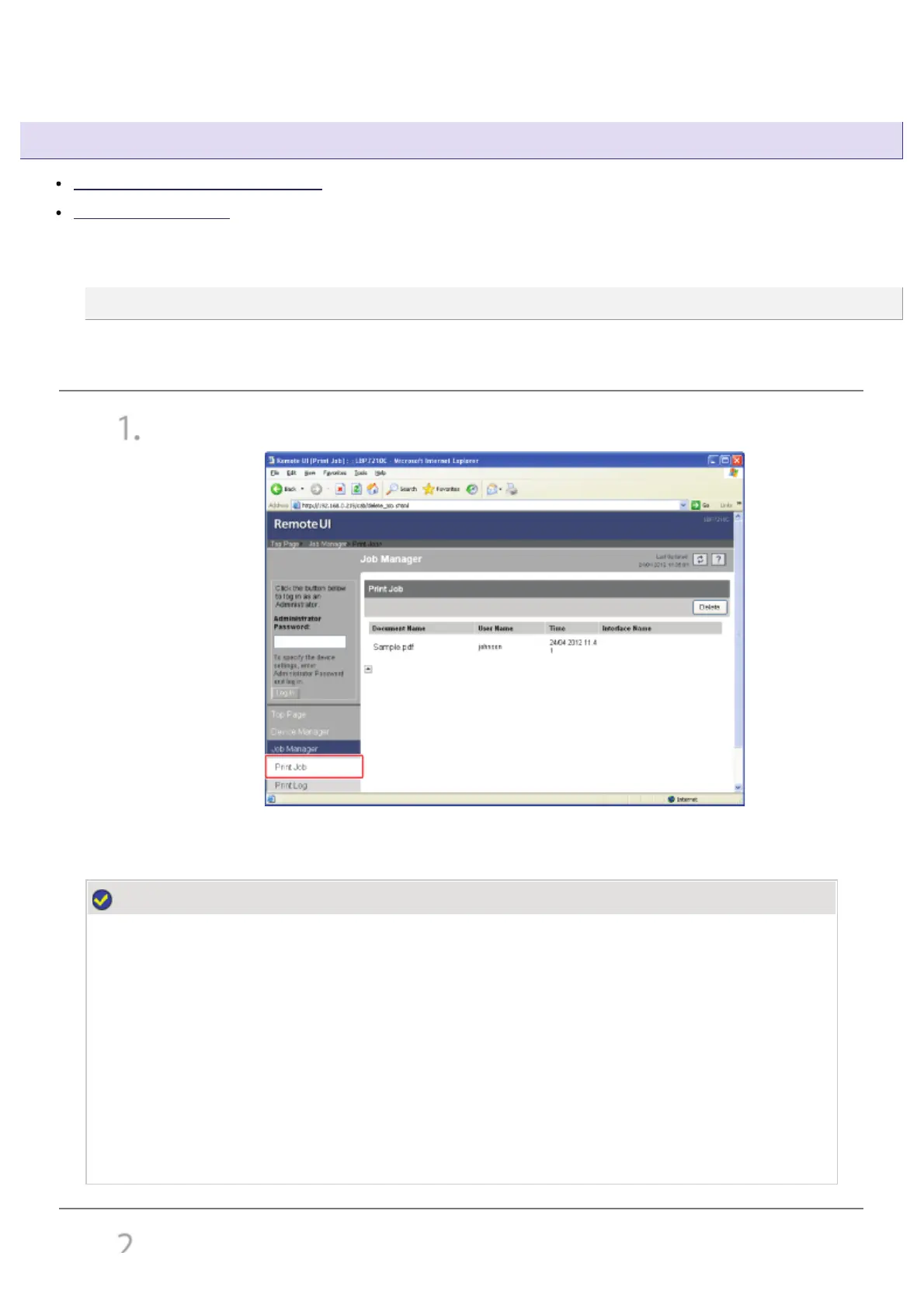
From the [Job Manager] menu, select [Print Job].
ĺ The job currently being printed is displayed.
NOTE
About [Document Name]
A job file name of up to 20 characters can be displayed. If the number of characters exceeds 20,
the characters after the limited number are not displayed, or some characters are not displayed
properly.
Also, depending on the application, the application name may be added to the beginning of the
file name.
About [Interface Name]
If you print via USB, [Local] is displayed in [Interface Name]. If you print via the network,
nothing is displayed in the field.
If
ou want to delete the
ob, click [Delete].
㻢㻝㻡㻌㻛㻌㻣㻜㻡













 To Next Page