Average yield of Composite C (Cyan), M (Magenta), and Y
(Yellow) toner cartridges: 1,400 pages
The average yield is on the basis of "ISO/IEC 19798"
*
when printing A4 size paper
with the default print density setting.
* "ISO/IEC 19798" is the global standard related to "Method for the determination
of toner cartridge yield for color printers and multi-function devices that contain
printer components" issued by ISO (International Organization for
Standardization).
The included toner cartridges differ from replacement toner cartridges.
For purchasing replacement toner cartridges, see "When a Message Appears".
About interface cables
This printer does not come with an interface cable.
Have an appropriate one available for the computer you are using or the connecting
method.
Use a USB cable with the following symbol.
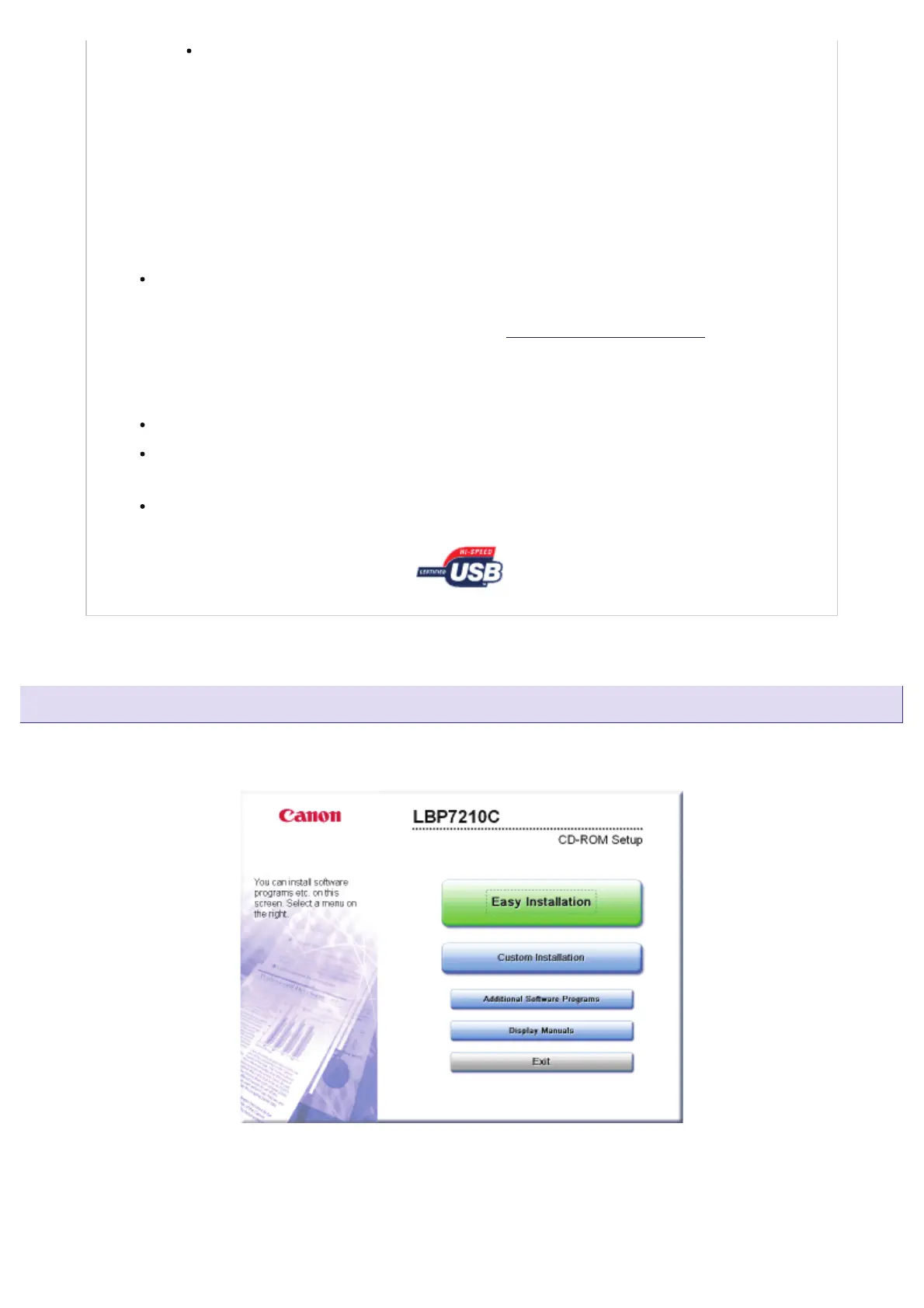
CD-ROM Setup
When the supplied CD-ROM is inserted into the CD-ROM drive, the following CD-ROM Setup appears automatically.
Operations such as software installation can be performed from the CD-ROM Setup.
Easy Installation
Installs the printer driver and the e-Manual at the same time.
㻢㻠㻌㻛㻌㻣㻜㻡













 To Next Page