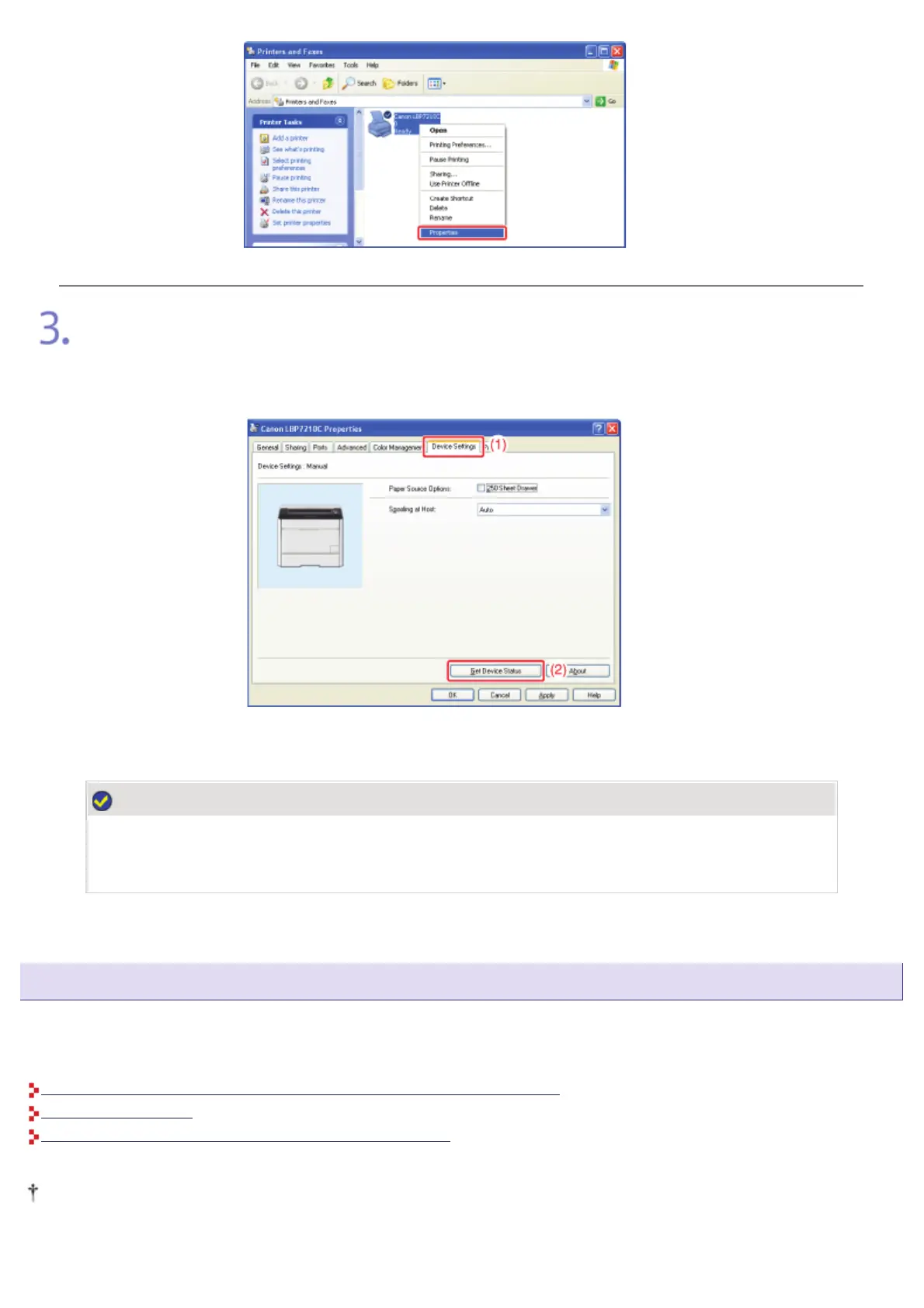
Obtain the status of the paper feeder.
(1) Display the [Device Settings] sheet.
(2) Click [Get Device Status].
ĺ The status of the paper feeder is obtained automatically.
NOTE
If the status of the paper feeder cannot be obtained automatically
Select the [250 Sheet Drawer] check box in [Paper Source Options].
Loading Paper in the Paper Feeder and Registering the Paper Size
Load paper in the paper drawer of the paper feeder (Drawer 2) in the same manner as you load paper in the paper drawer
supplied with the printer unit (Drawer 1).
For details on the procedure for loading paper in the paper drawer, see the following procedures.
"Loading Standard Size Paper (Other Than Index Cards and Envelopes)"
"Loading Envelopes"
"Loading Custom Size Paper (Non-Standard Size Paper)"
This printer's paper drawer cannot automatically detect the paper size. Therefore, you need to register the size of the
paper loaded in the paper drawer of the paper feeder (Drawer 2).
㻥㻣㻌㻛㻌㻣㻜㻡













 To Next Page