1003
Cause
Possible causes include the following.
• There is no paper in the cassette.
• Paper is not loaded in the cassette properly.
What to Do
Take the corresponding actions below.
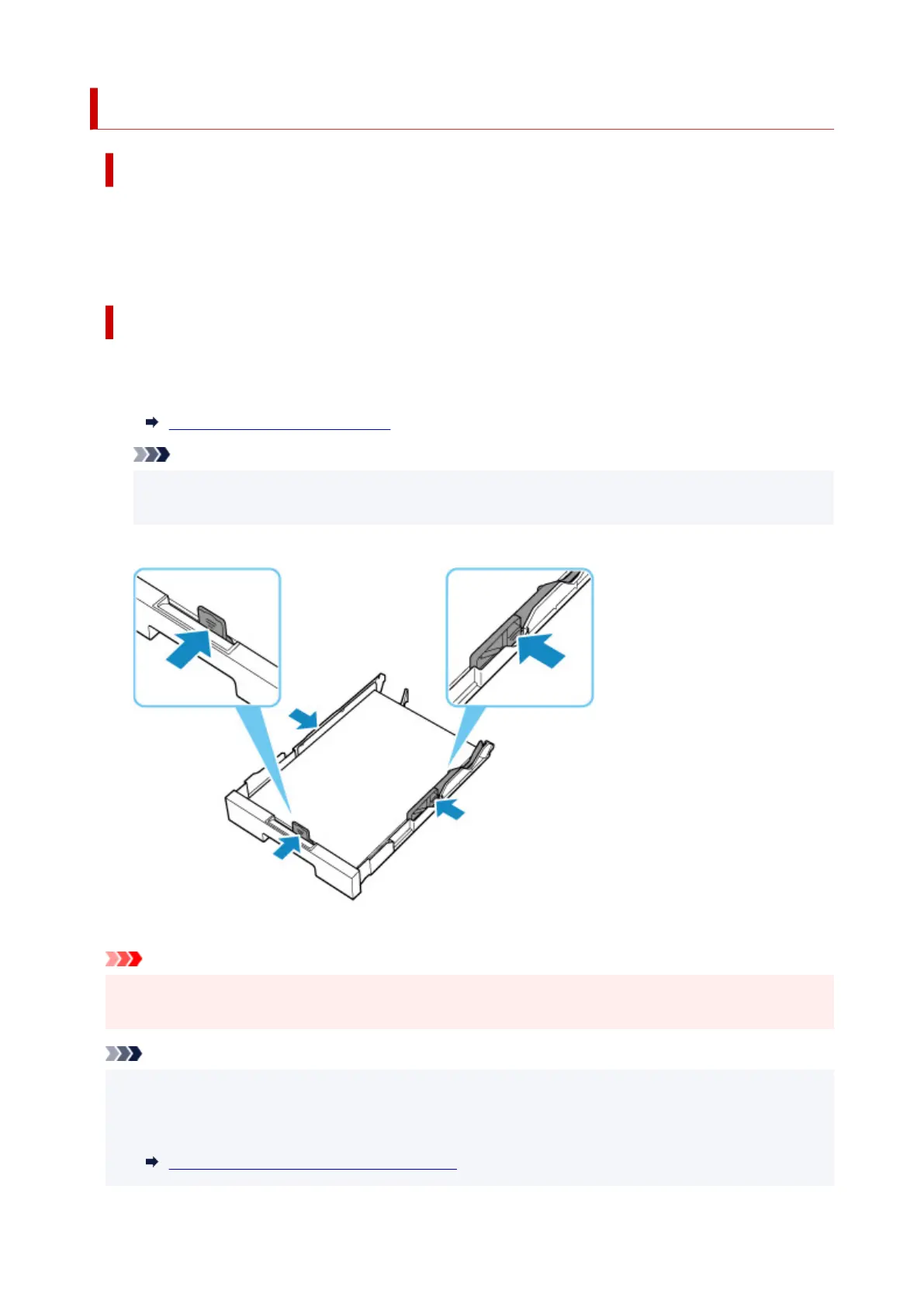
• Load paper in the cassette.
Loading Plain Paper in Cassette
Note
• The loadable paper differs depending on the paper source. The loadable paper in the cassette is
A4, Letter, A5, B5 or Executive size plain paper.
• Align the paper guides of the cassette with the edges of the paper.
After carrying out the above measures, select OK on the
printer's touch screen to cancel the error.
Important
• When checking the feed slot of the cassette or removing the jammed paper, do not turn the printer
upside down or tilt it. The ink may leak out.
Note
• To cancel printing, press the printer's Stop button.
• When the jammed paper is removed from the rear side of the printer, the transport unit cover may not
be installed correctly. Refer to the following page.
Removing Jammed Paper from Rear Side
374










 To Next Page