39
Mastering
the Basics
E
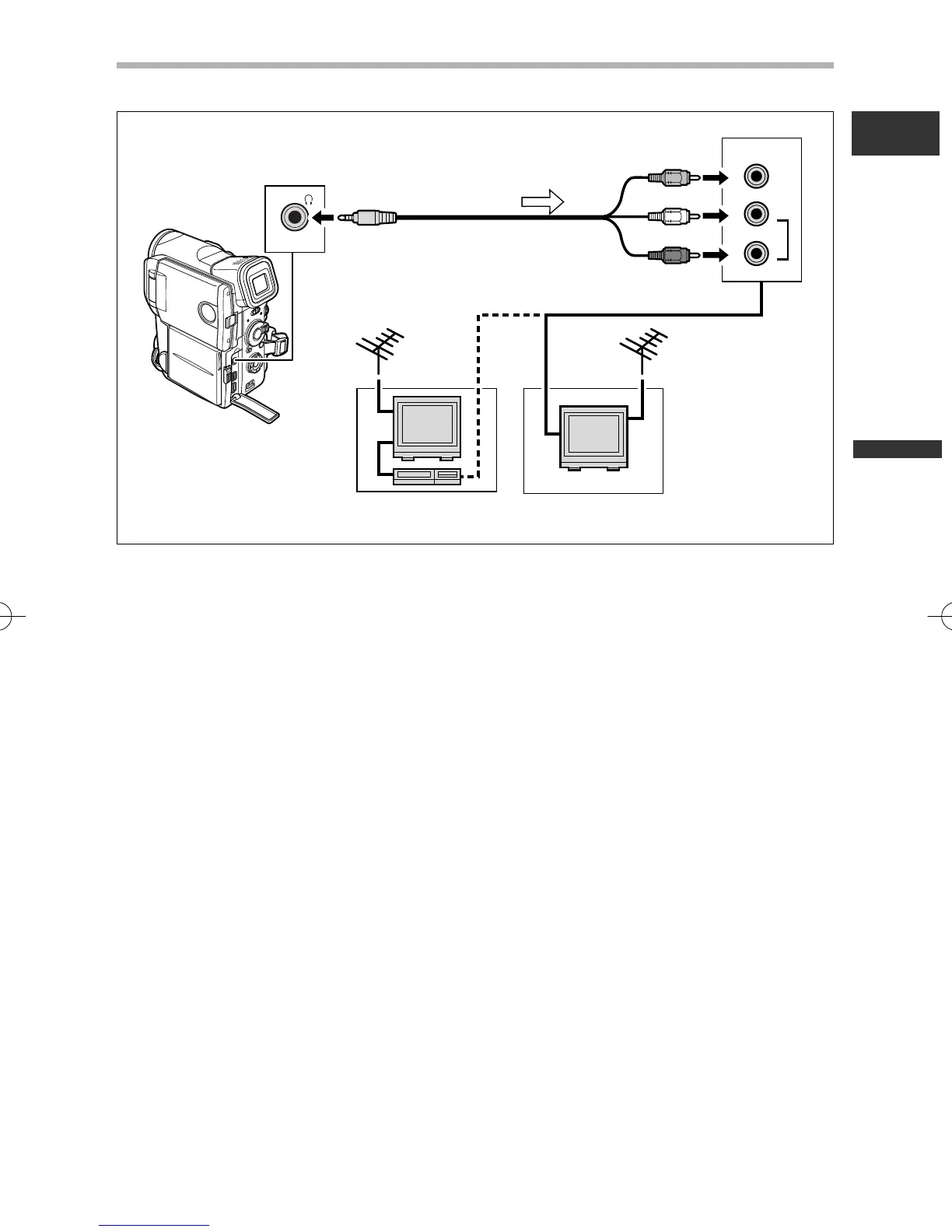
TVs with Audio/Video Terminals
Refer also to the TV or VCR instruction manual.
1. Turn off all devices before starting the connections.
2. Connect the STV-250N Stereo Video Cable to the camcorder’s AV
terminal and the audio/video terminals on the TV/VCR.
Connect the white plug to the white audio terminal L (left), the red plug to the red
audio terminal R (right) and the yellow plug to the yellow video terminal VIDEO.
3. If connecting to a TV, set the input selector to VIDEO. If connecting to a
VCR, set the input selector to LINE.
STV-250N Stereo Video Cable
(supplied)
Signal flow
2_D76PAL_E(13-40) 26/06/03 12:00 Page 39



 To Next Page