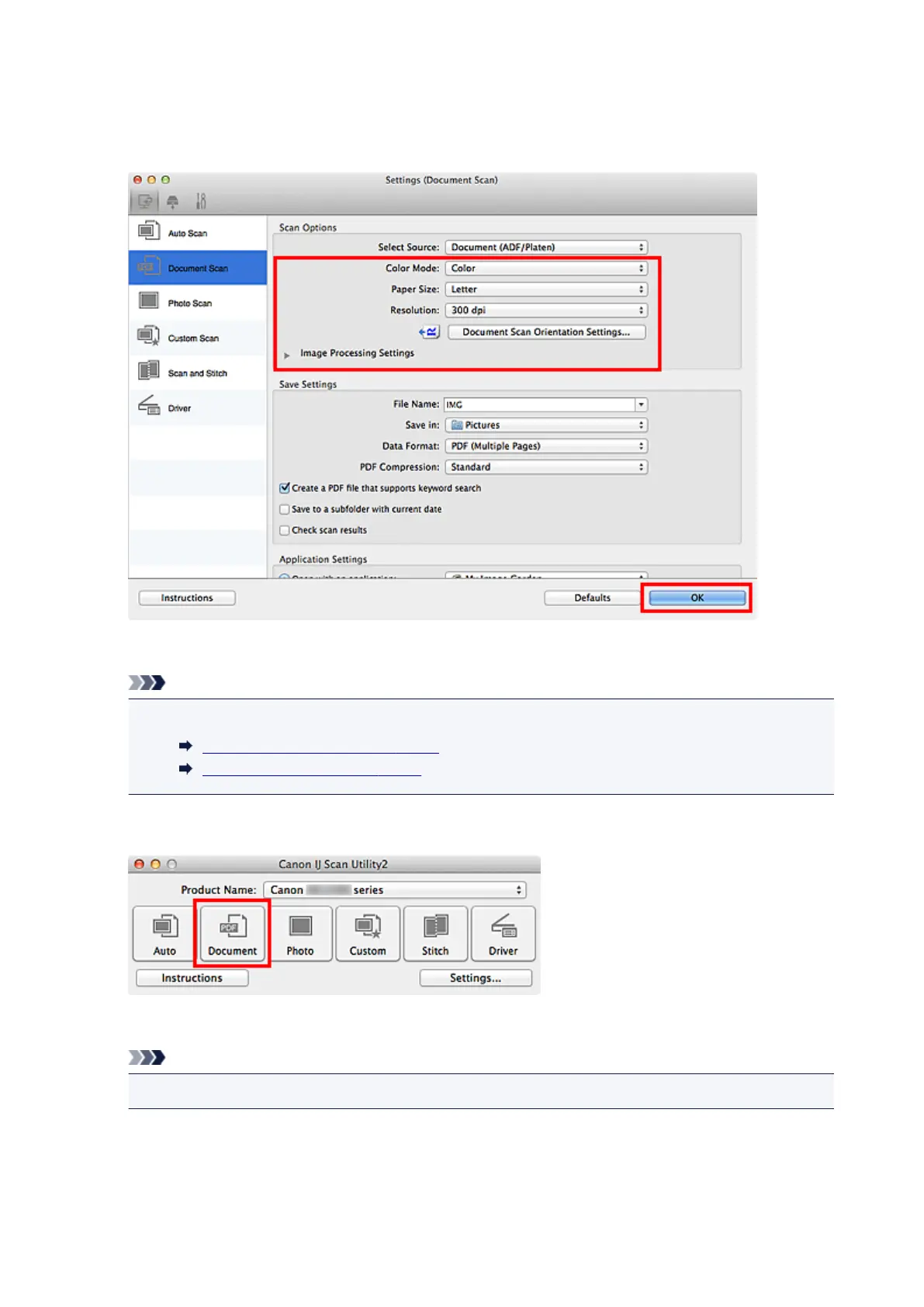
Click Document Scan Orientation Settings... to specify the orientation of the documents to be
scanned. In the displayed dialog, you can specify the Orientation and Binding Side. How to place the
documents when scanning the back sides depends on the Binding Side.
When setting is completed, click OK.
The IJ Scan Utility main screen appears.
Note
• Refer to the following pages for details on the setting items in the Settings dialog.
Settings (Document Scan) Dialog
Settings (Custom Scan) Dialog
7.
Click Document.
Scanning starts.
Note
•
Click Cancel to cancel the scan.
When Document (ADF Manual Duplex) is selected for Select Source, proceed to Step 8.
8. Follow the on-screen instructions to place the documents.
390














 To Next Page