Note
• The screens for scanning with Orientation set to Portrait are used as examples in the following
descriptions.
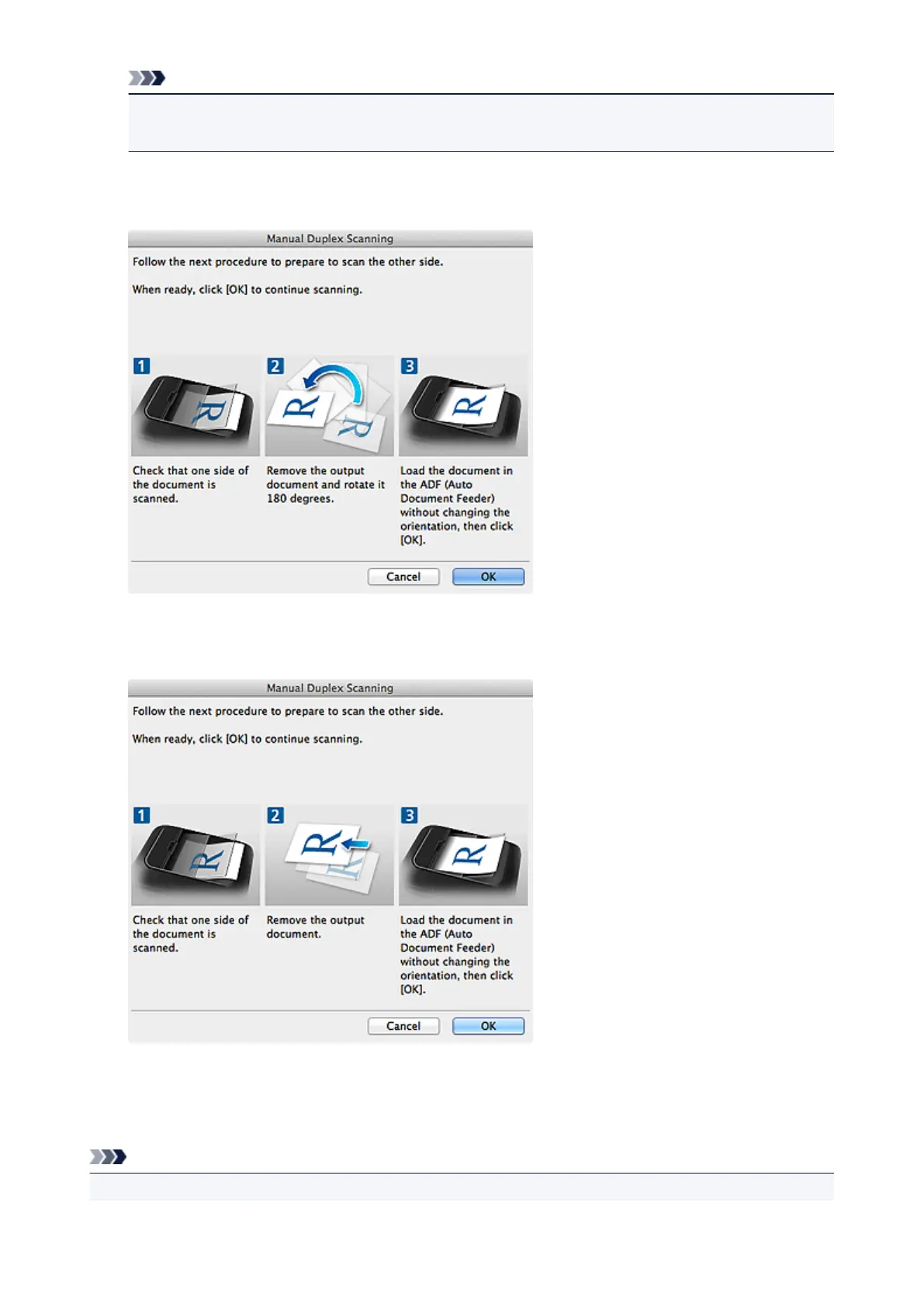
When Long edge is Selected for Binding Side in Document Scan Orientation Settings...:
Place the documents after rotating the output documents 180 degrees.
When Short edge is Selected for Binding Side in Document Scan Orientation Settings...:
Place the documents without changing the orientation of the output documents.
9. Click OK.
Scanning starts.
Note
• Click Cancel to cancel the scan.
391














 To Next Page