6
Selecting a Shooting Mode
In the , , and modes, the same procedure is used for
selecting shooting modes. The following explanation uses the
mode as an example.
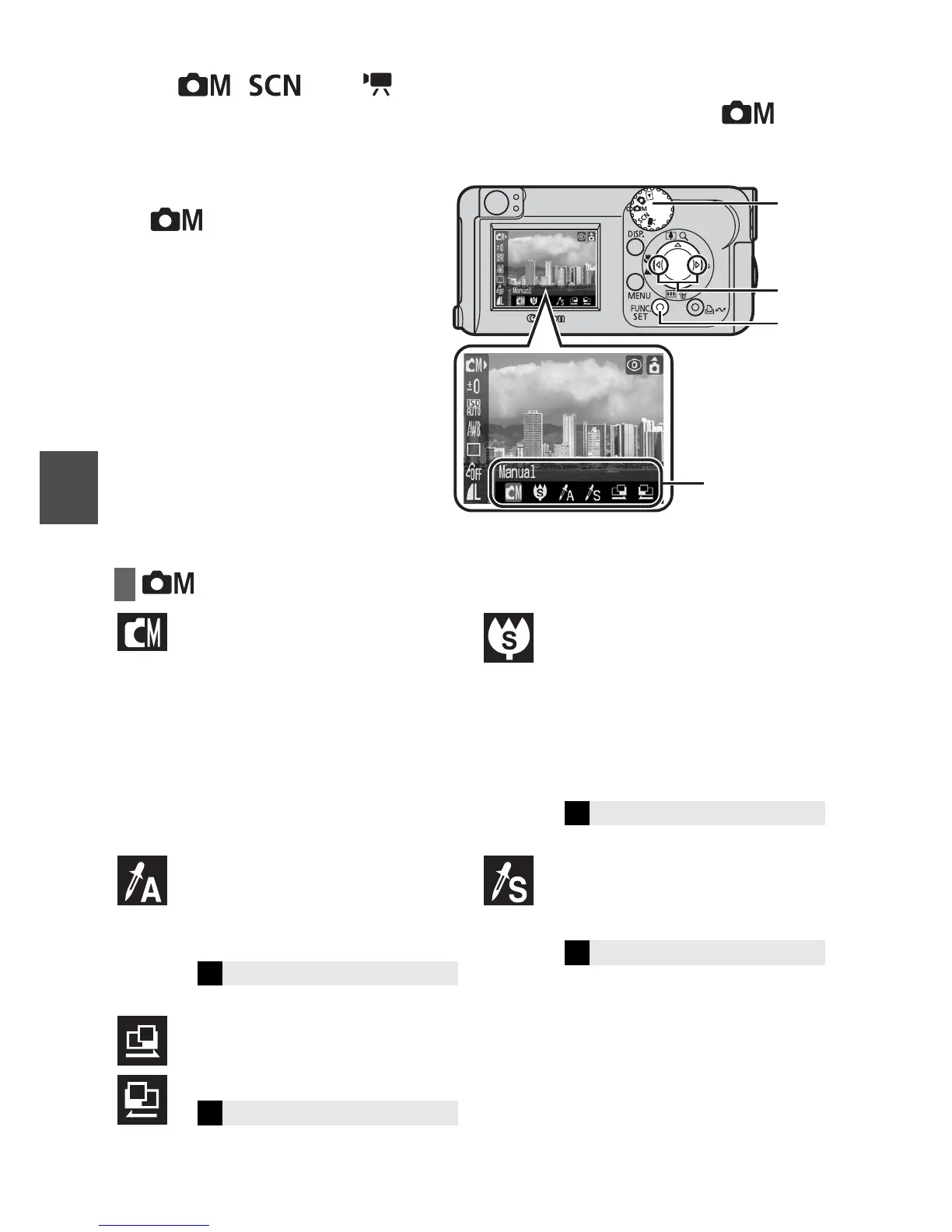
1 Set the mode dial to
(a).
2 Press the FUNC./SET
button (b).
3 Use the W or X button to
select a shooting mode
(c ).
4 Press the FUNC./SET
button (d).
Mode Items
Manual
Allows you to select settings yourself,
such as the exposure compensation,
white balance or My Colors settings.
Super Macro
Allows you to take magnified shots of
subjects closer than standard Macro
mode (p. 9).
Shooting is possible when the
distance from the front of the lens to
the subject is in the following range:
1 to 5 cm (0.4 to 2.0 in.) (maximum
wide angle)
Color Accent
Allows you to have only the color
specified in the LCD monitor remain
and to transform all others to black
and white.
Color Swap
Allows you to transform a color
specified in the LCD monitor into
another color.
Stitch Assist
Use this mode when taking shots that
you want to combine into a
panorama.
a
bd
c
Shooting
mode
Î
See the Advanced Guide (p. 31)
Î
See the Advanced Guide (p. 42)
Î
See the Advanced Guide (p. 43)
Î
See the Advanced Guide (p. 40)
Shooting















 To Next Page