34
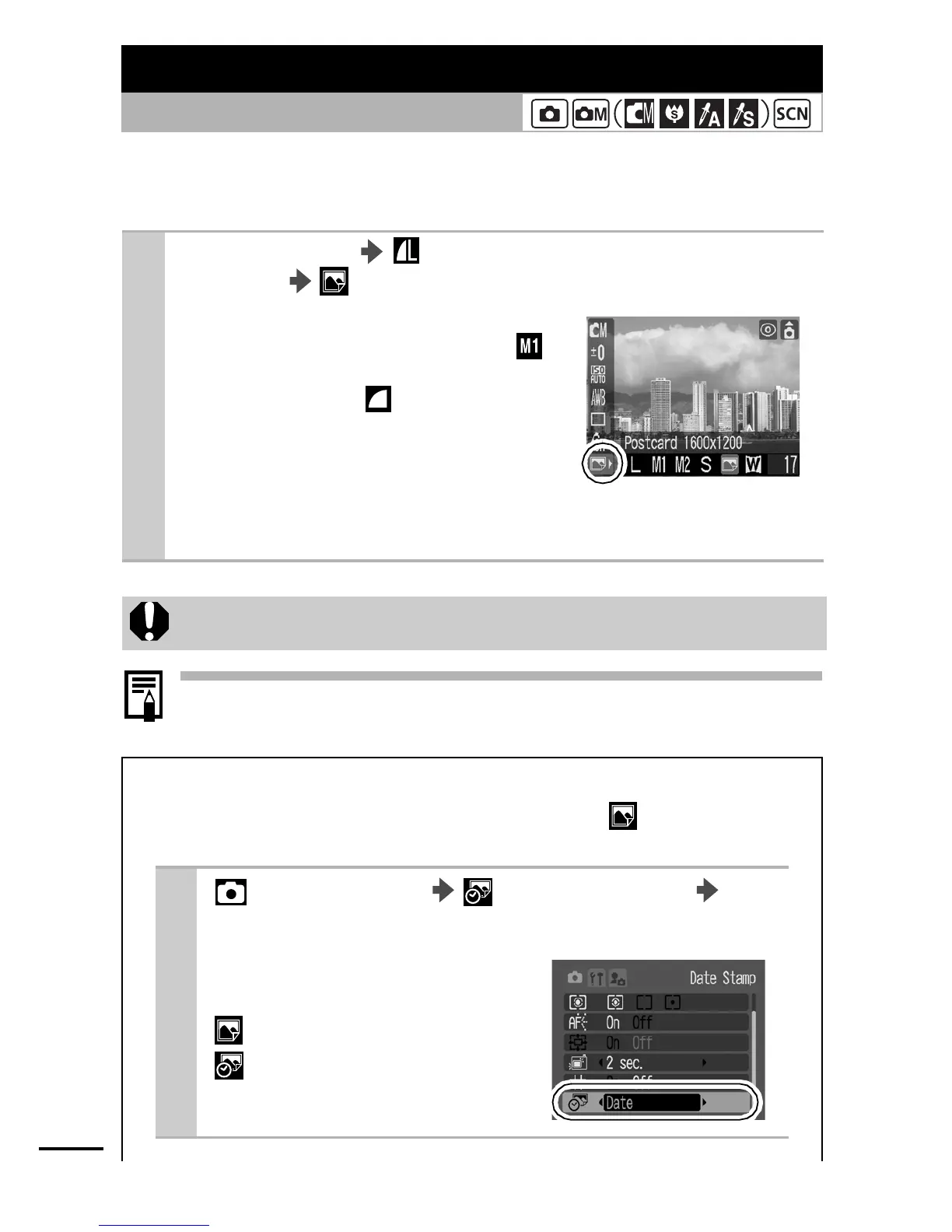
You can shoot images with the optimal settings for postcards by
composing them inside the print area (width-to-height ratio of
approximately 3:2) shown in the LCD monitor.
For printing instructions, refer to the Direct Print User Guide.
Postcard Date Imprint Mode
Shooting Mode
1
FUNC. Menu * (Compression/Recording
Pixels) (Postcard).
See Menus and Settings (p. 21).
zThe recording pixels are set to
(1600 × 1200) and the
compression to (Fine).
zWhen you press the shutter
button halfway, the area outside
the size of the postcard that will
not get printed grays out.
* Default setting.
The digital zoom cannot be used in this mode.
Embedding the Date in the Image Data
You can embed the date in image data when (Postcard
Date Imprint Mode) is selected.
1
(Rec.) Menu (Date Stamp)
[Date]/[Date & Time].
See Menus and Settings (p. 22).
In the LCD monitor
: [Off]
: [Date]/[Date & Time]















 To Next Page