46
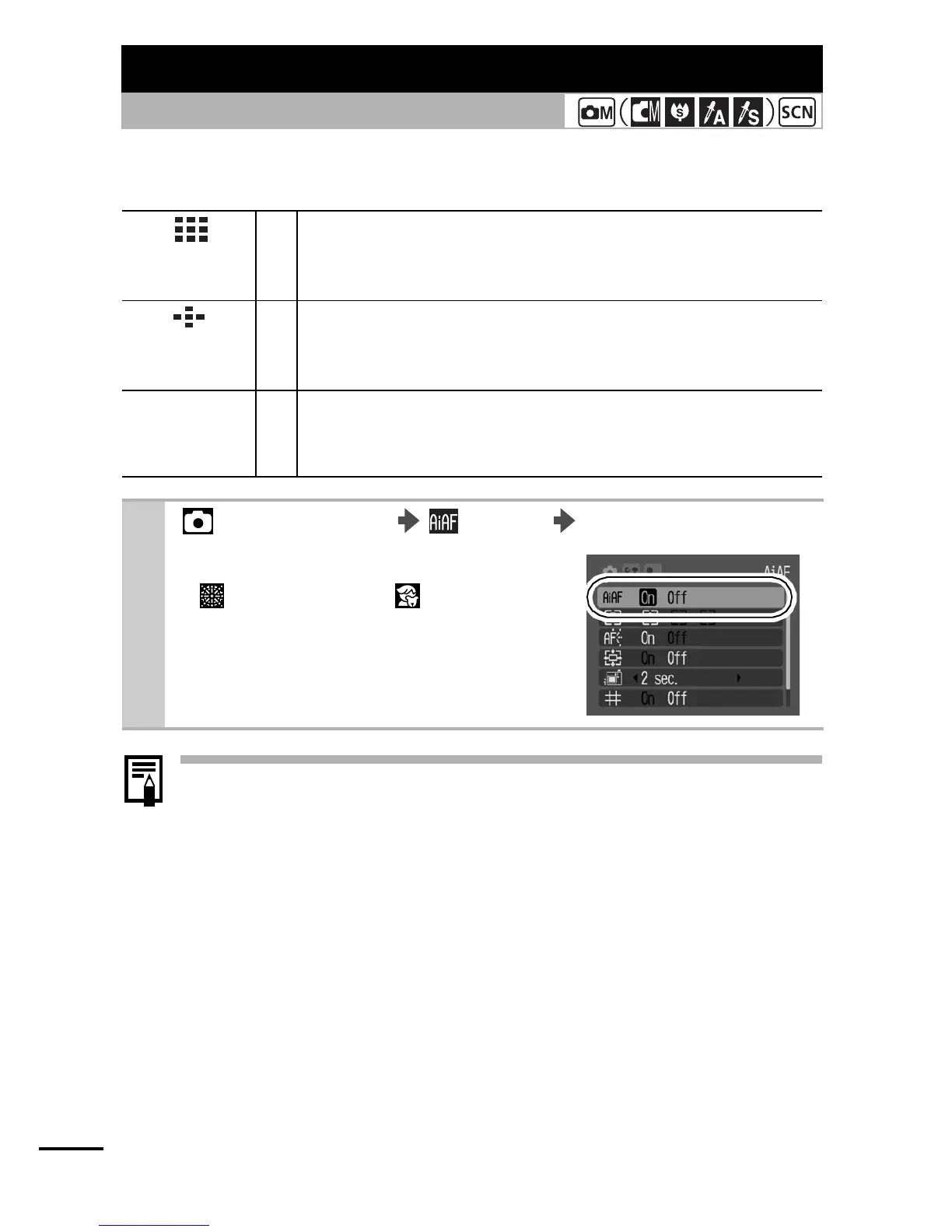
The AF frame indicates the area of the composition on which the
camera focuses. You can set the AF frame in the following ways.
z The focus is locked to the center AF frame when the digital
zoom is used.
z
The AF frame will display as follows (when the LCD monitor is on).
- AiAF Set to [On]
• Green Frame: Shooting preparations complete
(focused AF frame)
• No Frame: Focusing difficulty
- AiAF Set to [Off] (single, centered AF frame)
• Green Frame: Shooting preparations complete
• Yellow Frame: Focusing difficulty
Switching between Focusing Modes
Shooting Mode
PowerShot
A430
On
The camera detects the subject and highlights the AF
frames, from 9 available points, that it will use to
determine the focus.
PowerShot
A420
On
The camera detects the subject and highlights the AF
frames, from 5 available points, that it will use to
determine the focus.
Off
The camera focuses using the center AF frame. This is
convenient for focusing on a specific part of a subject
with greater certainty.
1
(Rec.) Menu (AiAF) [On]*/[Off].
See Menus and Settings (p. 22).
z
(Fireworks) and (Kids&Pets)
modes cannot be set.
* Default setting















 To Next Page