30
Shooting
Approximate Values for Recording Pixels
Changing the Recording Pixels and
Compression (Still Images)
Shooting Mode
1
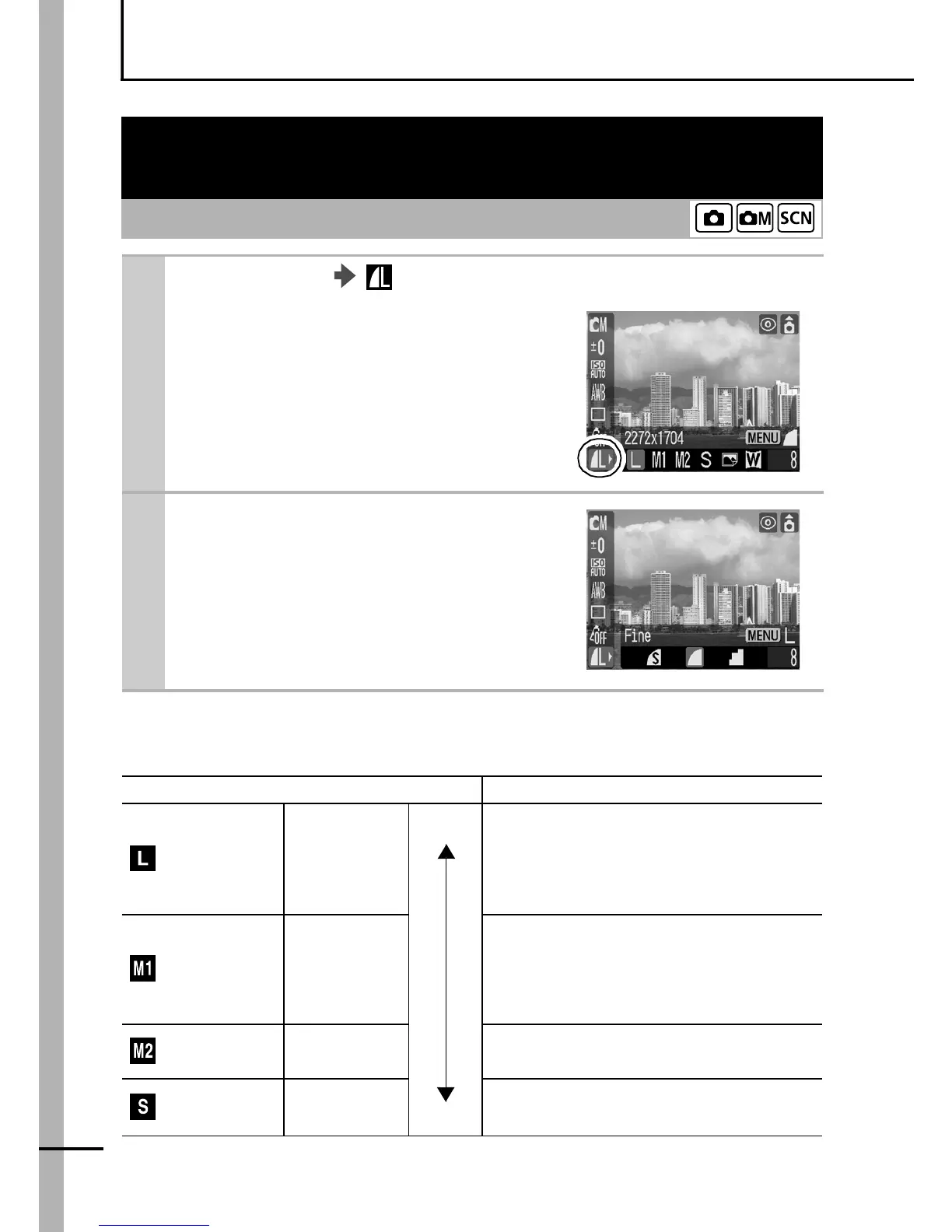
FUNC. Menu * (Compression/Recording Pixels).
See Menus and Settings (p. 21).
zUse the W or X button to select
recording pixels settings.
* Default setting.
2
Press the Menu button.
zUse the W or X button to select
compression and press the
FUNC./SET button.
Recording Pixels Purpose
(Large)
2272 × 1704
pixels
High
Print up to A4-size prints*
210 × 297 mm (8.3 × 11.7 in.)
Print up to Letter-size prints*
216 × 279 mm (8.5 × 11 in.)
(Medium 1)
1600 × 1200
pixels
Print postcard-size prints
148 × 100 mm (5.8 × 3.9 in.)
Print L-size prints 119 × 89 mm
(4.7 × 3.5 in.)
(Medium 2)
1024 × 768
pixels
Print credit card-size prints
(Small)
640 × 480
pixels
Low
Send images as e-mail attachments
Shoot more images















 To Next Page