36
Changing the Delay Time and Number
of Shots ( ).
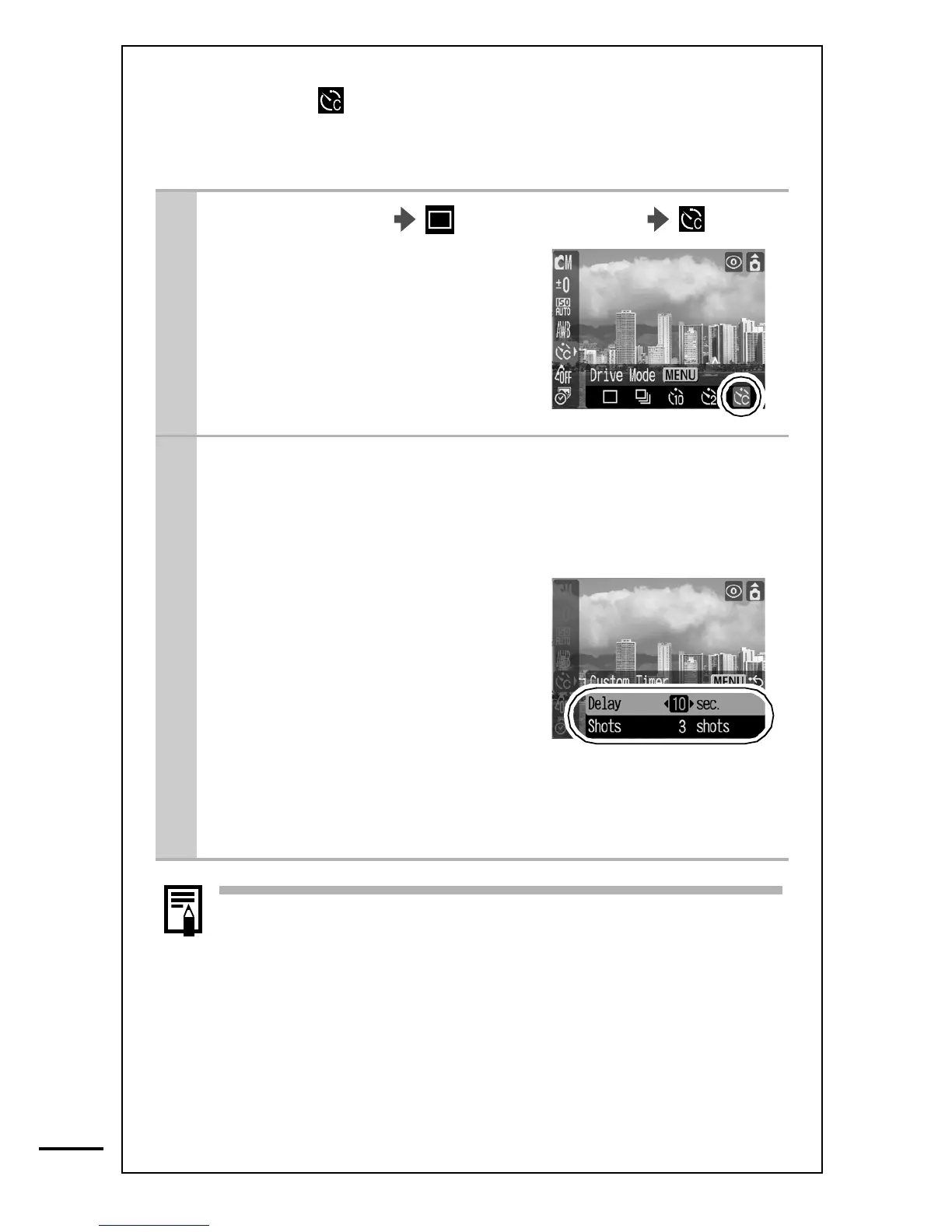
You can change the delay time (0–10, 15, 20, 30 sec.) and
number of shots (1–10).
1 FUNC. Menu (Drive Mode) .
See Menus and Settings (p. 22).
2
Press the MENU button
.
zUse the S or T to select the [Delay]/[Shots] and use
the W or X to change settings, then press the FUNC./
SET button.
zThe self-timer sound will
behave as follows.
- If a delay time of over 2
sec. has been specified,
the self-timer sound will
start and play rapidly
2 sec. before the
specified delay.
- If multiple shots have been specified for the [Shots]
option, the sound will play for the first shot only.
If the [Shots] option is set to 2 or more shots, the
following occurs.
- The exposure and white balance are locked at the
settings selected for the first shot.
- If the flash fires, the interval between shots may
lengthen.
- The interval between shots may lengthen if the
internal memory becomes full.
- Shooting will automatically cease if the memory card
becomes full.















 To Next Page