Printer Parts and Their Functions
Menu
Screen
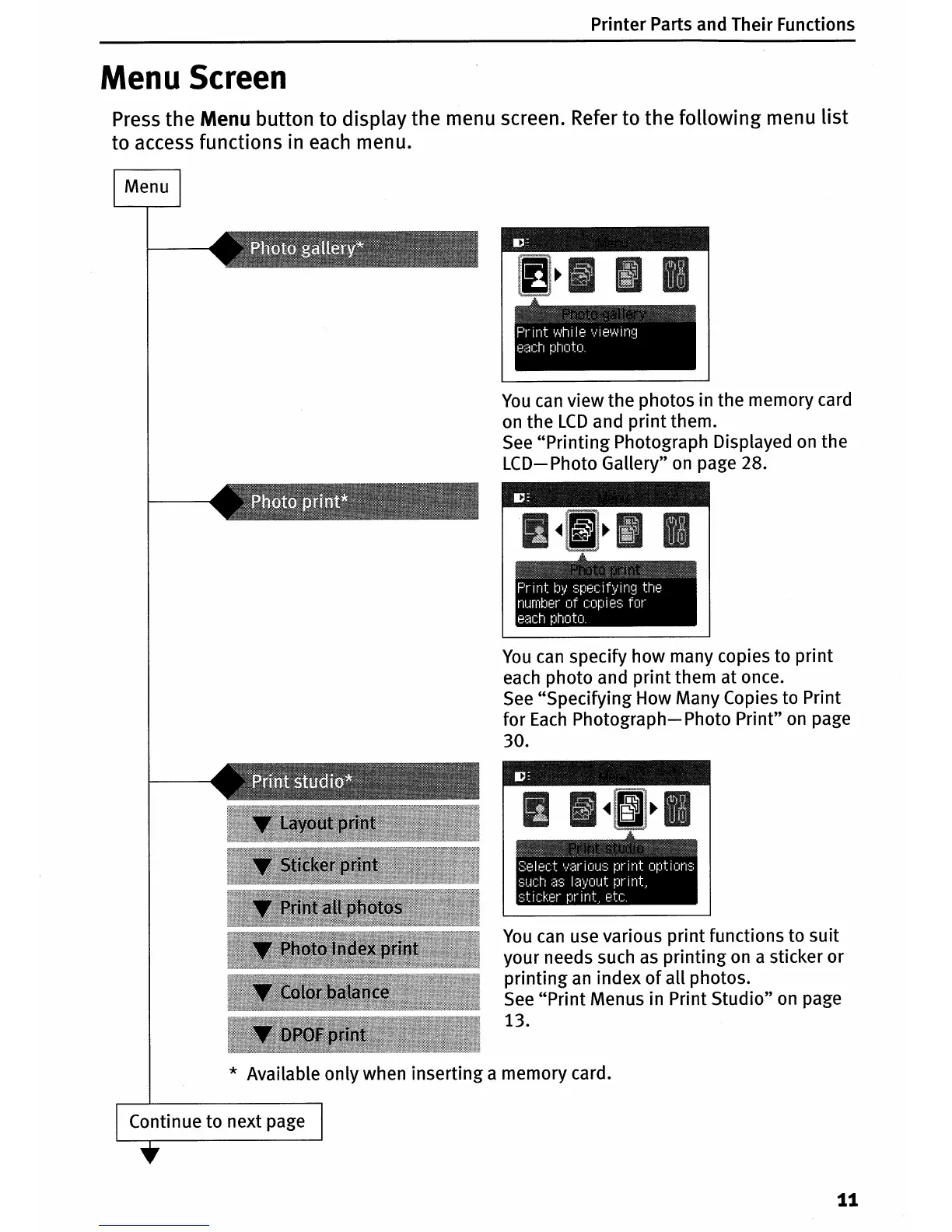
Press the Menu button to display the menu screen. Refer to the following menu list
to access functions in
each
menu.
You
can
view the photos in the memory card
on
the
LCD
and
print
them.
See
"Printing
Photograph Displayed
on
the
LCD-
Photo Gallery"
on
page 28.
You
can
specify how many copies to print
each photo and
print
them at once.
See
"Specifying How Many Copies to Print
for
Each
Photograph-
Photo Print"
on
page
30.
You
can
use various print functions to suit
your needs such
as
printing
on
a sticker
or
printing
an
index
of
all photos.
See
"Print
Menus in Print Studio"
on
page
13.
* Available only when inserting a memory card.
Continue to next page
11












 To Next Page