Click the
name
of
the
guide
to display
each
guide
Refer
to
a
relevant
guide
according
to
each
case
you
use
the
print
er
Printing
with
the
Computer
How
to
View
the
On-screen Manual
You
can
use the On-screen Manuals to obtain necessary information for
printing from your computer. Install the following On-screen Manuals when
you need to know how to print from your computer, printer driver setup, or
how to use the supplied print application.
• Select
Easy
Install to install the printer driver and the print application.
• Select Custom Install to select and install the On-screen Manuals.
If
you have not installed the On-screen Manuals yet or
if
you deleted them,
Follow the procedure below.
• How
to
Open
the
On-screen Manual
This section describes how to display the On-screen Manuals
on
your
computer.
1 Double-click the
5ELPHY
D5810 On-screen
Manual
shortcut icon
on
the
desktop.
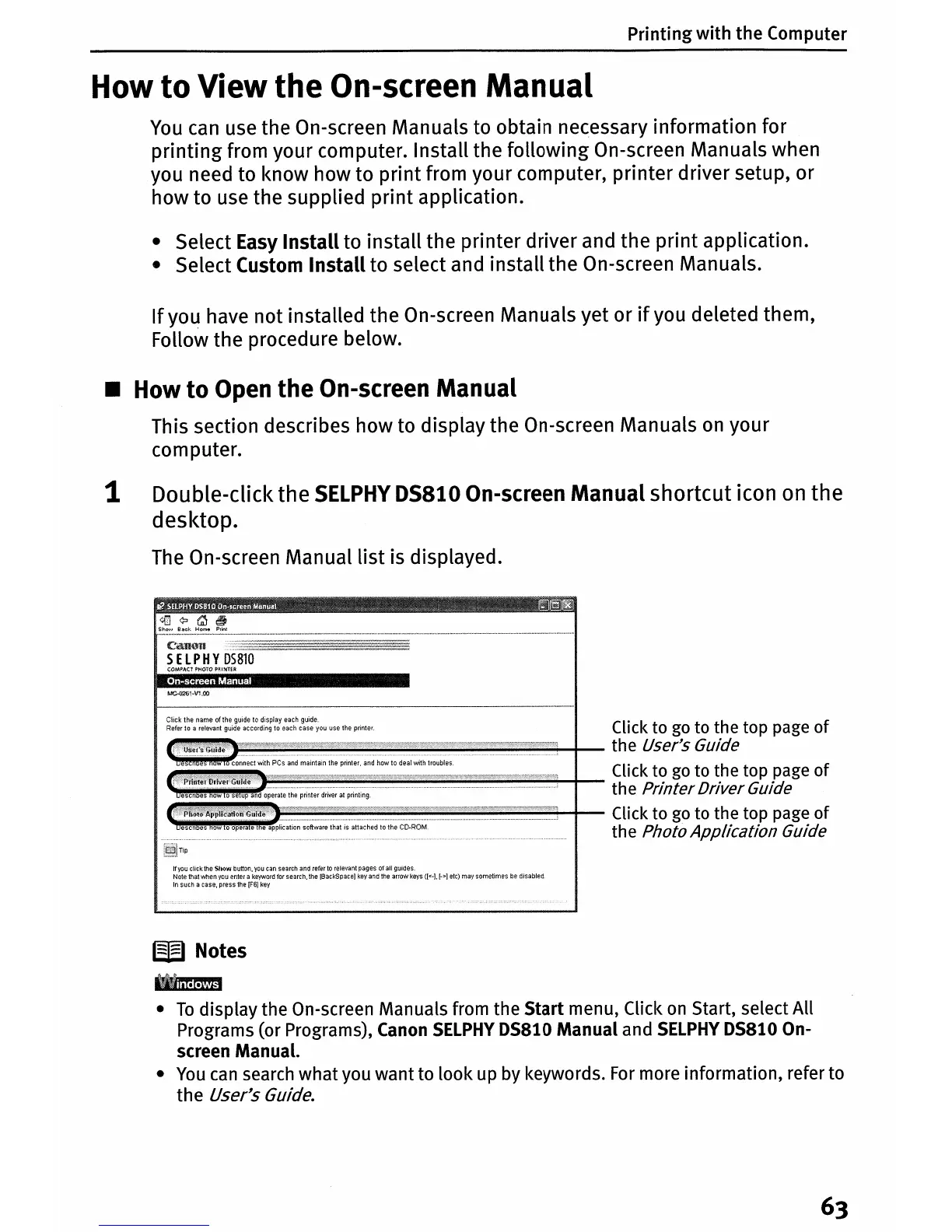
The
On-screen Manual list is displayed.
i$
~WBaCk~e
!!I
CaU(.lU
SEl PHY
D5810
Click
to
go
to the top page of
..,I!!!~~~~~~~~~~~~~~+-
the User's Guide
~connectwithPCsandmaintaintheprinter,andhowtodealwithtroubles
~
~~~~~~~~~~~~~~~~~
Click
to
go
to the top page of
the
PrinterDriverGuide
Click
to
go
to the top page of
uescn
es
ow
o
opera
e the Photo Application Guide
If
you
clicktheShQw
butlon,
you
can
search
and
refer
to
relevanlpagesofallguides
Note
that
when
you
enter
a
keyword
for
search,
the
[BackSpace]
key
and
the
arrow
keys
([<-I.
[->]
etc)
may
sometimes
be
disabled
In
such
a
case,
press
the
[F6J
key
W Notes
•
To
display the On-screen Manuals from
the
Start
menu, Click
on
Start, select All
Programs (or Programs), Canon
SELPHY
DS810
Manual
and
SELPHY
DS810 On-
screen Manual.
•
You
can search
what
you
want
to
look
up by keywords.
For
more information, refer to
the
User's Guide.















 To Next Page