Easy Setup Instructions
Preparing the Printer
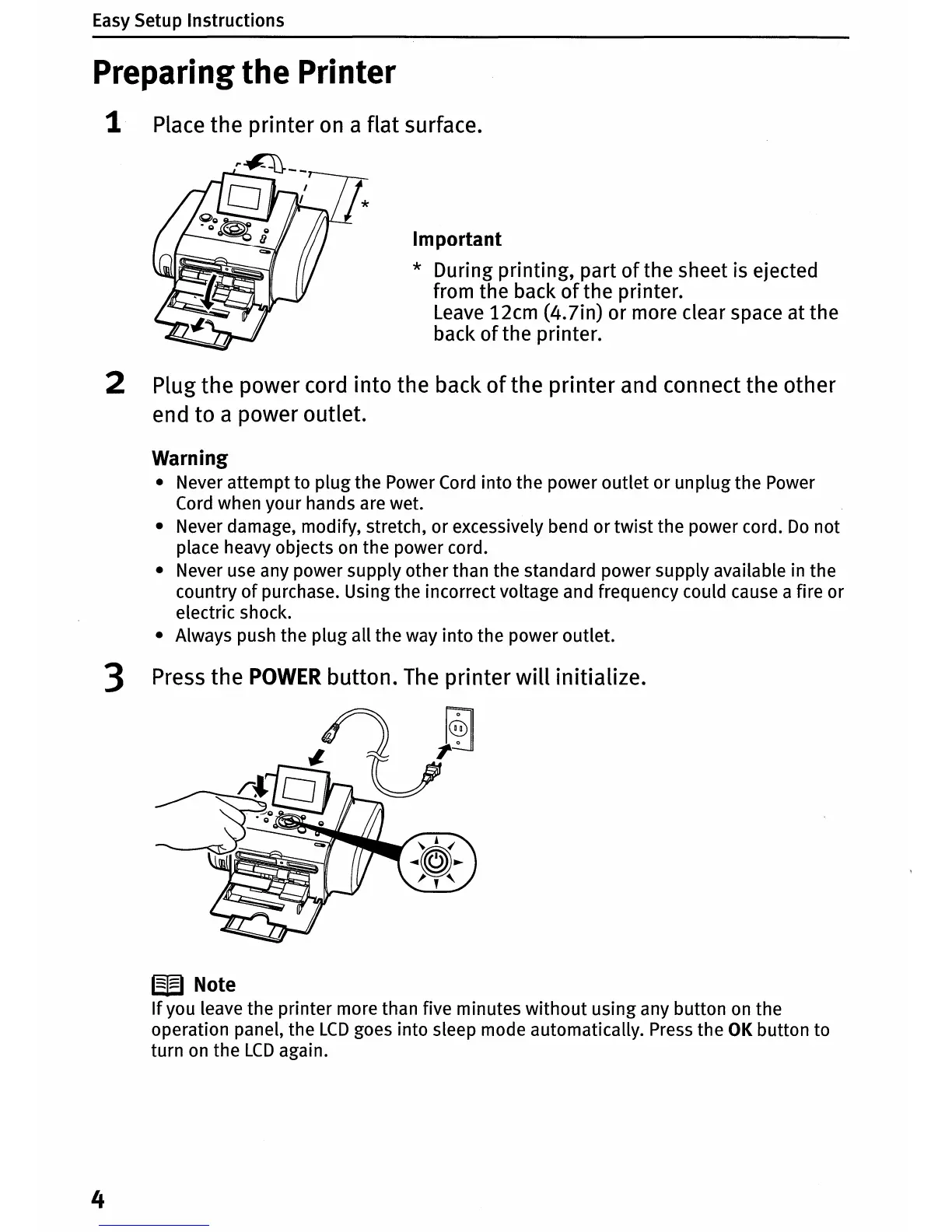
1 Place the printer
on
a flat surface.
Important
* During printing, part
of
the sheet is ejected
from the back
of
the printer.
Leave
12cm (4.7in) or more clear space at the
back
of
the printer.
2 Plug the power cord into the back
of
the printer and connect the other
end to a power outlet.
Warning
• Never attempt to plug the Power
Cord
into the power outlet or unplug the Power
Cord
when your hands are wet.
• Never damage, modify, stretch, or excessively bend or
twist
the power cord.
Do
not
place heavy objects
on
the power cord.
• Never use any power supply other than the standard power supply available in the
country
of
purchase. Using the incorrect voltage and frequency could cause a fire or
electric shock.
• Always push the plug all the way into the power outlet.
3 Press the
POWER
button.
The
printer
will
initialize.
W Note
If
you leave the printer more than five minutes
without
using any button
on
the
operation panel, the
LCD
goes into sleep mode automatically. Press the
OK
button to
turn
on
the
LCD
again.
4















 To Next Page